To build a better gaming desk setup, choose a sturdy desk with ample space and keep essentials within easy reach. Use an adjustable monitor stand at eye level and an ergonomic chair to support good posture. Add soft lighting and organize cables with clips or trays for a tidy look. Personalize your space with accessories and natural elements, and regularly update your setup for maximum comfort and performance. Keep exploring to discover more tips for creating the ultimate gaming environment.
Key Takeaways
- Choose a sturdy, spacious desk and position your monitor at eye level to promote good posture.
- Use an adjustable ergonomic chair supporting proper spinal alignment and keep feet flat on the floor.
- Incorporate soft, adjustable ambient lighting to reduce glare and enhance visibility during gaming sessions.
- Organize cables with clips or trays to maintain a tidy workspace and improve airflow.
- Personalize your setup with accessories and regularly update to optimize comfort and functionality.
Have you ever felt frustrated by cluttered or uncomfortable gaming spaces that hinder your focus and performance? Creating the perfect gaming desk setup isn’t just about having the latest hardware; it’s about designing a space that promotes comfort, efficiency, and immersion. The foundation of any good setup begins with your desk and chair, but paying attention to ergonomic posture and ambient lighting elevates your experience to a whole new level.
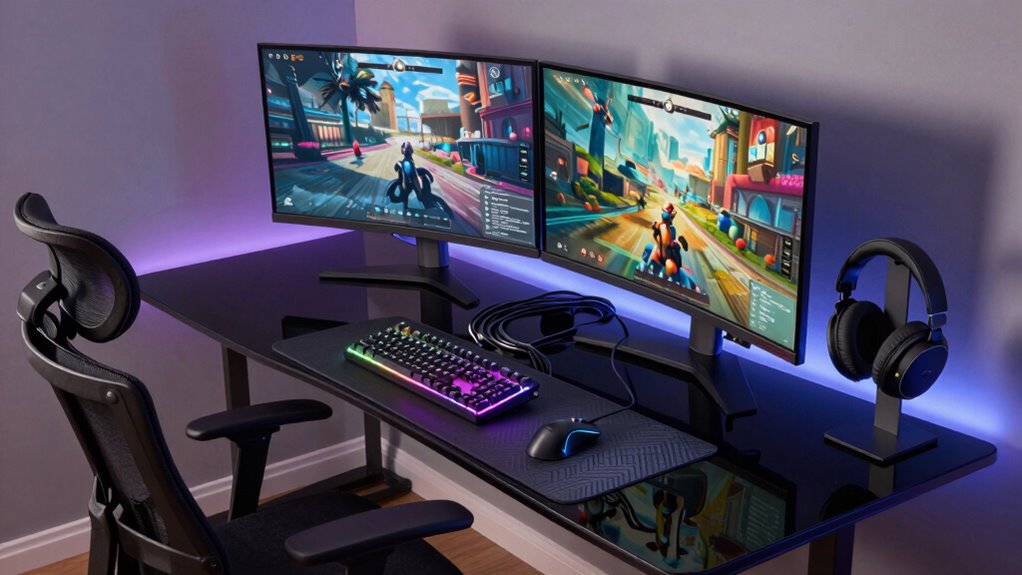
Start by choosing a sturdy desk that offers enough surface area for your monitor, keyboard, mouse, and accessories. Your goal should be to minimize clutter, so everything you need should be within easy reach. When setting up your monitor, position it at eye level to avoid neck strain. Using an adjustable monitor stand or a wall mount helps achieve this. The key is maintaining neutral neck alignment, which supports ergonomic posture and reduces fatigue during long gaming sessions. Incorporating ergonomic hardware designed with comfort in mind can further improve your gaming experience.
Your chair plays a crucial role too. Opt for an adjustable, ergonomic chair that supports your lower back and encourages proper spinal alignment. When seated, your feet should rest flat on the floor, and your knees should be at a 90-degree angle. Keep your elbows close to your sides and at a comfortable height relative to your desk. This posture prevents discomfort and helps sustain focus over extended periods. Additionally, choosing the right workspace design can help you create an environment that’s both functional and inspiring. Paying attention to biodiversity principles, such as incorporating natural elements like plants, can also enhance your workspace’s atmosphere and air quality. Incorporating proper ventilation can further improve air circulation and contribute to a healthier environment.
Ambient lighting is often overlooked but makes a significant difference. Avoid harsh overhead lights that cast shadows or cause glare on your screen. Instead, incorporate soft, adjustable lighting around your desk. LED strips or desk lamps with dimming capabilities allow you to control brightness levels, creating a cozy environment that reduces eye strain. The right ambient lighting enhances visibility and immersion, especially during late-night gaming sessions, without overwhelming your eyes. Additionally, choosing a well-designed workspace can help you create an optimal environment that balances comfort and functionality.
Cable management is another essential aspect of building a better gaming setup. Use cable clips, sleeves, or trays to keep wires organized and out of the way. A tidy workspace not only looks appealing but also prevents accidental unplugging or damage to your equipment. When your desk is free of clutter, you can better maintain the ergonomic setup you’ve designed. Furthermore, an organized setup can improve airflow, helping your hardware stay cool during intense gaming sessions.
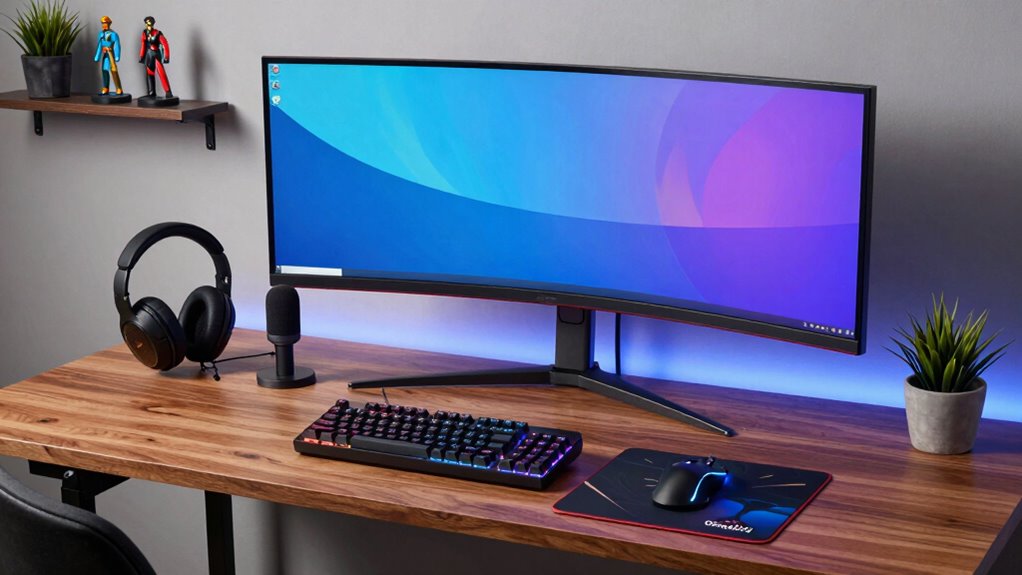
Finally, personalize your space with accessories that boost comfort and focus—think wrist rests, a good mouse pad, or even some plants. These small touches contribute to a more inviting and functional environment. Remember, building a better gaming desk setup isn’t a one-time task; it’s about continuously refining your space to match your needs. Prioritizing ergonomic posture and ambient lighting ensures you’re comfortable, focused, and ready to conquer your games.

N-GEN GAMING Video Gaming Chair with Footrest Lumbar Support for Home Office High Back Recliner Height Adjustable Ergonomic Comfy Leather Computer Desk Chair (Black)
Racing Style for Long Sessions – High-back gaming chair with ergonomic racing design, ideal for long hours at…
As an affiliate, we earn on qualifying purchases.
As an affiliate, we earn on qualifying purchases.
Frequently Asked Questions
What’s the Best Lighting for a Gaming Desk?
The best lighting for your gaming desk is a combination of ambient lighting and customizable LED strips. Use soft, warm ambient lights to reduce eye strain, while RGB LED strips allow you to match your color schemes and create an immersive atmosphere. You can control brightness and colors easily, making your gaming environment both comfortable and visually stunning. This setup enhances focus and enjoyment during long gaming sessions.
How Do I Reduce Cable Clutter Effectively?
You can tame that wild jungle of cables by mastering cable management—think of it as grooming your tech’s hair. Use cable clips and sleeves to keep wires in check, and invest in a power strip organizer to prevent chaos. Label your cords for easy identification. With a little effort, your desk transforms from a tangled mess into a sleek, functional setup, making gaming sessions smoother and less frustrating.
What Ergonomic Accessories Improve Comfort?
An ergonomic chair and wrist support substantially boost your comfort during long gaming sessions. Choose a chair with adjustable height, lumbar support, and good cushioning to maintain proper posture. Add wrist supports or pads to reduce strain on your wrists while using your keyboard and mouse. These accessories help prevent discomfort and injury, keeping you focused and comfortable for extended periods. Prioritize these ergonomic essentials to enhance your gaming experience.
How Often Should I Upgrade My Gaming Peripherals?
You should upgrade your gaming peripherals every 1-2 years to keep up with evolving technology and comfort needs. Coincidentally, regular peripheral maintenance guarantees they stay in top shape, making each upgrade more rewarding. Pay attention to signs like lag, wear, or decreased responsiveness. Timing your upgrades thoughtfully enhances your gaming experience, prevents frustration, and keeps your setup feeling fresh. Don’t wait too long—your next victory might depend on it!
Which Desk Materials Are Most Durable?
You should choose desk materials with durable desk surfaces like solid wood, metal, or high-pressure laminate, which withstand daily wear and tear. For frame stability, opt for steel or sturdy aluminum frames that provide strong support and prevent wobbling. These materials guarantee your gaming setup stays reliable during intense gaming sessions. Prioritizing a durable desk surface combined with a stable frame keeps your gaming environment secure and long-lasting.

WALI Computer Monitor Stand for Desk, Adjustable Laptop Riser, Desk Monitor Stand Underneath Storage for Office, Home, School Supplies (STT003), 1 Pack, Black
Design: The monitor stand for the desk has a large 14.6 x 9.3 inches metal shelf that fits…
As an affiliate, we earn on qualifying purchases.
As an affiliate, we earn on qualifying purchases.
Conclusion
Now that you’ve tailored your gaming desk setup, remember that comfort and organization are your best allies—think of it as your Excalibur in the modern age of gaming. Like a knight preparing for battle, equip your space wisely, and don’t forget to take breaks. A well-designed setup isn’t just about tech; it’s about crafting a sanctuary where you can conquer quests and forge memories. Stay sharp, and game on!

TJOY Smart Light Bars, Gaming Lights for Desk, 14 Inches, RGB Light Bar, TV Backlight with Music Sync and Scene, 60 Lumens, Mood Lighting for PC, Game, RGB Desk Lighting(Black)
【Colorful Lighting Experience】RGB+IC Lighting, high quality led beads, make the lighting soft. The led light bar offer more…
As an affiliate, we earn on qualifying purchases.
As an affiliate, we earn on qualifying purchases.

Under Desk Cable Management Tray No Drill, Metal Mesh Cable Management Under Desk with Clamp Mount, 2 Hole Cable Tray with Wire Management and Cord Organizer for Home Office Standing Desk
【No Drill Mounted】Cable management tray can be assembled in as little as 3 minutes or less-simply. Side clips…
As an affiliate, we earn on qualifying purchases.
As an affiliate, we earn on qualifying purchases.