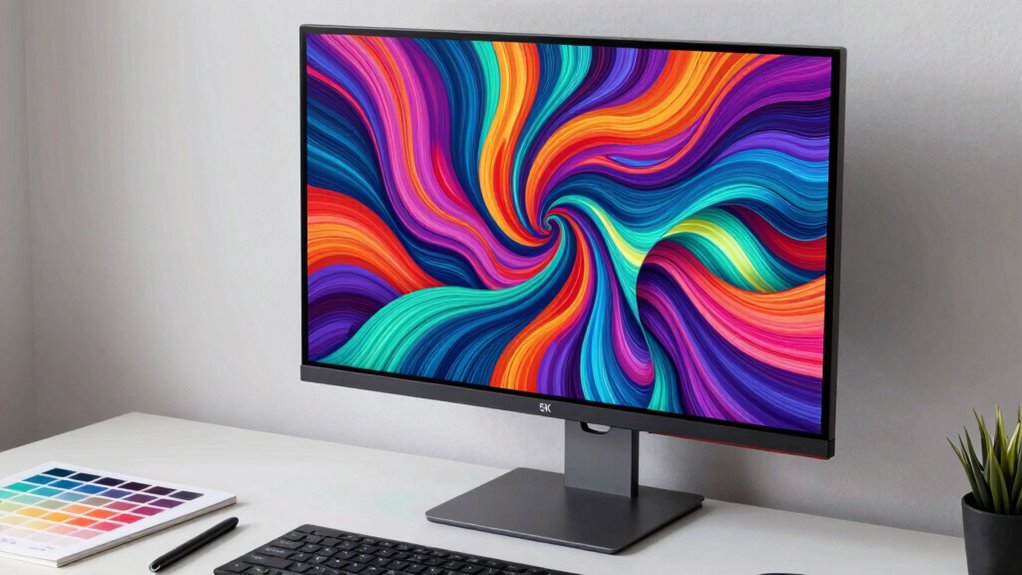

If you’re searching for a 5K monitor, you’re likely after exceptional resolution for creative work, professional precision, or immersive gaming. The BenQ PD2730S stands out as the best overall choice thanks to its color accuracy and versatile features. For gamers, the LG 27GM950B-B offers a high refresh rate alongside stunning resolution, while the Samsung ViewFinity S8 balances size and clarity for productivity. Every model in this category involves tradeoffs—such as price versus performance or resolution versus refresh rate—so choosing the right one depends on your specific priorities. Keep reading for a detailed breakdown of what to consider and how each monitor measures up.

Get travel and outdoor gear delivered free with Prime
- Fast, free delivery on millions of items
- Prime Video, Amazon Music and more included
- Member-only deals all year
Complete the kit


Key Takeaways
- Higher resolution monitors like 5K significantly improve detail and workspace, especially for creative professionals.
- Refresh rate and response time vary widely, affecting gaming performance and smoothness.
- Size and ergonomics are critical—larger screens provide more workspace but may require more desk space and better calibration.
- Connectivity options, especially Thunderbolt and USB-C, are vital for seamless workflow integration.
- Price ranges from premium options with advanced features to more affordable models, making budget considerations essential.
| BenQ PD2730S 27-Inch 5K Monitor with Thunderbolt 4, P3 Color, Nano Matte Panel, KVM, Height Adjustable for Creative Professionals |  | Best Overall for Creative Professionals | Resolution: 5120×2880 (5K) | PPI: 218 | Color Coverage: 98% P3 | VIEW ON AMAZON | See Our Full Breakdown |
| LG 27GM950B-B 27-inch Ultragear evo Mini-LED IPS 5K 165Hz Gaming Monitor |  | Best for Gaming and Versatile Use | Display Size: 27 inches | Resolution: 5120×2880 (5K) | Refresh Rate: 165Hz | VIEW ON AMAZON | See Our Full Breakdown |
| Samsung 27″ ViewFinity S8 (S80HF) Series High-Resolution Monitor |  | Best for Versatile Productivity and Color Fidelity | Resolution: 5120 x 2880 pixels | Display Technology: IPS | Brightness: 350 cd/m2 | VIEW ON AMAZON | See Our Full Breakdown |
| LG 32U990A-S 32-Inch 6K Nano IPS Monitor with Thunderbolt 5, HDR600, VESA, Tilt/Height/Pivot Stand |  | Best for Creative Professionals Needing Larger Screens | Resolution: 6144 x 3456 (6K) | Pixel Density: 224 PPI | Color Coverage: 99.5% Adobe RGB, 98% DCI-P3 | VIEW ON AMAZON | See Our Full Breakdown |
| KTC 27 Inch 5K2K Dual Mode Monitor with 65W Type-C Port |  | Best for Dual-Use Creative and Gaming | Resolution: 5120×2880 (5K) at 60Hz, 2K at 120Hz | Color Coverage: 99% DCI-P3, 100% sRGB | Brightness: 500 cd/m² | VIEW ON AMAZON | See Our Full Breakdown |
| Samsung 27″ Odyssey G8 (G80HF) Gaming Monitor – 5K Resolution, Fast IPS |  | Best for High-Performance Gaming at 5K | Screen Size: 27 inches | Resolution: 5120 x 2880 (5K) | Pixel Density: 218 PPI | VIEW ON AMAZON | See Our Full Breakdown |
| ASUS ProArt PA27JCV 27-Inch 5K USB-C Professional Monitor for Mac |  | Best for Creative Professionals Needing Precise Color | Display Size: 27 inches | Resolution: 5120 x 2880 (5K) | Color Gamut: 99% DCI-P3, 100% sRGB, 95% Adobe RGB | VIEW ON AMAZON | See Our Full Breakdown |
| INNOCN 40 Inch 5K Ultrawide Monitor for Laptop, 21:9, 100Hz, IPS, HDMI, DP, FreeSync, HDR400, USB-C, Built-in Speakers, Height Adjustable, Black |  | Best for Multitasking and Creative Work on a Large Ultrawide | Size: 40 inches | Resolution: 5120 x 2160 | Refresh Rate: 100Hz | VIEW ON AMAZON | See Our Full Breakdown |
| LG 45GX950A-B 45-inch Ultragear 5K2K WUHD OLED Curved Gaming Monitor, Dual-Mode, 165Hz, 0.03ms, G-Sync, FreeSync, HDR True Black 400, USB-C 90W |  | Best for Immersive Gaming with Deep Blacks and Wide Aspect | Size: 45 inches | Resolution: 5120 x 2160 (5K2K WUHD) | Refresh Rate: 165Hz | VIEW ON AMAZON | See Our Full Breakdown |
| INNOCN 34-Inch 5K Ultrawide Monitor with 120Hz Refresh Rate |  | Best for Versatile Productivity and Creative Use in a Compact Ultrawide | Size: 34 inches | Resolution: 5120 x 2160 | Refresh Rate: 120Hz | VIEW ON AMAZON | See Our Full Breakdown |
| 5k monitor | Resolution | Panel Type | Connectivity | Refresh Rate |
|---|---|---|---|---|
| BenQ PD2730S 27-Inch 5K Monito | 5120×2880 (5K) | Nano Matte | Thunderbolt 4 | — |
| LG 27GM950B-B 27-inch Ultragea | 5120×2880 (5K) | — | DisplayPort 2.1, USB-C 90W, HDMI 2.1 | 165Hz |
| Samsung 27" ViewFinity S8 | 5120 x 2880 pixels | — | DisplayPort, HDMI, USB Type C | — |
| LG 32U990A-S 32-Inch 6K Nano I | 6144 x 3456 (6K) | — | Thunderbolt 5, HDMI 2.1, DisplayPort 2.1 | — |
| KTC 27 Inch 5K2K Dual Mode Mon | 5120×2880 (5K) at 60Hz, 2K at 120Hz | — | USB-C PD65W, HDMI, DisplayPort | — |
| Samsung 27" Odyssey G8 | 5120 x 2880 (5K) | Fast IPS | — | 180Hz (5K mode), 360Hz (QHD mode) |
| ASUS ProArt PA27JCV 27-Inch 5K | 5120 x 2880 (5K) | IPS | USB-C with DisplayPort, 96W power | — |
| INNOCN 40 Inch 5K Ultrawide Mo | 5120 x 2160 | IPS | — | 100Hz |
| LG 45GX950A-B 45-inch Ultragea | 5120 x 2160 (5K2K WUHD) | OLED | — | 165Hz |
| INNOCN 34-Inch 5K Ultrawide Mo | 5120 x 2160 | IPS | — | 120Hz |
More Details on Our Top Picks
BenQ PD2730S 27-Inch 5K Monitor with Thunderbolt 4, P3 Color, Nano Matte Panel, KVM, Height Adjustable for Creative Professionals
The BenQ PD2730S stands out as the top choice for creative professionals who need precise color accuracy and sharp detail in a compact 27-inch form. Its 5K resolution delivers incredibly fine images, rivaling larger monitors like the LG 32U990A-S, but with a smaller footprint that’s easier to fit on a typical desk. The 98% P3 color coverage and Nano Matte panel support accurate, eye-friendly work for photo editing, video grading, and design tasks. Thunderbolt 4 support simplifies workflows, and the KVM switch helps toggle between multiple devices without hassle. However, the premium price and size might deter casual users or those on a tight budget. It’s best suited for professionals prioritizing color fidelity and ergonomic comfort over cost or extra screen space.
Pros:- High-resolution 5K display with sharp, detailed images
- Excellent color accuracy with 98% P3 coverage
- Thunderbolt 4 support for fast data and power transfer
- Nano Matte panel reduces glare for prolonged use
Cons:- Premium price may be steep for some users
- Large size requires substantial desk space
Best for: Creative professionals who need high color accuracy and a compact, ergonomic setup
Not ideal for: Casual users or gamers seeking high refresh rates or large screens for immersive gaming
- Resolution:5120×2880 (5K)
- PPI:218
- Color Coverage:98% P3
- Contrast Ratio:2000:1
- Panel Type:Nano Matte
- Connectivity:Thunderbolt 4
Our verdict“This monitor is ideal for professionals who need precise visuals and ergonomic features in a compact form.”
LG 27GM950B-B 27-inch Ultragear evo Mini-LED IPS 5K 165Hz Gaming Monitor
The LG 27GM950B-B is designed to meet the needs of gamers who also demand high-resolution clarity. Its 5K resolution provides crisp visuals, comparable to the BenQ PD2730S, but with a focus on high refresh rates and HDR performance. The 165Hz refresh rate and support for adaptive sync technologies like G-SYNC and FreeSync make it suitable for fast-paced gaming, while the 1250 nits HDR brightness rivals some professional displays. The Hyper Mini LED technology enhances contrast and reduces blooming, providing vivid images. However, the extensive feature set and high price tag make it more appropriate for enthusiasts rather than casual users. It’s best for gamers who want to combine immersive visuals with high-performance specs, but perhaps overkill for non-gaming applications.
Pros:- Exceptional 5K resolution with detailed textures
- High 165Hz refresh rate for smooth gameplay
- Bright HDR with 1250 nits and VESA DisplayHDR 1000
- Advanced Hyper Mini LED technology for contrast
Cons:- High cost and complex setup may challenge casual users
- Overkill for non-gaming or basic productivity
Best for: High-end gamers who want a 5K display with fast refresh rates and HDR
Not ideal for: Creative professionals primarily focused on color accuracy or budget-conscious users
- Display Size:27 inches
- Resolution:5120×2880 (5K)
- Refresh Rate:165Hz
- Peak Brightness:1250 nits
- HDR:VESA DisplayHDR 1000
- Connectivity:DisplayPort 2.1, USB-C 90W, HDMI 2.1
Our verdict“This monitor excels for gamers seeking high resolution, speed, and HDR in a versatile package.”
Samsung 27″ ViewFinity S8 (S80HF) Series High-Resolution Monitor
The Samsung ViewFinity S8 offers a compelling mix of high resolution and versatile connectivity, making it a strong choice for professionals needing sharp images and reliable long-term use. Its 5K resolution ensures crisp visuals, comparable to the BenQ PD2730S, but with a more traditional design and a slightly lower contrast ratio. The inclusion of USB-C with 90W charging adds convenience, and the ergonomic stand supports extended use. While not aimed at gamers, it’s ideal for those who prioritize color accuracy, wide viewing angles, and flexible setup options. Its premium price might be a barrier for casual users, and its 60Hz refresh rate limits fast-paced gaming or motion-intensive tasks.
Pros:- Excellent 5K resolution with vibrant, sharp images
- Versatile connectivity including USB-C with 90W charging
- Ergonomic design with tilt, height, and pivot adjustments
- Wide viewing angles and eye-care features
Cons:- Premium cost may limit accessibility
- Limited to 60Hz refresh rate for gaming
Best for: Professionals requiring high-resolution work with flexible connectivity and ergonomic comfort
Not ideal for: Gamers or users wanting ultra-high refresh rates for fast-paced gaming
- Resolution:5120 x 2880 pixels
- Display Technology:IPS
- Brightness:350 cd/m2
- Color Gamut:0.99
- Viewing Angle:178 degrees
- Connectivity:DisplayPort, HDMI, USB Type C
Our verdict“This monitor balances sharp visuals with ergonomic versatility, making it suitable for professional work environments.”
LG 32U990A-S 32-Inch 6K Nano IPS Monitor with Thunderbolt 5, HDR600, VESA, Tilt/Height/Pivot Stand
The LG 32U990A-S pushes the boundaries with a stunning 6K resolution on a 32-inch Nano IPS panel, ideal for detailed editing and professional workflows. Its 224 PPI rivals larger, higher-end monitors like the BenQ PD2730S but offers more screen real estate, making multitasking easier. Thunderbolt 5 support and daisy chaining streamline complex setups, while HDR600 and wide color gamut ensure vibrant, accurate visuals. The ergonomic stand adds comfort during long sessions. The main tradeoff involves its high price and large size, which may make it less suitable for smaller desks or casual users. This model suits demanding creatives who need maximum detail and connectivity flexibility.
Pros:- Exceptional 6K resolution on a large 32-inch screen
- High color accuracy with 99.5% Adobe RGB and 98% DCI-P3
- Thunderbolt 5 and multiple ports for flexible connectivity
- Ergonomic stand with tilt, height, and pivot adjustments
Cons:- High price may be prohibitive for some users
- Large footprint requiring ample desk space
Best for: Professional creatives requiring extensive pixel density and versatile connectivity
Not ideal for: Budget-conscious users or those seeking a smaller or more affordable monitor
- Resolution:6144 x 3456 (6K)
- Pixel Density:224 PPI
- Color Coverage:99.5% Adobe RGB, 98% DCI-P3
- Contrast Ratio:2000:1
- HDR:DisplayHDR 600
- Connectivity:Thunderbolt 5, HDMI 2.1, DisplayPort 2.1
Our verdict“This monitor excels for professionals demanding high pixel density and connectivity in a larger form factor.”
KTC 27 Inch 5K2K Dual Mode Monitor with 65W Type-C Port
The KTC 27-inch 5K2K monitor offers a flexible dual-mode experience, making it appealing for users who balance creative tasks and gaming. Its 5K at 60Hz provides sharp, detailed visuals for editing, while the 2K at 120Hz mode offers smoother gameplay. Color coverage is impressive at 99% DCI-P3 and 100% sRGB, suitable for professional editing. Connectivity includes USB-C PD65W, HDMI, and DisplayPort, supporting fast charging and versatile setups. However, it cannot deliver full 5K at high refresh rates, limiting its use for fast-paced gaming at native resolution. This pick makes the most sense for creative professionals who occasionally indulge in gaming or need a dual-purpose display without the expense of ultra-high refresh rates at 5K.
Pros:- High-resolution 5K detail with accurate colors
- Dual-mode for creative work and gaming
- USB-C with 65W charging for streamlined connectivity
- Good color coverage for professional editing
Cons:- Cannot run 5K at high refresh rates
- No built-in speakers mentioned
Best for: Creative professionals seeking a dual-mode monitor for work and light gaming
Not ideal for: Gamers requiring high refresh rates at 5K resolution or users seeking a dedicated gaming monitor
- Resolution:5120×2880 (5K) at 60Hz, 2K at 120Hz
- Color Coverage:99% DCI-P3, 100% sRGB
- Brightness:500 cd/m²
- HDR:HDR400
- Connectivity:USB-C PD65W, HDMI, DisplayPort
Our verdict“This monitor offers flexible dual-mode performance for users who want a blend of professional clarity and casual gaming.”
Samsung 27″ Odyssey G8 (G80HF) Gaming Monitor – 5K Resolution, Fast IPS
This monitor stands out for combining a 5K resolution with a blazing 180Hz refresh rate, making it ideal for gamers who want sharp visuals without sacrificing smooth gameplay. Compared to the LG 45GX950A-B, which offers a larger, curved OLED experience, the Odyssey G8 focuses on speed and clarity, but at a potentially higher price point and smaller size. Its fast IPS panel ensures quick response times and vivid colors, yet the high-resolution demands a powerful GPU, limiting its accessibility for casual users. The dual-mode feature provides flexibility between high-res gaming and QHD, but this added complexity might overwhelm those seeking simplicity. It’s best suited for competitive gamers with high-end PCs who value resolution and speed over size.
Pros:- High-resolution 5K display with sharp detail
- Fast IPS panel with 1ms response time
- Wide viewing angles and vivid colors
- Multiple connectivity options and ergonomic stand
Cons:- High price due to advanced features
- Requires a high-end GPU for optimal performance
- Large size may not fit all desk setups
Best for: Gamers with powerful setups looking for a 5K display that prioritizes fast response and smooth gameplay
Not ideal for: Casual gamers or users with modest graphics cards, as the monitor demands significant GPU power and a large desk space
- Screen Size:27 inches
- Resolution:5120 x 2880 (5K)
- Pixel Density:218 PPI
- Refresh Rate:180Hz (5K mode), 360Hz (QHD mode)
- Response Time:1ms
- Panel Type:Fast IPS
Our verdict“This monitor is best for high-end gamers who want a 5K experience combined with ultra-fast refresh rates and smooth gameplay.”
ASUS ProArt PA27JCV 27-Inch 5K USB-C Professional Monitor for Mac
This monitor excels in color accuracy and calibration, making it the top choice for creative professionals compared to the Samsung ViewFinity S8. Its factory-calibrated 99% DCI-P3 coverage and 5-year warranty underscore its focus on precision, but the premium price limits accessibility for casual users. The USB-C with 96W power delivery simplifies connections for Mac users, and auto KVM adds workflow convenience. Unlike gaming-centric options, its strength lies in delivering consistent color fidelity for photo editing, design, and content creation. However, it’s less suitable for gaming or general use due to its higher cost and focus on professional workflows.
Pros:- High-resolution 5K display with accurate color reproduction
- Factory-calibrated for professional-grade color accuracy
- Versatile USB-C with 96W power delivery
- Extended 5-year warranty for peace of mind
Cons:- Premium price may be prohibitive for some
- Limited to creative and professional workflows
- Lack of high refresh rate for gaming
Best for: Designers, photographers, and video editors needing accurate, factory-calibrated 5K visuals
Not ideal for: Casual users or gamers seeking high refresh rates or gaming features, as this monitor emphasizes color fidelity over speed
- Display Size:27 inches
- Resolution:5120 x 2880 (5K)
- Color Gamut:99% DCI-P3, 100% sRGB, 95% Adobe RGB
- Connectivity:USB-C with DisplayPort, 96W power
- Warranty:5 years (3 + 2 extension)
- Panel Type:IPS
Our verdict“This monitor is ideal for creative professionals who need precise colors and high resolution over gaming or casual use.”
INNOCN 40 Inch 5K Ultrawide Monitor for Laptop, 21:9, 100Hz, IPS, HDMI, DP, FreeSync, HDR400, USB-C, Built-in Speakers, Height Adjustable, Black
This 40-inch ultrawide offers an expansive 5120 x 2160 resolution, giving ample screen real estate for multitasking, similar in resolution to the INNOCN 34-inch 5K but with a larger, immersive format. Its 100Hz refresh rate supports smooth motion, while HDR400 and vivid color coverage make it suitable for both creative work and casual gaming. Unlike smaller 5K monitors, the size and adjustable stand make it more ergonomic for long hours. However, its weight and size demand sturdy mounting solutions, and its premium price might be a barrier for some. It’s best suited for professionals who need a large, detailed display but don’t want to compromise on color or connectivity.
Pros:- Expansive ultrawide 5K resolution for multitasking
- Multiple connectivity options including USB-C with 65W power
- Adjustable stand for ergonomic comfort
- Vibrant colors with HDR400 support
Cons:- Heavy and large, requiring sturdy mounting
- Premium price point
- Limited built-in speaker quality details
Best for: Creative professionals and multitaskers who want a large, ultrawide 5K display for productivity and multimedia
Not ideal for: Users with limited desk space or those seeking a more compact setup, as the monitor is sizable and heavy
- Size:40 inches
- Resolution:5120 x 2160
- Refresh Rate:100Hz
- Panel Type:IPS
- Color Gamut:135% sRGB, 106% DCI-P3
- HDR:HDR400
Our verdict“This monitor suits professionals needing a large, detailed ultrawide for creative and productivity tasks, with some tradeoffs in size and cost.”
LG 45GX950A-B 45-inch Ultragear 5K2K WUHD OLED Curved Gaming Monitor, Dual-Mode, 165Hz, 0.03ms, G-Sync, FreeSync, HDR True Black 400, USB-C 90W
This 45-inch curved OLED monitor delivers an extraordinary visual experience with 5K2K WUHD resolution, deep blacks, and a 165Hz refresh rate. Its ultra-wide 800R curvature enhances immersion, making it ideal for gaming and multimedia, especially when compared to the Samsung Odyssey G8, which is flat and geared more toward speed. OLED technology provides unmatched contrast and color depth, but the high price and large footprint demand a significant investment. The fast 0.03ms response time and support for both G-SYNC and FreeSync ensure tear-free, fluid gameplay. It’s best suited for gamers and multimedia enthusiasts who prioritize image quality and immersion over budget or desk space.
Pros:- Exceptional 5K2K OLED visuals with deep blacks
- Fast 0.03ms response time plus 165Hz refresh rate
- Supports both FreeSync and G-SYNC
- Curved design enhances immersion
Cons:- High price point
- Large size may not fit all desks
- Potential burn-in risk with OLED technology
Best for: Gamers and multimedia enthusiasts seeking the ultimate immersive experience with deep blacks and high resolution
Not ideal for: Users with limited space or those on a tighter budget, as the large size and premium OLED panel come at a high cost
- Size:45 inches
- Resolution:5120 x 2160 (5K2K WUHD)
- Refresh Rate:165Hz
- Response Time:0.03ms
- Panel Type:OLED
- Curvature:800R
Our verdict“This monitor is perfect for gamers and multimedia lovers wanting the most immersive visuals and deep contrast in a large OLED curved display.”
INNOCN 34-Inch 5K Ultrawide Monitor with 120Hz Refresh Rate
This 34-inch ultrawide 5K monitor balances high resolution with a more manageable size, making it ideal for users who want detailed visuals without the overwhelming footprint of larger screens like the INNOCN 40-inch. Its 120Hz refresh rate supports smooth motion, suitable for both creative tasks and casual gaming, with vibrant colors and HDR400 support. While it offers extensive connectivity, including USB-C with 65W power, its weight and size require sturdy mounting options. Compared to the larger model, it provides a more space-efficient solution, though at a premium price. This makes it well-suited to professionals or enthusiasts seeking a high-quality, versatile display for multitasking and multimedia.
Pros:- High-resolution 5K ultrawide display with vibrant colors
- Multiple connectivity options including USB-C with 65W power
- Ergonomic stand with height, swivel, and tilt adjustments
- HDR400 support for richer visuals
Cons:- Heavy and sizable, requiring sturdy mounting
- Premium price for a 34-inch monitor
- Limited info on built-in speakers quality
Best for: Creative professionals and multitaskers wanting a high-resolution ultrawide in a more compact form factor
Not ideal for: Users with very limited desk space or those seeking a larger, more immersive display, as size remains substantial
- Size:34 inches
- Resolution:5120 x 2160
- Refresh Rate:120Hz
- Panel Type:IPS
- Color Gamut:135% sRGB, 106% DCI-P3
- HDR:HDR400
Our verdict“This monitor offers a compact yet high-quality ultrawide experience tailored for productivity and creative workflows, with some size considerations.”

How We Picked
The monitors in this roundup were evaluated based on resolution quality, color accuracy, build quality, connectivity, and suitability for different use cases such as professional creative work or gaming. We also considered value for money, ergonomic features, and compatibility with common workflows. The ranking reflects a balance between performance and price, favoring monitors that excel in their primary roles while offering reliable build quality and future-proof features. Products with significant compromises or niche appeal are rated lower, ensuring that each pick provides clear advantages for its target user.| 5k monitor | Panel Type | Connectivity | HDR |
|---|---|---|---|
| BenQ PD2730S 27-Inch 5K Monito | Nano Matte | Thunderbolt 4 | — |
| LG 27GM950B-B 27-inch Ultragea | — | DisplayPort 2.1, USB-C 90W, HDMI 2.1 | VESA DisplayHDR 1000 |
| Samsung 27" ViewFinity S8 | — | DisplayPort, HDMI, USB Type C | — |
| LG 32U990A-S 32-Inch 6K Nano I | — | Thunderbolt 5, HDMI 2.1, DisplayPort 2.1 | DisplayHDR 600 |
| KTC 27 Inch 5K2K Dual Mode Mon | — | USB-C PD65W, HDMI, DisplayPort | HDR400 |
| Samsung 27" Odyssey G8 | Fast IPS | — | — |
| ASUS ProArt PA27JCV 27-Inch 5K | IPS | USB-C with DisplayPort, 96W power | — |
| INNOCN 40 Inch 5K Ultrawide Mo | IPS | — | HDR400 |
| LG 45GX950A-B 45-inch Ultragea | OLED | — | — |
| INNOCN 34-Inch 5K Ultrawide Mo | IPS | — | HDR400 |
Factors to Consider When Choosing 5k Monitor
Choosing the right 5K monitor involves more than just pixel count. You need to consider factors that impact your daily use, whether that’s color precision for creative tasks or refresh rate for gaming. Understanding these aspects helps prevent costly mistakes and ensures your investment aligns with your needs. Below are key considerations to guide your decision-making process.Resolution and Screen Size
While 5K resolution offers exceptional detail, screen size influences how comfortably you can work or game. Larger screens, such as 32 inches or more, provide expansive workspaces but also demand more from your GPU and desk setup. Smaller 27-inch models may be more manageable and still deliver sharp visuals, especially with pixel density. Weigh your space constraints against your need for detail, ensuring the monitor size complements your workflow or entertainment style.
Color Accuracy and Panel Technology
For creative professionals, color accuracy is paramount. Look for monitors with factory calibration, wide color gamuts (like DCI-P3 or AdobeRGB), and technologies such as Nano IPS or OLED. These panels offer vibrant, precise colors necessary for photo editing, design, and video production. Conversely, for general use or gaming, color fidelity is less critical, and you can prioritize refresh rate and response time instead.
Connectivity and Ergonomics
High-quality connectivity options like Thunderbolt 4, USB-C, and HDMI ensure compatibility with modern laptops and desktops. Ergonomic features such as height adjustment, tilt, and swivel are essential for comfort during extended use. Skipping these can lead to strain or awkward setups, especially with larger or more feature-rich monitors. Always verify that the monitor’s ports and adjustability meet your workspace needs.
Price and Future-Proofing
While premium 5K monitors come with a hefty price tag, they often include advanced features like HDR, high refresh rates, or professional calibration. Cheaper models might lack these but still deliver excellent resolution. Consider your long-term needs—if you plan to use the monitor for years or for demanding tasks, investing in a higher-end model could be worthwhile. However, if your needs are modest, a more affordable option might suffice.
Tradeoffs to Keep in Mind
Most 5K monitors involve compromises. Higher resolution often means increased GPU load and higher costs. Gaming-focused models might sacrifice color accuracy or size for faster response times. Larger screens demand more desk space and can be more expensive. Being aware of these tradeoffs helps you prioritize features that are most relevant to your use case, avoiding overpaying for unnecessary extras or settling for subpar performance.
Frequently Asked Questions
Is a 5K monitor worth it for gaming?
While 5K monitors provide stunning clarity, they are not always ideal for gaming due to higher GPU demands and typically lower refresh rates compared to 4K or gaming-specific displays. If gaming is a priority, look for models with fast response times and higher refresh rates, like those with 165Hz. For casual or visually immersive gaming, a 5K monitor can be enjoyable, but for competitive play, a dedicated gaming monitor might be a better fit.
Can my current PC handle a 5K monitor?
Using a 5K monitor requires a capable GPU that can handle high resolutions smoothly. Modern high-end graphics cards, such as the NVIDIA RTX 30 or 40 series or AMD equivalents, are typically needed for optimal performance. If your system is older or mid-range, you might experience lag or reduced frame rates. Always verify your GPU’s capabilities and consider future upgrades if you plan to use a 5K display extensively.
Are 5K monitors suitable for professional photo editing?
Absolutely. Monitors with 5K resolution and wide color gamuts like DCI-P3 or AdobeRGB are ideal for photo editing, offering sharp detail and color precision. Look for models with factory calibration and good uniformity. These features help ensure your edits are accurate, saving you time and frustration. However, calibration tools and consistent lighting conditions still matter for professional work.
What is the difference between 5K and 6K monitors?
6K monitors offer even higher pixel counts, providing more detail and workspace, but they are rarer and often more expensive. Most users won’t notice a significant difference between 5K and 6K resolution in everyday tasks, but professionals working with extremely detailed imagery or large-format content might benefit from the extra pixels. For most purposes, 5K provides a perfect balance of clarity and affordability.
Should I prioritize size or resolution when choosing a 5K monitor?
It depends on your use case. Larger screens increase workspace and immersion but may require higher-end hardware and more space. Smaller 27-inch models still offer excellent pixel density and sharpness, making them suitable for detailed work without overwhelming your desk. Consider your workflow, space constraints, and whether you’ll benefit more from increased size or pixel density to make the best choice.
Conclusion
If you need a versatile, all-around 5K monitor for professional creative work, the BenQ PD2730S offers excellent color accuracy and features. For gamers seeking high refresh rates alongside 5K resolution, the LG 27GM950B-B provides a compelling mix of speed and clarity. Budget-conscious buyers should consider models like the KTC 27 Inch 5K2K Dual Mode for solid performance at a lower price. For those who want maximum size and immersive experience, ultrawide options like the LG 45GX950A-B excel but come with a higher cost. Ultimately, your choice should reflect your primary use—whether professional, gaming, or casual entertainment—and your budget constraints.
As an affiliate, we earn on qualifying purchases.Halloween Picks
halloween