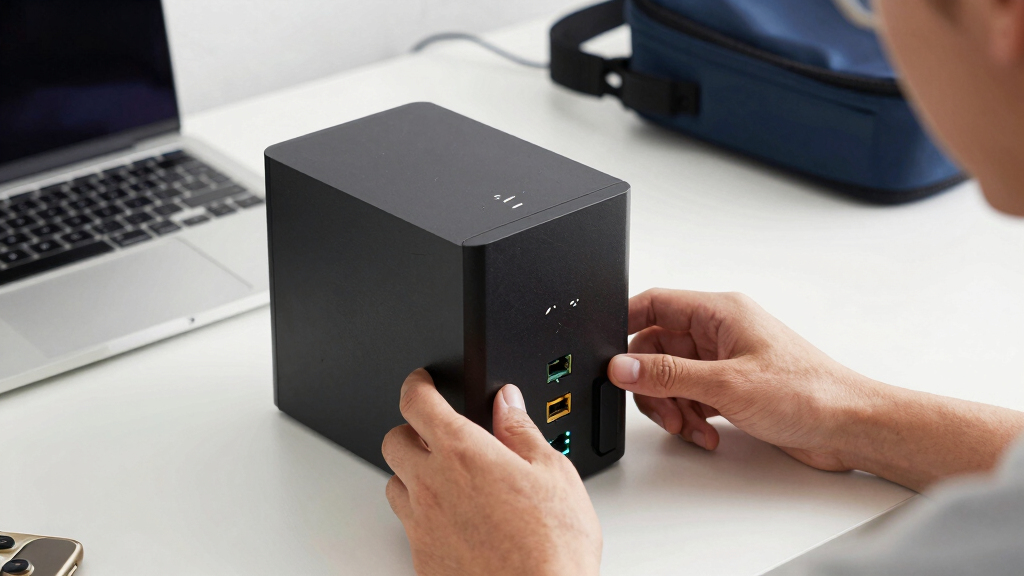

Searching for the best network attached storage in 2026? The top picks vary from budget-friendly options with straightforward setups to high-end models packed with performance features. The UGREEN NAS DXP4800 Plus stands out for its balance of speed and versatility, making it a solid all-rounder. Meanwhile, the Synology DiskStation DS225+ offers a user-friendly experience suited for small offices and power users alike. The main tradeoffs in this category often come down to performance versus ease of use and initial cost versus long-term value. Keep reading to see how these picks stack up and which one fits your needs best.
Key Takeaways
- The top-performing models balance high-speed connectivity with flexible storage options, especially with 10GbE support.
- Ease of setup and user interface are critical factors, with brands like Synology leading for beginners.
- More bays typically mean higher scalability, but they also come with increased complexity and cost.
- Price often correlates with features; premium models include advanced hardware like M.2 slots and higher CPU power.
- Diskless configurations provide flexibility but require buyers to select and install drives separately, affecting total cost and setup time.


More Details on Our Top Picks
UGREEN NAS DH2300 2-Bay Desktop NAS with Support for 64TB, AI Photo Album, Remote Access, 4GB RAM, 1GbE, 4K HDMI, Diskless
The UGREEN NAS DH2300 stands out as an approachable, user-friendly option for individuals new to NAS systems. Its simple setup, support for large storage (up to 64TB), and AI-powered photo organization make it ideal for personal use, especially for those who want a straightforward way to back up and access files remotely. Compared to more advanced models like the UGREEN NASync DXP4800 Plus, it lacks support for Docker or virtual machines, which might limit expanding its capabilities. Its limited performance and absence of wireless support without an external USB adapter mean it’s less suited for demanding tasks or small business environments. However, its ease of use makes it perfect for home users who prioritize ease and security over horsepower.
Pros:- Easy to set up and very user-friendly for beginners
- Supports large storage capacity up to 64TB
- AI-powered photo management and duplicate detection
- Secure data storage with layered security features
Cons:- Limited to basic file sharing, no support for Docker or virtual machines
- Wireless connectivity requires an external USB adapter
- Performance may be insufficient for heavy workloads
Best for: Home users seeking an easy-to-use, secure storage solution for personal files and photos
Not ideal for: Power users or small offices needing advanced features like virtualization or higher performance
- Support Capacity:64TB
- Diskless:Yes
- RAM:4GB LPDDR4X
- Network:1GbE
- Video Output:4K HDMI
- Compatible Drives:Western Digital, Seagate, Toshiba (excluding M.2 NVMe)
Bottom line: This NAS is ideal for home users who want reliable, straightforward storage without complexity.
UGREEN NASync DXP4800 Plus 4-Bay Desktop NAS with Intel Pentium Gold 8505, 8GB DDR5 RAM, 128GB SSD, 10GbE & 2.5GbE, M.2 NVMe Slots, 4K HDMI, Diskless
The UGREEN NASync DXP4800 Plus offers a significant leap in performance with its Intel Pentium Gold processor and 8GB DDR5 RAM, making it a strong choice for small office environments or advanced home users. Its support for Docker, virtual machines, and AI-powered features rival higher-end solutions like the Ugreen NAS DXP8800 Plus, but at a more manageable size. The inclusion of 10GbE and 2.5GbE ports ensures fast data transfer, ideal for heavy workloads. Its diskless design provides flexibility, although it requires users to purchase drives separately, adding to the initial setup cost. While it may be more complex to configure than entry-level models, it balances performance and expandability well for technically inclined buyers.
Pros:- Powerful Intel Pentium Gold processor for multitasking
- Fast data transfer with 10GbE and 2.5GbE ports
- Supports advanced features like Docker and virtual machines
- Large maximum storage capacity of 144TB
Cons:- Requires separate purchase of hard drives
- Setup may be complex for non-technical users
- Out of the box, it’s diskless, adding initial cost and effort
Best for: Small offices or tech-savvy users needing reliable, expandable, high-speed storage
Not ideal for: Beginners or users seeking plug-and-play simplicity without configuration complexity
- Processor:Intel Pentium Gold 8505 5-Core
- RAM:8GB DDR5
- Storage:128GB SSD (diskless)
- Network Ports:1 x 10GbE, 1 x 2.5GbE
- M.2 NVMe Slots:2
- Max Storage Capacity:144TB
Bottom line: This NAS is best for small offices or advanced users who need speed, expandability, and virtualization support.
Buffalo LinkStation 210 4TB 1-Bay NAS Network Attached Storage with Hard Drives Included
The Buffalo LinkStation 210 is a straightforward, cost-effective solution for home users who want reliable storage without fuss. Its included 4TB hard drive simplifies setup, making it accessible even for less tech-savvy users. The single-bay design limits scalability, but for basic backups and file sharing across multiple devices, it performs well. Its built-in features facilitate automated backups and secure sharing, and support for both Windows and macOS broadens compatibility. Compared to multi-bay systems like the Synology DS225+, it sacrifices capacity and flexibility but offers excellent value for those with limited needs. Durability and advanced features are less emphasized, but for simple home storage, it remains a practical choice.
Pros:- Includes hard drives, ready to use out of the box
- Simple setup and easy sharing options
- Automated backup functions built-in
- Affordable and reliable for basic needs
Cons:- Limited to a single drive bay, not scalable for larger storage
- Build quality and durability details are unspecified
- Features may be basic compared to higher-end NAS systems
Best for: Home users needing reliable, simple, and budget-friendly storage for backups and shared files
Not ideal for: Power users or those with growing storage needs requiring multiple drives or advanced features
- Storage Capacity:4TB
- Number of Bays:1
- Included Hard Drives:Yes
- Compatibility:Windows, macOS
- Weight:2.43 Pounds
- Warranty:2 years
Bottom line: This NAS works well for home users looking for an affordable, easy-to-use storage solution with included drives.
Synology 2-Bay DiskStation DS225+ (Diskless)
The Synology DS225+ offers a solid balance of performance and security, making it a favorite for users prioritizing data integrity and management. Its high transfer speeds, support for up to 40TB of storage, and three-year warranty position it as a reliable choice for small businesses or tech enthusiasts. Compared to the UGREEN NAS DH2300, it lacks AI features and multimedia outputs but excels in data protection and software ecosystem. Its two-bay design limits total capacity compared to four-bay options, but for most personal or small-office needs, it provides ample space and robust security features. The need to purchase drives separately and slightly steeper setup complexity are offset by its consistent performance and support.
Pros:- High transfer speeds with 282 MB/s read and 217 MB/s write
- Supports up to 40 TB of total storage
- Includes a 3-year warranty for peace of mind
- Excellent data management and security features
Cons:- Requires separate purchase of drives
- Limited to only 2 drive bays, reducing maximum capacity
- Setup might be complex for complete beginners
Best for: Small businesses or users seeking secure, reliable data storage with strong management tools
Not ideal for: Users needing extensive scalability or multimedia-focused features
- Drive Bays:2
- Maximum Storage Capacity:40 TB
- Sequential Read Speed:282 MB/s
- Sequential Write Speed:217 MB/s
- Warranty:3 years
Bottom line: This NAS is ideal for users who prioritize data security and reliable management within a small-scale environment.
UGREEN NAS DXP2800 2-Bay Desktop All-Round NAS with Intel N100, 8GB DDR5, 2.5GbE, 2x M.2 NVMe, 4K HDMI, Diskless
The UGREEN NAS DXP2800 stands out for offering a versatile combination of performance and user-friendly features, making it a strong contender against the Asustor AS5402T. Its powerful Intel N100 quad-core CPU paired with 8GB DDR5 RAM provides ample speed for media streaming, backups, and light virtualization. Compared to more specialized models like the UGREEN NAS DXP4800 Pro, this device is easier to set up and manage, especially for small teams or tech enthusiasts. However, its dual-bay design limits maximum storage expansion, and drives are sold separately, which could increase initial costs. The inclusion of 4K HDMI and broad device compatibility enhances media experiences and remote access. Overall, this NAS suits users who want reliable performance without high complexity or cost, but those needing larger capacity or enterprise features should consider higher-tier options.
Pros:- Robust performance with Intel N100 and 8GB DDR5 RAM
- Supports up to 76TB of storage capacity
- User-friendly setup with broad device compatibility
- Includes AI photo organization and 4K HDMI for media use
Cons:- Hard drives are sold separately, increasing initial investment
- Limited to 2 drive bays, restricting expansion
- Setup may be complex for less technical users
Best for: Small businesses or tech-savvy home users seeking a flexible, high-performance NAS with media capabilities
Not ideal for: Users requiring large-scale storage or enterprise-grade redundancy, as the 2-bay limit may constrain growth
- Processor:Intel N100 Quad-core
- RAM:8GB DDR5
- Network:2.5GbE
- Storage Slots:2x M.2 NVMe
- Max Storage Capacity:76TB
- Connectivity:4K HDMI, compatible with Windows, macOS, Android, iOS, web browsers, smart TVs
Bottom line: This NAS is ideal for small teams or enthusiasts who prioritize performance and media features in a compact, easy-to-use package.
BUFFALO LinkStation 210 2TB 1-Bay NAS Network Attached Storage with HDD Included
The BUFFALO LinkStation 210 offers a straightforward, budget-friendly solution for basic storage needs, especially when compared to the more flexible UGREEN NAS DXP2800. Its 2TB capacity and single-bay design make it perfect for simple backups and personal cloud access, with the added convenience of pre-installed hard drives. This device emphasizes ease of use, with minimal setup and reliable US-based support, making it suitable for users who want a ready-to-go solution. However, its limited capacity and single drive bay restrict future expansion, and it lacks advanced features like media server capabilities or high-speed networking found in higher-end models. It’s best suited for individuals or small households with modest storage requirements who prioritize simplicity and affordability over scalability.
Pros:- Pre-installed hard drives for immediate use
- Simple, quick setup process
- Reliable US-based support and warranty
- Secure file sharing with access controls
Cons:- Limited to 2TB capacity, not suitable for large data needs
- Single bay restricts expanding storage
- Lacks advanced media or virtualization features
Best for: Home users or small offices needing basic, reliable storage with minimal setup
Not ideal for: Power users or growing businesses requiring larger or scalable storage solutions
- Capacity:2TB
- Number of Bays:1
- HDD Included:Yes
- Connectivity:Network
- Supported OS:Windows, macOS (up to macOS 15)
- Warranty:2 years
Bottom line: This NAS delivers dependable, easy-to-use storage for users with modest needs and tight budgets.
UGREEN NAS DXP4800 Pro 4-Bay Desktop NAS with Intel Core i3-1315U, 8GB DDR5, 128GB SSD, 10GbE & 2.5GbE, M.2 NVMe Slots, 4K HDMI, Diskless
The UGREEN NAS DXP4800 Pro targets demanding environments with its powerful Intel Core i3 processor and extensive connectivity, surpassing the capabilities of the UGREEN NAS DXP2800 for virtualization, AI tasks, and high-speed data transfer. Its 4-bay configuration supports up to 144TB, and the inclusion of 10GbE ensures rapid file sharing across networks. The device is ideal for small offices or advanced users who need to run virtual machines, Docker containers, or intensive workflows. However, its premium price and need for separate drives may deter casual users, and setup complexity increases with feature depth. This NAS is designed for those who require high performance and expandability but are prepared for a more technical setup process.
Pros:- High-performance Intel Core i3 processor
- Supports up to 144TB with 4 bays and SSD caching
- Fast 10GbE network port and multiple M.2 NVMe slots
- Supports virtualization, Docker, and AI features
Cons:- Premium price point, not for casual users
- Requires technical knowledge for setup and maintenance
- No included drives, adding to initial costs
Best for: Tech-savvy professionals or small teams running virtual machines, AI workloads, or large-scale backups
Not ideal for: Home users with limited technical expertise or small data needs, due to its complexity and cost
- Processor:Intel Core i3-1315U 6-Core
- RAM:8GB DDR5
- Supports:Up to 144TB storage
- Network Ports:1x 10GbE, 1x 2.5GbE
- M.2 NVMe Slots:2
- Form Factor:Desktop
Bottom line: This NAS excels for demanding workflows and small-scale virtualization, best suited for experienced users willing to invest more.
Asustor AS5402T 2-Bay NAS with Intel Quad-Core CPU and M.2 SSD Slots
The Asustor AS5402T combines a quad-core Intel Celeron N5105 CPU with dual 2.5GbE ports and four M.2 NVMe slots, making it well-suited for media-rich environments, such as gaming streams or 4K content hosting. Compared with the UGREEN NAS DXP2800, its focus on high-speed data and SSD caching offers better performance for real-time streaming and low-latency tasks. Its diskless design provides flexibility but requires users to purchase drives separately. While its compact form factor and metal enclosure deliver durability, the 4-bay setup offers more room for expansion than the BUFFALO LinkStation 210, though it still falls short of larger enterprise options. This NAS is best for multimedia enthusiasts and streamers who need fast, reliable access and high-speed SSD options.
Pros:- Quad-core Intel Celeron N5105 CPU for demanding tasks
- Supports up to four M.2 NVMe SSDs for caching and speed
- Dual 2.5GbE ports for fast network connectivity
- Compact, durable metal construction
Cons:- Requires separate purchase of drives, increasing initial cost
- Limited RAM (4GB) may restrict heavy multitasking
- No included drives or expansion beyond 2 bays
Best for: Media creators, streamers, or gamers needing fast, reliable storage with SSD support
Not ideal for: Users seeking large-scale storage or simple backup solutions, as capacity is limited without drives
- Processor:Intel Celeron N5105 Quad-Core
- RAM:4GB DDR4
- Storage Slots:4x M.2 NVMe SSD
- Network Ports:2x 2.5GbE
- Form Factor:Diskless, 2 Bay
- Features:Supports Wake on LAN/WAN, thermal vents for SSD heat dissipation
Bottom line: This NAS offers excellent high-speed media performance for enthusiasts willing to invest in SSDs and handle some setup complexity.
UGREEN NAS DXP8800 Plus 8-Bay Desktop NAS
The UGREEN NAS DXP8800 Plus stands out for its impressive processing power and high-speed networking, making it well-suited for demanding business environments. Its 12th Gen Intel Core i5 processor ensures smooth handling of intensive tasks, surpassing the capabilities of more consumer-focused options like the Synology BeeStation. With dual 10GbE ports, it offers rapid data transfer that benefits large teams or data-heavy workflows. Compared with smaller NAS units, this model supports up to 256TB of storage, but that comes with a larger footprint and a more complex setup—it’s not ideal for those seeking plug-and-play simplicity. Additionally, storage drives are sold separately, which can add to upfront costs. Overall, this pick makes the most sense for organizations needing robust performance and expandability, accepting the need for technical setup.
Pros:- Powerful 12th Gen Intel Core i5 processor handles demanding tasks with ease
- Dual 10GbE ports enable extremely fast network throughput
- Supports up to 256TB of total storage with multiple RAID options
- Flexible M.2 NVMe slots for cache or additional storage
Cons:- Storage drives are not included, increasing initial setup costs
- Setup process can be complex and may require technical expertise
- Bulkier desktop form factor may be less convenient in tight spaces
Best for: Large businesses or IT teams requiring high performance, extensive storage, and advanced networking capabilities
Not ideal for: Small offices or home users who prioritize simplicity and low cost over enterprise features
- Processor:Intel Core i5 1235U, 10-Core
- RAM:8GB DDR5
- Storage:Built-in 128GB SSD (system), supports up to 256TB with additional drives
- Network Ports:2x 10GbE
- M.2 NVMe Slots:2
- Form Factor:Desktop, Diskless
Bottom line: This NAS is ideal for enterprise users needing high performance and large storage capacity at the expense of complexity.
Synology BeeStation 4TB Personal Cloud Storage Device
The Synology BeeStation 4TB makes a compelling choice for individuals or families seeking a straightforward, preconfigured personal cloud solution. Its 4TB capacity is sufficient for most personal needs, and its easy setup ensures quick deployment without technical hassle—especially when compared to the more complex enterprise options like the UGREEN NAS DXP8800 Plus. This device excels at centralizing data from multiple devices and enabling sharing and editing without additional subscriptions, but it falls short when it comes to scalability and security features. Its limited storage makes it unsuitable for users with large media libraries or for small offices. If you value user-friendly design and seamless multi-device access, this device offers a reliable, no-fuss option for personal cloud storage.
Pros:- Preconfigured and easy to set up right out of the box
- Centralizes data across multiple devices and cloud services
- No subscription fees for storage or access
- Supports file sharing and collaboration among family members
Cons:- Limited to 4TB storage capacity, not suitable for large media libraries
- Designed primarily for personal use, lacking enterprise features
- No advanced security or encryption options mentioned
Best for: Home users or small families needing simple, reliable cloud storage without ongoing fees
Not ideal for: Power users or those with large media collections requiring more than 4TB or advanced security
- Storage Capacity:4TB
- Dimensions:4.53 x 10.16 x 9.92 inches
- Color:Black
- Material:Metal
- Compatible Devices:Laptop, Smartphone, Tablet
- Mounting Type:Tabletop
Bottom line: This NAS provides a simple, effective solution for personal users prioritizing ease of use and basic cloud sharing, but not for those needing large capacity or enterprise-grade security.
How We Picked
I evaluated these NAS devices based on performance benchmarks, build quality, ease of use, expandability, and value for money. Devices with faster network interfaces, robust hardware, and versatile features scored higher. The ranking emphasizes models that cater to different user needs, from beginners to advanced users, balancing cost against capability. We also considered brand reputation and user interface design, aiming to recommend options that provide reliable, long-term performance without unnecessary complexity.Factors to Consider When Choosing Best Network Attached Storage
Choosing the right NAS depends on your specific needs, technical skill, and budget. Beyond just comparing specs, it’s essential to understand how features translate into real-world benefits and what common pitfalls to avoid. This guide highlights key factors to consider, helping you make an informed decision that aligns with your storage goals.Performance and Connectivity
Look for models with high-speed network interfaces like 2.5GbE or 10GbE, especially if you plan to transfer large files frequently. Faster connectivity reduces bottlenecks, making your setup more responsive. Consider CPU performance as well; more powerful processors handle multitasking and media streaming more smoothly. Avoid models with outdated or limited network options if speed is a priority, as this can significantly impact your workflow.
Scalability and Storage Capacity
Assess how many drive bays you need now and in the future. More bays allow for larger total storage and easier expansion, but they also come with increased cost and complexity. If you plan to grow your storage over time, choose a NAS with multiple bays or support for expansion units. Remember, drive compatibility and RAID options also influence how effectively you can protect and manage your data.
Ease of Use and Management
User-friendly interfaces and setup processes matter, especially for beginners or small teams. Brands like Synology and Asustor excel here, offering intuitive apps and web portals. Avoid overly complex systems if you lack technical expertise, as this can lead to frustration or misconfiguration. Also, check for features like automatic backups, media indexing, and remote access, which improve daily usability.
Hardware and Build Quality
Solid build quality ensures longevity, especially if the NAS will be in constant use. Hardware features like M.2 slots for cache acceleration, HDMI outputs for media streaming, or multiple Ethernet ports enhance versatility. However, higher specifications often mean higher cost, so prioritize features that truly match your workload. Consider whether the device’s cooling and power efficiency will support continuous operation without overheating or excessive energy use.
Price and Long-term Value
While budget options may suffice for basic storage, investing more can provide better performance, faster interfaces, and future-proof features. Beware of models with limited warranty or poor after-sales support, as these can lead to higher costs later. Also, factor in the cost of drives—some NAS come diskless, requiring additional investments. Balance initial expenses against the long-term benefits of reliability, expandability, and feature set.
Frequently Asked Questions
Is a 2-bay NAS enough for personal use?
A 2-bay NAS often strikes a good balance for personal use, offering sufficient storage and RAID options for data redundancy. It’s suitable for backing up devices, media streaming, and small-scale file sharing. However, if you anticipate rapid growth or large media libraries, consider models with more bays or plan for future upgrades. Keep in mind that fewer bays limit expandability, so choose based on your current needs and potential future demands.
Do I need 10GbE support in my NAS?
If you regularly transfer large files or stream 4K/8K media, 10GbE can significantly reduce transfer times and improve responsiveness. For casual or occasional use, 1GbE or 2.5GbE may suffice. Upgrading to 10GbE can also future-proof your setup, but it requires compatible network infrastructure and potentially higher costs. Evaluate your actual bandwidth needs and budget before investing in 10GbE hardware.
Should I buy a diskless NAS or one with drives included?
Diskless NAS units offer flexibility, allowing you to choose and upgrade drives as needed. This is ideal if you already own drives or want specific types (e.g., SSDs for cache). Pre-filled models with drives included are convenient but limit customization and may be more expensive upfront. Consider your technical comfort level, storage needs, and upgrade plans when making this choice.
How important is the processor in a NAS?
The processor impacts how well a NAS handles multitasking, media transcoding, and complex file operations. For basic backups and media streaming, a modest CPU suffices. For intensive tasks like virtualization, large-scale backups, or media editing, a more powerful processor is advantageous. Balancing CPU power with other features ensures you don’t pay for unnecessary performance if your needs are modest.
What’s the benefit of M.2 SSD slots on a NAS?
M.2 SSD slots allow for cache acceleration, which can dramatically improve access speeds and reduce latency, especially in multi-user environments. They also support installing dedicated SSDs for high-speed storage tiers. However, these slots often increase the cost and complexity, so assess whether your workload justifies this upgrade. For many users, a well-balanced NAS with good RAM and network speed offers more tangible benefits.
Conclusion
For general home storage and small office setups, the Synology DiskStation DS225+ provides a user-friendly experience with reliable performance. If you need a high-performance, scalable solution, the UGREEN NAS DXP4800 Plus offers speed and expandability at a competitive price. Budget-conscious buyers should consider models like the Buffalo LinkStation 210 for simple backups. Power users and those seeking advanced features will find the UGREEN NAS DXP8800 Plus best suited to demanding workloads. Ultimately, your choice depends on your storage needs, technical skills, and budget — pick the one that aligns with your current and future requirements.