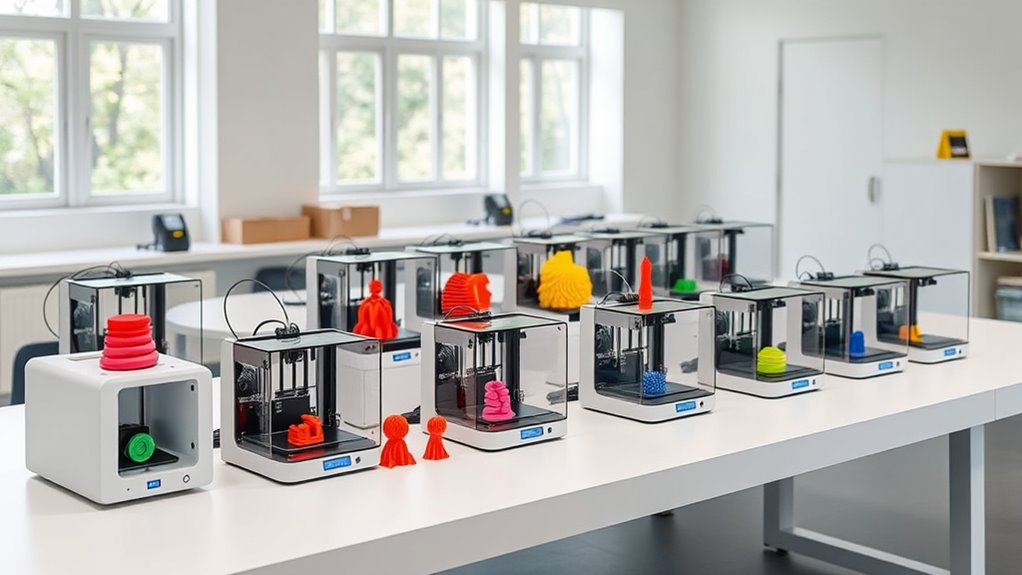

Starting with 3D printing can feel overwhelming, but the right beginner 3D printer makes all the difference. The Bambu Lab A1 Mini stands out as the best overall for its balance of ease and quality, while the FlashForge Adventurer 5M is a top pick for fast, reliable printing. For those seeking quick setup and auto-leveling, the ELEGOO Neptune 3 Pro offers excellent value. Each of these options has tradeoffs—like price, print quality, or complexity—that buyers need to weigh. Continue reading to see a detailed breakdown of these models and others to find your ideal fit.
Open a free Amazon Business account
Business pricing, bulk buying and tax-exempt orders.
Create a free accountAs an affiliate, we earn on qualifying purchases.
Complete the kit


Key Takeaways
- The top models balance ease of use with print quality, making them suitable for complete beginners.
- Auto-leveling features significantly reduce setup time and frustration, especially for new users.
- Faster print speeds are appealing but often come with tradeoffs in detail precision and reliability.
- Build size varies widely; consider your typical project size before choosing a model.
- Price points for beginner printers range from budget-friendly to premium, with the best value often found in mid-tier options.
| Bambu Lab A1 Mini 3D Printer + LED Lamp Kit, Ready-to-Use for Beginners |  | Best Overall for Ease and Creative Potential | Included accessories: LED Lamp Kit | Printer type: FDM 3D printer | Calibration: Automatic | VIEW ON AMAZON | See Our Full Breakdown |
| FlashForge Adventurer 5M 3D Printer with Auto Leveling and High-Speed Printing |  | Best for Speed and Precise Results | Print Size: 220x220x220mm | Max Speed: 600mm/s | Nozzle Temperature: 280°C | VIEW ON AMAZON | See Our Full Breakdown |
| ELEGOO Neptune 3 Pro 3D Printer, Quick Assembly with Auto Leveling |  | Best for Versatility and Easy Assembly | Build Volume: 225x225x280 mm | Motherboard: STM32 | Noise Level: 47dB | VIEW ON AMAZON | See Our Full Breakdown |
| Bambu Lab P1S 3D Printer |  | Best for Multi-Color and High-Speed Printing | Colors: Up to 16 | Speed: 500mm/s | Acceleration: 20000 mm/s² | VIEW ON AMAZON | See Our Full Breakdown |
| Bambu Lab A1 3D Printer |  | Best for Speed, Precision, and Multi-Color Printing | Acceleration: 10,000 mm/s² | Color Printing: Multi-color with AMS lite | Auto Calibration: Full-auto | VIEW ON AMAZON | See Our Full Breakdown |
| Entina Tina2C Mini 3D Printer for Kids & Beginners |  | Best for Compact Home Use and Educational Settings | Print Size: 3.9 x 3.9 x 3.9 inches | Filament Capacity: 200 g to 1 kg | Connectivity: WiFi, USB, TF card | VIEW ON AMAZON | See Our Full Breakdown |
| Geeetech Mini 3D Printer for Kids and Beginners with Auto Leveling and Fully Open Source |  | Best for Fast, Precise Education and Creative Projects | Print Area: 3.94×4.33×3.94 inches | Item Weight: 9.8 pounds | Item Dimensions: 3.94 x 4.33 x 3.94 inches | VIEW ON AMAZON | See Our Full Breakdown |
| TINA2S Fully Assembled Mini 3D Printer for Kids and Beginners, Starter Kit |  | Best Starter Kit with Complete Accessories for New Users | Dimensions: 8.3” x 8.3” x 11.4” | Filament Compatibility: 1.75mm PLA, PLA pro, TPU | Display: 2.4” LCD screen | VIEW ON AMAZON | See Our Full Breakdown |
| FLASHFORGE Adventurer 5M 3D Printer, 600mm/s High-Speed, Fully Auto Leveling, Upgraded Direct Extruder, 280°C Nozzle, Dual-Sided PEI Coating Plate, 220x220x220mm Print Size |  | Best for Speed and Reliability in Small to Medium Projects | Print Size: 220x220x220mm | Max Speed: 600mm/s | Nozzle Temperature: 280°C | VIEW ON AMAZON | See Our Full Breakdown |
| Entina Tina2C 3D Printer for Kids & Beginners, Fully Assembled Mini 3D Printer with App & WiFi Control |  | Best for Wireless Control and Quick Start in Small Spaces | Print Volume: 3.9 × 3.9 × 3.9 inches | Connectivity: WiFi, TF card | Compatibility: Windows, macOS, Linux, Chromebook | VIEW ON AMAZON | See Our Full Breakdown |
| Flashforge Adventurer 5M 3D Printer for Beginners, 600mm/s Fast Printing, Direct Drive, Auto-Leveling, 8.7″x8.7″x8.7″ PEI Build Plate |  | Best Overall for Versatile High-Speed Printing | Print Speed: 600mm/s | Build Volume: 8.7″x8.7″x8.7″ | Nozzle Temperature: 280°C | VIEW ON AMAZON | See Our Full Breakdown |
| TINA2 3D Printer, HEPI3D Mini for Beginners, Fully Assembled |  | Best for Complete Beginners and Space-Conscious Users | Display: 2.4-inch LCD | Auto Bed Leveling: Yes | Supported Software: WiiBuilder, Cura, Simplify3D, PrusaSlicer | VIEW ON AMAZON | See Our Full Breakdown |
| Mini 3D Printer for Kids & Beginners – Complete Starter Kit with Auto Leveling and High-Speed Printing |  | Best Compact Starter for Kids & Beginners | Printing Speed: 250mm/s | Print Precision: 0.01mm | Included Filament: PLA | VIEW ON AMAZON | See Our Full Breakdown |
| AOSEED AI 3D Printer for Kids, Fast 400mm/s, 8000+ Models, Enclosed Safe |  | Best for Creative Kids and STEM Learning | Print Speed: 400 mm/s | Layer Resolution: 0.05 mm | Supported Models: Over 8,000 | VIEW ON AMAZON | See Our Full Breakdown |
| beginner 3d printer | Connectivity |
|---|---|
| Bambu Lab A1 Mini 3D Printer + | Bambu Handy app, MakerWorld library |
| FlashForge Adventurer 5M 3D Pr | — |
| ELEGOO Neptune 3 Pro 3D Printe | — |
| Bambu Lab P1S 3D Printer | — |
| Bambu Lab A1 3D Printer | — |
| Entina Tina2C Mini 3D Printer | WiFi, USB, TF card |
| Geeetech Mini 3D Printer for K | — |
| TINA2S Fully Assembled Mini 3D | WiFi, compatible with Mac, Windows, Linux |
| FLASHFORGE Adventurer 5M 3D Pr | — |
| Entina Tina2C 3D Printer for K | WiFi, TF card |
| Flashforge Adventurer 5M 3D Pr | Remote monitoring via Flashforge App |
| TINA2 3D Printer | — |
| Mini 3D Printer for Kids & Beg | SD card |
| AOSEED AI 3D Printer for Kids | Wi-Fi, voice control, iOS, Android, Windows |
More Details on Our Top Picks
Bambu Lab A1 Mini 3D Printer + LED Lamp Kit, Ready-to-Use for Beginners
The Bambu Lab A1 Mini stands out for its effortless setup, thanks to automatic calibration and quiet operation, making it ideal for complete beginners. Unlike the ELEGOO Neptune 3 Pro, which requires some assembly and maintenance, the A1 Mini is ready-to-use, reducing a common barrier for new users. Its support for creative projects like decorative lights, especially with the included LED Lamp Kit, adds a fun, personalized touch. However, its filament compatibility is somewhat limited, and larger projects might be constrained by its size. Overall, this model makes the most sense for users wanting a reliable, low-maintenance printer that encourages creative experimentation without complexity.
Pros:- Automatic calibration simplifies setup for new users
- Quiet operation minimizes noise disturbance
- Supports decorative and DIY projects with included LED Lamp Kit
Cons:- Limited filament compatibility can restrict material choices
- Size may be restrictive for larger prints or batch production
Best for: Beginners looking for an easy-to-operate, ready-to-use printer that supports creative projects.
Not ideal for: Advanced users or those wanting to print larger models regularly, due to size and filament restrictions.
- Included accessories:LED Lamp Kit
- Printer type:FDM 3D printer
- Calibration:Automatic
- Operation noise:Quiet
- Connectivity:Bambu Handy app, MakerWorld library
Our verdict“A top pick for beginners who want an intuitive, quiet printer that sparks creativity without fuss.”
FlashForge Adventurer 5M 3D Printer with Auto Leveling and High-Speed Printing
Compared with the Bambu Lab P1S, which excels in multi-material and multi-color printing, the FlashForge Adventurer 5M offers faster printing speeds and a straightforward experience with automatic bed leveling. Its 220x220x220mm build volume is sufficient for most beginner projects but less flexible for larger or multiple items. The removable PEI platform makes print removal easier, yet the higher speed can lead to quality issues if not carefully calibrated, especially for detailed models. This printer is well-suited for users who prioritize rapid results and easy setup over extensive customization or large builds.
Pros:- Automatic bed leveling simplifies setup
- High-speed printing reduces production time
- Removable PEI platform for easy print removal
- Mobile app control for remote operation
Cons:- Limited to a 220x220x220mm build size
- Faster speeds may compromise detail if not calibrated properly
Best for: Beginners who want quick, reliable prints and don’t need large build volumes.
Not ideal for: Users aiming for high-detail, large-scale, or multi-material printing, due to size and speed tradeoffs.
- Print Size:220x220x220mm
- Max Speed:600mm/s
- Nozzle Temperature:280°C
- Nozzle Size:Standard 0.4mm
- Extruder Type:Direct drive
Our verdict“Ideal for beginners seeking fast, straightforward printing with minimal fuss and a compact footprint.”
ELEGOO Neptune 3 Pro 3D Printer, Quick Assembly with Auto Leveling
The ELEGOO Neptune 3 Pro offers a compelling balance of ease and versatility, especially with its quick assembly and auto bed leveling, making it suitable for beginners who want a reliable machine without complex setup. Its 225x225x280mm build volume supports a variety of projects, but compared to the Bambu Lab A1, it requires more maintenance and is less integrated for creative customization. The dual lead screws and support for multiple filament types add versatility, yet the complexity of maintenance and potential for misalignment can challenge absolute beginners. This model makes sense for users wanting a flexible, easy-to-assemble machine that can handle different filament types, but not for those seeking minimal ongoing setup.
Pros:- Pre-assembled parts enable quick setup
- Auto bed leveling ensures a good first layer
- Supports multiple filament types for diverse projects
- Quiet operation at 47dB
Cons:- Limited build volume for larger projects
- Requires regular maintenance for optimal performance
Best for: Beginners who prefer straightforward assembly and versatile filament options.
Not ideal for: Complete novices or those planning large or highly detailed prints requiring minimal maintenance.
- Build Volume:225x225x280 mm
- Motherboard:STM32
- Noise Level:47dB
- Filament Compatibility:PLA, TPU, PETG, ABS
- Auto Bed Leveling:36-point
Our verdict“A strong choice for beginners wanting a versatile, easy-to-assemble printer with reliable auto-leveling.”
Bambu Lab P1S 3D Printer
The Bambu Lab P1S pushes the boundaries of beginner-friendly machines with its multi-color and multi-material capabilities, making it ideal for users eager to explore complex designs early. Its high-speed performance, reaching 500mm/s, is a significant upgrade over most basic printers like the FlashForge Adventurer 5M, which focuses more on speed than multi-material versatility. The P1S’s enclosed design and automatic bed leveling simplify operation, but the need for the Bambu Lab AMS for multi-color printing adds an extra step and cost. This printer’s focus on vibrant, multi-material projects makes it excellent for creative users, though it’s less suitable for those who want to avoid ongoing accessory purchases or work with specialized filaments like carbon fiber.
Pros:- Supports up to 16 colors for vibrant multi-material prints
- High-speed printing accelerates project completion
- Automatic bed leveling simplifies setup
- Enclosed design improves print quality
Cons:- Requires Bambu Lab AMS for multi-color printing, increasing cost
- Not suited for carbon or glass fiber reinforced materials
Best for: Beginners interested in vibrant, multi-material, and multi-color printing with faster results.
Not ideal for: Users on a tight budget or those needing large build volumes and working with reinforced filaments like carbon fiber.
- Colors:Up to 16
- Speed:500mm/s
- Acceleration:20000 mm/s²
- Design:Enclosed
- Setup Time:15 minutes
Our verdict“Perfect for beginners eager to produce colorful, complex prints quickly, with an emphasis on creative versatility.”
Bambu Lab A1 3D Printer
The Bambu Lab A1 offers exceptional speed and precision, making it a standout for users who want quick, detailed results. Its multi-color printing with AMS lite adds creative flexibility, but the setup involves connecting additional accessories, which could be intimidating for absolute beginners. Its active flow rate compensation and auto calibration help maintain accuracy, yet the advanced features might overwhelm those unfamiliar with multi-material printing. Compared to the ELEGOO Neptune 3 Pro, which emphasizes ease of assembly, the A1 is better suited for users ready to handle more complex features for high-quality output. This model suits users who prioritize speed and multi-color capabilities over simplicity.
Pros:- Fast printing speeds for efficiency
- Automatic full-auto calibration simplifies setup
- Multi-color printing with AMS lite
- Quiet operation with active noise canceling
Cons:- Requires additional purchase of AMS lite for multi-color printing
- Complex features may be overwhelming for absolute beginners
Best for: Beginners with some familiarity seeking high-speed, multi-color, detailed prints with minimal manual calibration.
Not ideal for: Complete newcomers or those seeking a straightforward, low-maintenance machine for basic projects.
- Acceleration:10,000 mm/s²
- Color Printing:Multi-color with AMS lite
- Auto Calibration:Full-auto
- Flow Rate Compensation:Active
- Nozzle:1-Clip quick swap
Our verdict“Ideal for users wanting rapid, multi-color prints with advanced features, provided they are comfortable with some setup complexity.”
Entina Tina2C Mini 3D Printer for Kids & Beginners
The Entina Tina2C stands out for its ultra-compact size and straightforward setup, making it ideal for small spaces and beginner learning. Compared to the larger FLASHFORGE Adventurer 5M, it sacrifices build volume for portability, which limits larger project capabilities but enhances ease of use. Its auto-leveling and quick-swap printhead promote consistent results with minimal fuss, perfect for kids and casual creators. However, its small print size restricts more ambitious projects, and initial calibration may be needed for optimal results. This model is best for those prioritizing simplicity and space-saving design over large builds or advanced features.
Pros:- Easy to set up and operate, suitable for complete novices
- Supports multiple connectivity options including WiFi and offline printing
- Compact design perfect for home, classroom, or office environments
- Features auto-leveling and quick-swap printhead for reliable and quick prints
Cons:- Limited build volume restricts larger or multiple projects
- Requires initial calibration for best results
- Primarily designed for small creative or educational tasks
Best for: Beginners, kids, or educators looking for an affordable, space-efficient 3D printer for small projects and STEM activities
Not ideal for: Users wanting to print larger models or advanced enthusiasts needing high customization and bigger build volumes
- Print Size:3.9 x 3.9 x 3.9 inches
- Filament Capacity:200 g to 1 kg
- Connectivity:WiFi, USB, TF card
- Compatibility:Linux, Windows, macOS, Chromebook
- Auto-Leveling:Yes
- Material Support:FDM filament
Our verdict“This printer is ideal for beginners or educational use where space and simplicity outweigh large-scale printing needs.”
Geeetech Mini 3D Printer for Kids and Beginners with Auto Leveling and Fully Open Source
The Geeetech Mini offers auto-leveling, a heated print bed, and a fully assembled design, making it an excellent choice for those new to 3D printing who seek quality and speed. Its 16-point auto-leveling system ensures more accurate first layers than manual methods, which is a step above basic beginner models like the Tina2C. The magnetic removable PEI plate simplifies model removal, enhancing user experience. However, its slightly limited print area and mixed reviews about reliability mean it’s better suited for smaller projects and educational environments rather than heavy-use workshops. This pick makes sense for users who want a straightforward, quick-to-start printer with decent throughput and open-source flexibility.
Pros:- Fully assembled and easy to use, perfect for beginners
- Auto-leveling ensures precise, smooth first layers
- Removable magnetic PEI plate simplifies cleaning and model removal
- Fast printing with reliable quality for small to medium projects
Cons:- Limited build volume may restrict larger models
- Customer reviews indicate some reliability issues
- Filament compatibility details are limited beyond PLA/TPU
Best for: Beginners and kids interested in educational projects, quick prototyping, and open-source tinkering
Not ideal for: Advanced hobbyists or those requiring larger builds or highly reliable long-term operation
- Print Area:3.94×4.33×3.94 inches
- Item Weight:9.8 pounds
- Item Dimensions:3.94 x 4.33 x 3.94 inches
- Power:50W hot-end heating rod
- Auto-Leveling:16-Point full-auto
- Display:2.4″ LCD color screen
Our verdict“This printer is well-suited for educational use and quick creative projects, especially for users who value auto-leveling and ease of use.”
TINA2S Fully Assembled Mini 3D Printer for Kids and Beginners, Starter Kit
The TINA2S provides a fully assembled, ready-to-use experience with auto-leveling, dual Z-axis, and a magnetic, flexible build plate. It includes a complete starter kit with filament, software, and accessories, making it especially attractive for newcomers who want an all-in-one package. Its high-precision dual Z-axis helps produce cleaner, more detailed prints than some compact models like Tina2C. However, its limited build volume and reliance on magnetic build plates can cause compatibility issues, potentially frustrating users unfamiliar with metal surfaces. This model is best for beginners who want a comprehensive setup with minimal fuss in educational or home environments.
Pros:- Fully assembled, ready to print immediately
- Auto-leveling and dual Z-axis improve print quality
- Includes filament, software, and accessories in the starter kit
- Compact and lightweight for various environments
Cons:- Limited build volume restricts larger projects
- Requires a compatible magnetic build plate to work properly
- Potential compatibility issues with non-metallic build surfaces
Best for: Beginners, parents, or educators seeking a ready-to-go kit with all necessary accessories and straightforward operation
Not ideal for: Users aiming for larger projects or advanced customization, as its size and features are more limited
- Dimensions:8.3” x 8.3” x 11.4”
- Filament Compatibility:1.75mm PLA, PLA pro, TPU
- Display:2.4” LCD screen
- Connectivity:WiFi, compatible with Mac, Windows, Linux
- Build Plate:Magnetic, flexible
- Included Accessories:10M PLA filament, microSD card
Our verdict“This printer offers a comprehensive, ready-to-use package ideal for beginners and educational settings, but with size limitations for larger models.”
FLASHFORGE Adventurer 5M 3D Printer, 600mm/s High-Speed, Fully Auto Leveling, Upgraded Direct Extruder, 280°C Nozzle, Dual-Sided PEI Coating Plate, 220x220x220mm Print Size
The FLASHFORGE Adventurer 5M excels with its high-speed capabilities and automatic bed leveling, making it suitable for users who want quick, dependable results. Its 600mm/s max speed and rapid heating (35 seconds) make it a clear choice for fast prototyping compared to slower models like Tina2C. The upgraded direct extruder and dual-sided PEI plate support diverse filament types and simplify print removal, adding flexibility for creative projects. However, its maximum print size of 220x220x220mm can be limiting for larger models, and the array of advanced features might overwhelm beginners without prior experience. This pick makes the most sense for those prioritizing speed and consistent quality in small and medium-sized prints.
Pros:- Automatic one-click bed leveling simplifies setup
- High-speed printing up to 600mm/s accelerates workflow
- Rapid heating reduces wait times between prints
- Supports multiple filament types including composites
Cons:- Limited build size restricts larger projects
- Features may have a learning curve for beginners
- Higher complexity compared to simpler, manual printers
Best for: Educators, hobbyists, or small business owners who need quick turnaround times and reliable operation
Not ideal for: Users requiring large build volumes or those new to advanced features without prior technical knowledge
- Print Size:220x220x220mm
- Max Speed:600mm/s
- Nozzle Temperature:280°C
- Heating Power:50W
- Heating Time:35 seconds
- Plate Type:Dual-Sided PEI Coating
Our verdict“This printer is best suited for speed-oriented users who need dependable quality in small to medium projects without fussing over manual calibration.”
Entina Tina2C 3D Printer for Kids & Beginners, Fully Assembled Mini 3D Printer with App & WiFi Control
The Tina2C emphasizes ease of use with WiFi and app control, making it particularly appealing for those who want to start printing with minimal setup. Its fully assembled design and auto-leveling feature make it accessible for novices and kids, similar to the Tina2S but with a slightly smaller footprint. The self-cleaning nozzle and app connectivity streamline maintenance and operation, ideal for educational environments or casual home use. Nevertheless, its small print volume and reliance on app-based controls might frustrate users seeking more customization or larger projects. This model suits users who prioritize convenience, wireless operation, and space efficiency over extensive build capacity.
Pros:- Easy and quick setup, perfect for beginners
- Supports WiFi and app control for flexible operation
- Auto-leveling and self-cleaning nozzle improve print quality and maintenance
- Compact size suitable for small spaces
Cons:- Limited build volume restricts larger projects
- Requires compatible metal build plates for sensor accuracy
- May face compatibility issues with non-metallic surfaces
Best for: Beginner users, parents, or educators seeking a wireless, easy-to-start printer for small creative or educational projects
Not ideal for: Hobbyists or professionals needing larger build space or advanced feature sets
- Print Volume:3.9 × 3.9 × 3.9 inches
- Connectivity:WiFi, TF card
- Compatibility:Windows, macOS, Linux, Chromebook
- Features:Auto leveling, self-cleaning nozzle, power-loss recovery
- App Support:Poloprint Cloud app
Our verdict“This printer is designed for users who want effortless wireless control and quick setup for small-scale printing tasks.”
Flashforge Adventurer 5M 3D Printer for Beginners, 600mm/s Fast Printing, Direct Drive, Auto-Leveling, 8.7″x8.7″x8.7″ PEI Build Plate
The Flashforge Adventurer 5M stands out for its impressive 600mm/s printing speed, making it ideal for those who want quick results without sacrificing quality. Compared to the Bambu Lab A1 Mini, which focuses more on ease of use and quiet operation, the 5M emphasizes speed, but this can lead to more calibration needs and less precision at high speeds. Its auto bed leveling simplifies setup, although the initial calibration process can be complex for absolute beginners. The large build volume supports a variety of projects, and the modular design makes nozzle swaps easier, which is a plus for users experimenting with different materials. The optional enclosure, sold separately, provides better temperature control for sensitive filaments. Overall, this printer is best suited for users who value speed and versatility but are willing to handle more setup complexity.
Pros:- Exceptional 600mm/s print speed for fast results
- Auto bed leveling reduces manual calibration
- Large build volume supports diverse projects
- Modular design with quick nozzle changes
Cons:- High-speed printing demands careful calibration to avoid print defects
- Complex initial setup may challenge absolute beginners
- Optional enclosure sold separately adds extra cost
Best for: Intermediate hobbyists or small makerspaces seeking rapid prototyping and multi-material capabilities
Not ideal for: Beginners looking for a plug-and-play, simple setup, or those on a tight budget due to its higher price point and optional accessories
- Print Speed:600mm/s
- Build Volume:8.7″x8.7″x8.7″
- Nozzle Temperature:280°C
- Auto-Leveling:Yes
- Build Plate:PEI, 8.7″x8.7″x8.7″
- Frame:Industrial-Grade CoreXY
- Connectivity:Remote monitoring via Flashforge App
- Operation Noise:Silent
Our verdict“This model makes the most sense for users who prioritize speed and multi-material support over absolute simplicity.”
TINA2 3D Printer, HEPI3D Mini for Beginners, Fully Assembled
The TINA2 3D Printer offers a straightforward, ready-to-use solution for newcomers, with auto bed leveling and a compact footprint. Unlike the Bambu Lab P1S, which targets more advanced users with features like multi-color printing, the TINA2 excels in simplicity—perfect for first-time users who want immediate results. Its fully assembled design means no assembly hurdles, and the 2.4-inch LCD makes navigation easier, though it may lack the advanced interface some users prefer. Supporting multiple slicing software options like Cura and PrusaSlicer provides flexibility, but the filament compatibility is limited mainly to PLA and TPU, which might restrict creative options. This printer is ideal for casual users, students, or those with limited space who seek reliable, basic 3D printing with minimal fuss.
Pros:- Fully assembled, ready to print right out of the box
- Auto bed leveling ensures consistent first layers
- Supports multiple slicing software options for flexibility
- Compact design fits in small spaces
Cons:- Limited filament compatibility restricts versatility
- Basic LCD interface may feel less intuitive for some users
- Lacks advanced features like enclosure or multi-material support
Best for: Beginners and students requiring an easy, space-saving 3D printer with straightforward operation
Not ideal for: Users who want to experiment with a wider range of filament types or need advanced features like multi-material support
- Display:2.4-inch LCD
- Auto Bed Leveling:Yes
- Supported Software:WiiBuilder, Cura, Simplify3D, PrusaSlicer
- Filament Compatibility:PLA, PLA Pro, TPU
- Build Plate:Removable magnetic bed
- Power Resume:Yes
- Design:Dual Z-axis and Dual Y-axis Rails
Our verdict“This printer makes perfect sense for complete beginners seeking a reliable and simple 3D printing experience.”
Mini 3D Printer for Kids & Beginners – Complete Starter Kit with Auto Leveling and High-Speed Printing
The Mini 3D Printer for Kids & Beginners is designed specifically for young users and newcomers, offering high-speed printing at 250mm/s with a 0.01mm precision. It surpasses many basic printers in speed and accuracy, making it suitable for educational settings or small projects. Unlike larger models like the Flashforge Adventurer 5M, which are more versatile but bulkier, this compact unit is easy to operate with auto-leveling and an automatic nozzle cleaner, ideal for users unfamiliar with 3D printing. The included starter kit, with filament and SD card, simplifies the process, but its small size limits the scope of projects and materials. It’s best for those who want a quick, fun introduction to 3D printing without the complexity of larger devices.
Pros:- Fast printing at 250mm/s for quick results
- High precision of 0.01mm for quality prints
- Auto-leveling and automatic nozzle cleaning simplify operation
- Complete starter kit with filament included
Cons:- Limited build volume restricts project size
- Requires compatible filament for best results
- Basic warranty may limit long-term support
Best for: Parents, teachers, or hobbyists seeking a safe, fast, and easy-to-use 3D printer for kids or small projects
Not ideal for: Users needing large build volumes or multi-color printing capabilities, or those aiming for high-end fabrication
- Printing Speed:250mm/s
- Print Precision:0.01mm
- Included Filament:PLA
- Heated Bed:PEI heated bed
- Auto Leveling:Yes
- Nozzle Cleaning:Automatic
- Connectivity:SD card
Our verdict“This compact, high-speed printer is an excellent choice for young learners or beginners who prioritize quick, quality results in small projects.”
AOSEED AI 3D Printer for Kids, Fast 400mm/s, 8000+ Models, Enclosed Safe
The AOSEED AI 3D Printer prioritizes safety and speed, making it a standout choice for children interested in creative design and STEM activities. With speeds up to 400mm/s and an AI-powered platform supporting over 8,000 models, it offers a level of versatility that surpasses many basic kid-friendly printers like the Mini 3D Printer. Its enclosed design, tested for safety standards like TÜV Rheinland ISO 16000, adds peace of mind for parents. The real-time monitoring and voice control features provide an engaging user experience, though the limited support for only single-color printing may restrict multi-color projects. While the build volume isn’t explicitly listed, it’s designed for small, detailed creations. This printer is ideal for fostering early interest in tech and design, thanks to its speed and safety features.
Pros:- Fast printing with speeds up to 400mm/s for quick results
- AI-powered tools for easy customization and design
- Enclosed, safety-tested design suitable for kids
- Includes a comprehensive starter kit for immediate use
Cons:- Supports only single-color printing, limiting complexity
- Multi-color printing requires manual setup and assembly
- Limited build volume details may restrict larger projects
Best for: Parents and educators who want a safe, fast, and engaging 3D printing experience for kids with extensive creative options
Not ideal for: Users seeking multi-color or large-volume projects, or those requiring advanced manual controls
- Print Speed:400 mm/s
- Layer Resolution:0.05 mm
- Supported Models:Over 8,000
- Connectivity:Wi-Fi, voice control, iOS, Android, Windows
- Safety Features:Enclosed design, pinch-resistant, TÜV Rheinland ISO 16000-tested PLA
- Build Volume:Not specified
Our verdict“This printer offers a safe, fast, and versatile platform perfect for inspiring young creators and STEM learners.”
How We Picked
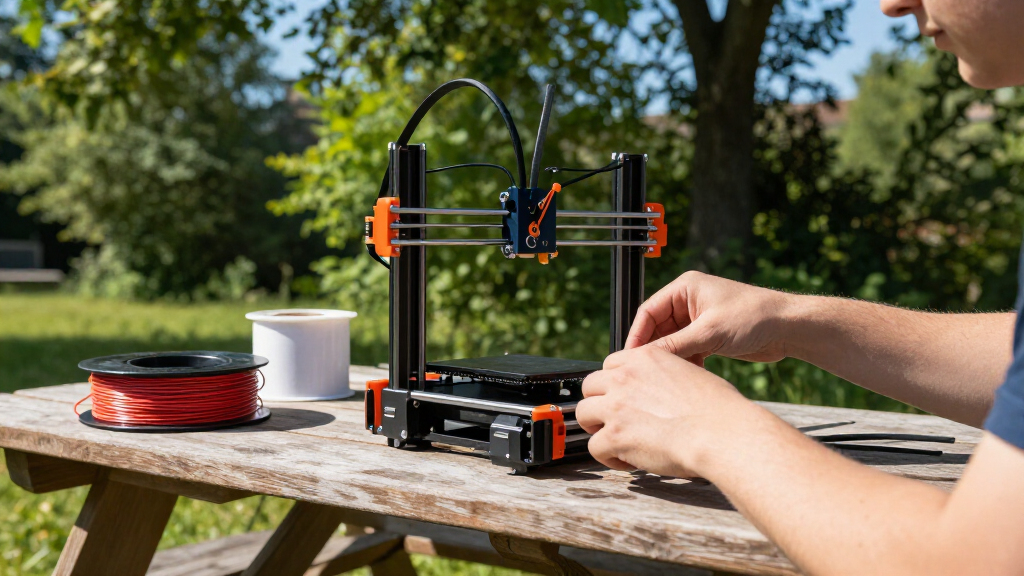
In selecting these 14 models, I focused on key factors that matter most to beginners: ease of setup, user interface simplicity, reliability, and overall print quality. I prioritized printers with features like auto-leveling, enclosed designs, and straightforward controls to reduce the learning curve. Cost was also a major consideration, aiming to find options that offer good value without sacrificing essential features. The rankings reflect a balance of performance and accessibility, ensuring that each pick is suited to different beginner needs—from complete novices to those ready to expand their skills.Factors to Consider When Choosing Beginner 3d Printers
Choosing a beginner 3D printer involves more than just looking at specs. It’s important to consider how easy it is to operate, maintain, and troubleshoot, especially for users new to the technology. Budget constraints should be balanced against desired features like auto-leveling or enclosed builds. Additionally, the availability of support and community resources can make a big difference in your learning curve. Here are the key factors to evaluate:Ease of Use and Setup
For beginners, a printer with intuitive controls, clear instructions, and minimal assembly is critical. Auto-leveling beds and touchscreens help reduce setup time and technical frustration. Avoid models that require complex calibration or extensive troubleshooting, as these can discourage new users. The goal is a smooth start that lets you focus on learning and creating, not fixing.
Print Quality and Reliability
While budget models may have limitations, look for printers with consistent performance and good layer resolution. A reliable extruder and stable frame reduce failed prints. Keep in mind that initial quality may improve with some tuning, but a solid base model minimizes the need for frequent adjustments and frustrations.
Build Size and Future Needs
Consider what size projects you plan to print. Smaller build volumes are usually more affordable and easier to manage, but larger ones offer more flexibility. Think about your space constraints and whether you’ll want to scale up later. Prioritizing a size that matches your typical projects prevents unnecessary upgrades soon after purchase.
Price and Value
For beginners, it’s tempting to choose the cheapest option, but investing a bit more can deliver better reliability, support, and features. Look for models that offer a good mix of affordability and essential capabilities like auto-leveling or enclosed design. Avoid overly cheap models that might lead to frequent failures or complicated troubleshooting.
Support, Community, and Upgradability
Good manufacturer support, active online communities, and accessible replacement parts can save you time and frustration. A well-supported printer allows easier troubleshooting and upgrades, extending its lifespan. Check for tutorials, forums, and customer service reputation before making your decision.
Frequently Asked Questions
Is auto-leveling necessary for a beginner 3D printer?
Auto-leveling significantly simplifies setup and helps maintain consistent print quality, making it highly beneficial for beginners. It reduces manual calibration, which can be tricky and frustrating for new users. While not strictly necessary, choosing a model with auto-leveling can save time and prevent common print failures caused by uneven beds.
Can I upgrade a beginner 3D printer later?
Many beginner printers are designed with upgradability in mind, allowing you to add features like better extruders or heated beds over time. However, the extent of upgrade options varies; some models are more closed systems. It’s wise to check if the manufacturer supports modifications and if parts are readily available for future enhancements.
What’s a realistic budget for a reliable beginner 3D printer?
Expect to spend between $200 and $500 for a solid beginner model that balances features and reliability. Cheaper units may come with increased troubleshooting and lower print quality, while higher-end options often include more automation and better build quality. Investing within this range generally offers a good starting point without overpaying for unnecessary extras.
How important is the build volume for a beginner?
Build volume impacts what you can print and how often you’ll need to make adjustments for larger projects. For beginners, a smaller build size often makes the learning process more manageable, but if you foresee printing larger items, choosing a slightly bigger model is worth considering. It’s best to match the build volume to your typical projects to avoid frustration or unnecessary upgrades.
Should I prioritize an enclosed design or open-frame for my first printer?
An enclosed design offers safety benefits, noise reduction, and better temperature control, making it especially suitable for beginners working in shared spaces or with sensitive materials. However, open-frame printers are usually more affordable and easier to access for maintenance. For most novice users, an enclosed model provides a better environment for learning and safer operation.
Conclusion
For those just starting out, the Bambu Lab A1 Mini offers the best overall balance of ease, print quality, and support, making it ideal for most beginners. If budget is the primary concern, the Geeetech Mini provides solid features at a lower price point. For users seeking premium features and future expandability, the FlashForge Adventurer 5M stands out. Beginners focused on safe, enclosed operation should consider models like the AOSEED AI. Ultimately, your choice depends on your budget, space, and project ambitions—this roundup helps clarify what matters most for your first 3D printer.
Fall yard work Picks
leaf blowers
As an affiliate, we earn on qualifying purchases.