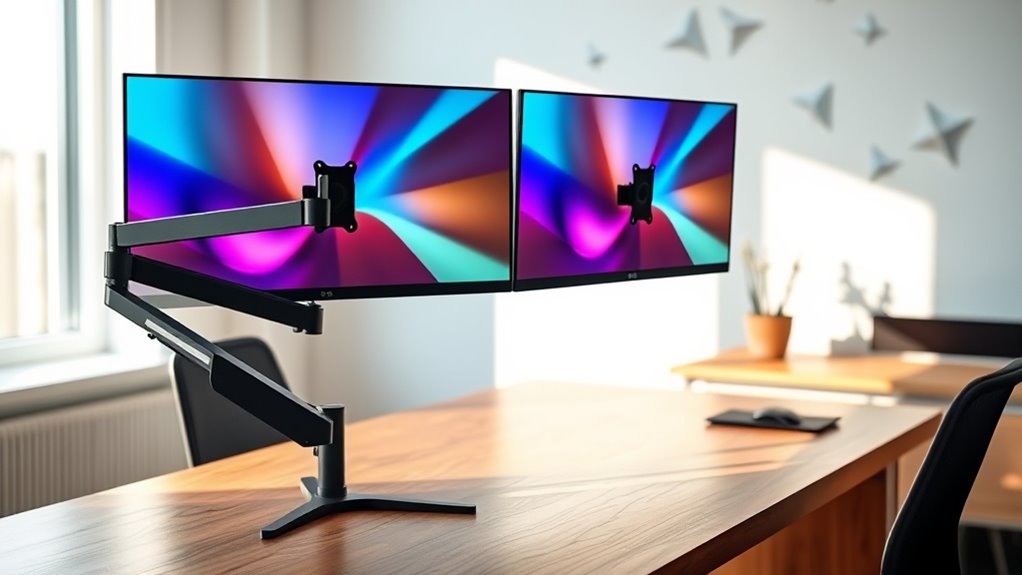

Choosing the right dualmonitor desk mount can dramatically improve your workspace ergonomics and productivity. The best models offer smooth adjustability, sturdy build quality, and easy installation, but they vary widely in price and features. The ErGear Dual Monitor Arm stands out for its versatility and tool-free VESA adjustments, making it ideal for flexible setups. The Acer Dual Monitor Arm provides a reliable gas spring mechanism for effortless movement, perfect for frequent adjustments. However, tradeoffs often involve balancing ease of use against cost or compatibility. Continue reading for a detailed breakdown of the best options to suit different needs and budgets.

Get travel and outdoor gear delivered free — and shop member deals
- Fast, free delivery on millions of items
- Access to Prime Big Deal Days deals on October 6–7
- Prime Video, Amazon Music and more included
Complete the kit


Key Takeaways
- Sturdy build quality and smooth adjustability are the most critical factors for long-term durability and ease of use.
- VESA compatibility and mounting options (clamp vs. grommet) significantly influence installation flexibility and desk compatibility.
- Higher-end models often feature gas springs or advanced adjustment mechanisms, making frequent repositioning effortless but at a higher price.
- Larger screens (beyond 27 inches) require robust mounts with higher weight capacities and larger VESA patterns to ensure stability.
- Price does not always correlate directly with quality; some budget options offer surprisingly good adjustability and build for their cost.
| ErGear Dual Monitor Arm for 13–32″ Screens, Fully Adjustable with Tool-Free VESA Mount |  | Best Overall for Versatility and Ease of Use | Supported Screen Size: 13–32 inches | Max Load: 19.8 lbs | VESA Compatibility: 75x75mm, 100x100mm | VIEW ON AMAZON | See Our Full Breakdown |
| Acer Dual Monitor Arm, Gas Spring VESA Mount Stand for 17-32″ Screens |  | Best for Ergonomic Flexibility and Multiple Mounting Options | Supported Screen Size: 17–32 inches | Maximum Load per Monitor: 19.8 lbs | VESA Compatibility: 75×75 mm, 100×100 mm | VIEW ON AMAZON | See Our Full Breakdown |
| Dual Monitor Stand for up to 32 inch screens, Adjustable Desk Mount with VESA Compatibility |  | Best Budget-Friendly Full Motion Mount | Monitor Size Support: up to 32 inches | Weight Capacity: 19.8 lbs | VESA Compatibility: 75x75mm, 100x100mm | VIEW ON AMAZON | See Our Full Breakdown |
| VIVO Dual Monitor Desk Mount for 13-30 inch Screens, Holds 22 lbs Each, Fully Adjustable Steel Stand with C-Clamp and Grommet, Black |  | Best Heavy-Duty Steel Construction for Larger Monitors | Screen Size Support: 13-30 inches | Maximum Weight: 22 lbs per monitor | VESA Compatibility: 75x75mm, 100x100mm | VIEW ON AMAZON | See Our Full Breakdown |
| Mount-It! Dual Monitor Desk Mount, 13-32″, 17.6 lbs Each |  | Best for Balanced Flexibility and Simplicity | Screen Size Compatibility: 13-32 inches | Weight Capacity: 17.6 lbs per monitor | VESA Compatibility: 75x75mm, 100x100mm | VIEW ON AMAZON | See Our Full Breakdown |
| HUANUO Dual Monitor Stand – Fully Adjustable Desk Mount with Swivel VESA Bracket for 13-32 Inch Screens – White |  | Best Overall Dual Monitor Mount for Ergonomic Flexibility | Compatibility: 13-32 inch screens, 75x75mm or 100x100mm VESA | Weight Capacity: 4.4 to 19.8 lbs per arm | Mounting Options: C-clamp or grommet base | VIEW ON AMAZON | See Our Full Breakdown |
| MountUp Dual Monitor Stand for Desk, Adjustable Monitor Arms for 2 Monitors 22-32 Inches, VESA Compatible, C-Clamp & Grommet Mount |  | Best Value for Budget-Conscious Users Needing Flexibility | Monitor Size Range: 22-32 inches | Weight Capacity: 4.4-17.6 lbs | VESA Compatibility: 75×75 mm, 100×100 mm | VIEW ON AMAZON | See Our Full Breakdown |
| HUANUO FlowLift™ Dual Monitor Stand for 13–32″ Screens, Fully Adjustable Desk Mount with C-Clamp & Grommet Base |  | Best for Workspace Organization and Full Motion Ergonomics | Monitor Size Range: 13–32 inches | Monitor Weight Range: 4.4 to 19.8 lbs | VESA Compatibility: 75x75mm or 100x100mm | VIEW ON AMAZON | See Our Full Breakdown |
| Mount-It Dual Monitor Arm, Heavy Duty Desk Mount for 2 Screens 13-32 in |  | Best for Heavy Monitors and Demanding Workloads | Supports Screen Size: 13-32 inches | Weight Capacity: 19.8 lbs per monitor | VESA Compatibility: 75x75mm and 100x100mm | VIEW ON AMAZON | See Our Full Breakdown |
| HUNAUO Dual Monitor Stand for 13-40 inch Monitors with USB, Height Adjustable, VESA Mount, Clamp/Grommet Base |  | Best for Large Monitors and Tech Integration | Supported Monitor Size: 13-40 inches | Max Load per Arm: 26.4 lbs | VESA Compatibility: 75×75mm, 100×100mm | VIEW ON AMAZON | See Our Full Breakdown |
| HUANUO 17-32 Inch Dual Monitor Stand with Adjustable Tilt, Swivel, Rotate, and VESA Compatibility |  | Best Overall for Versatility and Large Monitors | Supported Monitor Size: 17-32 inches | VESA Compatibility: 75x75mm, 100x100mm | Maximum Weight: 19.8 lbs | VIEW ON AMAZON | See Our Full Breakdown |
| ErGear Dual Monitor Stand, Heavy Duty Adjustable Desk Mount for 2 Screens up to 32 Inches |  | Best for Heavy Monitors and Sturdy Construction | Monitor Size Compatibility: 13 to 32 inches | Weight Limit: 17.6 lbs per monitor | VESA Mounting: 75×75 mm or 100×100 mm | VIEW ON AMAZON | See Our Full Breakdown |
| VIVO Dual Monitor Stand, Fully Adjustable Arms for 17 to 32 inch Screens, Mechanical Articulating Desk Mount, VESA 75×75, 100×100, Max 19.8 lbs, Black |  | Best for Wide Range of Sizes and Easy Assembly | Screen Compatibility: 17-32 inches | Weight Capacity: 19.8 lbs per monitor | VESA Patterns: 75x75mm, 100x100mm | VIEW ON AMAZON | See Our Full Breakdown |
| Amazon Basics Adjustable Dual Monitor Desk Mount, Supports up to 32 inch Monitors and 22 lbs per Arm, Adjustable Tension, VESA 75×75/100×100, Black |  | Best for Budget-Conscious Users Needing Full Motion | Monitor Size Support: Up to 32 inches | Weight Capacity: 22 lbs per arm | VESA Compatibility: 75x75mm, 100x100mm | VIEW ON AMAZON | See Our Full Breakdown |
| WALI Adjustable Dual Monitor Arm for 13-32 inch Screens, 22 lbs per Arm |  | Best for Space-Saving and Easy Adjustment | Screen Size Compatibility: 13-32 inches | Max Load Capacity: 22 lbs per arm | VESA Pattern: 75x75mm, 100x100mm | VIEW ON AMAZON | See Our Full Breakdown |
| dualmonitor desk mount | VESA Compatibility | Rotation |
|---|---|---|
| ErGear Dual Monitor Arm for 13 | 75x75mm, 100x100mm | 360° |
| Acer Dual Monitor Arm | 75×75 mm, 100×100 mm | 360° |
| Dual Monitor Stand for up to 3 | 75x75mm, 100x100mm | — |
| VIVO Dual Monitor Desk Mount f | 75x75mm, 100x100mm | 360° |
| Mount-It! Dual Monitor Desk Mo | 75x75mm, 100x100mm | — |
| HUANUO Dual Monitor Stand | — | — |
| MountUp Dual Monitor Stand for | 75×75 mm, 100×100 mm | — |
| HUANUO FlowLift™ Dual Monitor | 75x75mm or 100x100mm | 360° |
| Mount-It Dual Monitor Arm | 75x75mm and 100x100mm | — |
| HUNAUO Dual Monitor Stand for | 75×75mm, 100×100mm | — |
| HUANUO 17-32 Inch Dual Monitor | 75x75mm, 100x100mm | 360° |
| ErGear Dual Monitor Stand | — | 360° |
| VIVO Dual Monitor Stand | — | 360° |
| Amazon Basics Adjustable Dual | 75x75mm, 100x100mm | 360° |
| WALI Adjustable Dual Monitor A | — | 360° |
More Details on Our Top Picks
ErGear Dual Monitor Arm for 13–32″ Screens, Fully Adjustable with Tool-Free VESA Mount
This ErGear dual monitor arm stands out for its broad compatibility with monitor sizes from 13 to 32 inches and its independent adjustment features, making it flexible enough to suit most office setups. Compared to the VIVO model, it offers a slightly higher maximum height adjustment, which benefits users seeking a more elevated viewing position. However, its clamp range is more restrictive, limiting use on thicker desks or those with crossbeams. The tool-free VESA mounting simplifies installation, and cable management keeps clutter at bay. Its support for monitors up to 19.8 lbs is adequate for most mid-sized screens, yet it may struggle with very heavy or unusually thick monitors. Overall, this mount balances features, ease of use, and compatibility, making it ideal for users seeking a reliable, adjustable solution with straightforward setup.
Pros:- Supports a broad range of monitor sizes and weights
- Independent adjustments for height, tilt, swivel, and rotation
- Tool-free VESA mounting simplifies setup
- Cable management helps organize workspace
Cons:- Recommended only for wooden desks without crossbeams
- Maximum weight support may limit very heavy monitors
- Clamp range can be restrictive for thicker desks
Best for: Users needing a wide range of monitor sizes with quick, tool-free installation and cable management.
Not ideal for: Desk setups with thick or irregular surfaces, as the clamp range may be restrictive.
- Supported Screen Size:13–32 inches
- Max Load:19.8 lbs
- VESA Compatibility:75x75mm, 100x100mm
- Height Adjustment:Up to 17.5 inches
- Extension:Up to 18.1 inches
- Tilt:+80°/-50°
- Swivel:±90°
- Rotation:360°
Our verdict“This mount is best suited for users seeking a versatile, easy-to-install dual arm with broad size compatibility.”
Acer Dual Monitor Arm, Gas Spring VESA Mount Stand for 17-32″ Screens
This Acer dual monitor mount excels in ergonomic adjustments, featuring a durable gas spring mechanism that allows smooth height, tilt, swivel, and rotation adjustments. Compared with the Mount-It! model, which also offers full motion, Acer’s gas spring tends to provide more precise, effortless positioning, making it ideal for frequent adjustments. Its dual mounting options—C-Clamp and Grommet—offer flexibility but require desk compatibility verification, especially for grommet mounting. The support for monitors up to 19.8 lbs suits most standard screens, yet it may not accommodate very heavy or large monitors comfortably. Its extensive range of motion makes it an excellent choice for users prioritizing ergonomic comfort and flexible setups, especially in shared or dynamic workspaces.
Pros:- Smooth, effortless adjustment thanks to gas spring mechanism
- Supports a wide range of monitor sizes and weights
- Flexible mounting options including C-Clamp and Grommet
- 360° rotation supports versatile configurations
Cons:- Requires verification of desk surface and thickness
- Grommet mount may not fit all desk types
- Not suitable for very heavy or oversized monitors
Best for: Ergonomics-focused users who frequently adjust their monitor positions and have compatible desk surfaces.
Not ideal for: Owners with glass or plastic desks, as the mounting options may not be suitable or secure enough.
- Supported Screen Size:17–32 inches
- Maximum Load per Monitor:19.8 lbs
- VESA Compatibility:75×75 mm, 100×100 mm
- Height Adjustment Range:up to 18.1 inches
- Extension Range:up to 21.25 inches
- Tilt Range:+90°/-60°
- Swivel Range:±90°
- Rotation:360°
Our verdict“Ideal for users who prioritize ergonomic flexibility and adjustable mounting options on compatible desks.”
Dual Monitor Stand for up to 32 inch screens, Adjustable Desk Mount with VESA Compatibility
This stand supports large monitors up to 32 inches and offers full motion adjustments—tilt, swivel, and rotation—making it suitable for maximizing workspace ergonomics. Unlike the VIVO or Mount-It! mounts, which focus on arm flexibility, this option emphasizes a straightforward, stable base with easy-to-adjust features. It’s particularly appealing for home offices needing a cost-effective yet versatile solution. Its compatibility with VESA 75x75mm and 100x100mm ensures broad monitor support, though users should verify their monitor’s VESA pattern before purchasing. The maximum weight of 19.8 lbs is typical, but heavy or bulky screens might require a sturdier mount. This model is best for budget-conscious users who still want comprehensive motion capabilities without complex assembly.
Pros:- Supports large monitors up to 32 inches
- Full motion flexibility for ergonomic positioning
- Easy to install with multiple mounting options
- Supports VESA compatibility with common patterns
Cons:- Requires monitor VESA compatibility verification
- Maximum weight limit may not suit very heavy screens
- Assembly instructions could be challenging for some
Best for: Home office users seeking budget-friendly, full-motion dual monitor mounts with broad size compatibility.
Not ideal for: Users with very heavy or oversized monitors that exceed the weight limit or require specialized mounting support.
- Monitor Size Support:up to 32 inches
- Weight Capacity:19.8 lbs
- VESA Compatibility:75x75mm, 100x100mm
- Extension Length:up to 19.5 inches
- Height Adjustment:up to 16.9 inches
- Installation Methods:C-clamp, Grommet
Our verdict“A practical choice for budget-conscious users wanting full motion and broad monitor support.”
VIVO Dual Monitor Desk Mount for 13-30 inch Screens, Holds 22 lbs Each, Fully Adjustable Steel Stand with C-Clamp and Grommet, Black
The VIVO dual monitor mount distinguishes itself with a robust steel build supporting monitors up to 30 inches and 22 lbs each. Compared to the Mount-It! model, its heavy-duty construction offers increased durability for larger or more demanding setups. It provides a full range of motion, including tilt, swivel, and rotation, with height adjustability that enhances ergonomic flexibility. Its straightforward installation via C-Clamp or Grommet makes it suitable for various desk types, but requires sufficient space for mounting. While it supports large monitors effectively, the steel material adds weight, making it less portable and potentially more challenging to reposition frequently. This mount is best for users with heavier monitors who prioritize stability and durability over ultra-lightweight design.
Pros:- Supports large monitors up to 30 inches and 22 lbs
- Heavy-duty steel construction for maximum stability
- Full adjustability for ergonomic comfort
- Easy installation with multiple mounting options
Cons:- Heavier design reduces portability
- Requires ample desk space for mounting
- Limited to monitors with VESA 75x75mm or 100x100mm holes
Best for: Professionals with larger, heavier monitors needing a sturdy, durable mounting solution.
Not ideal for: Users with limited desk space or those who prefer lightweight, easily movable mounts.
- Screen Size Support:13-30 inches
- Maximum Weight:22 lbs per monitor
- VESA Compatibility:75x75mm, 100x100mm
- Material:Steel
- Mounting Options:C-Clamp, Grommet
- Tilt Range:+90° to -90°
- Swivel:180°
- Rotation:360°
Our verdict“Best suited for users requiring a highly stable, heavy-duty mount for large monitors.”
Mount-It! Dual Monitor Desk Mount, 13-32″, 17.6 lbs Each
This Mount-It! dual monitor mount supports screens from 13 to 32 inches, each up to 17.6 lbs, with full motion adjustments—tilt, swivel, rotation, and height. Compared with the VIVO mount, this option emphasizes a straightforward design that balances flexibility with simplicity, making it suitable for users who want versatile positioning without excessive complexity. Its independent arms allow for personalized configurations, while cable management keeps the workspace tidy. The absence of specific extension length details might limit precise planning, but overall, it provides a solid, reliable mounting solution. This model is a good choice for users who need a balanced mix of adjustability and simplicity in a mid-range price point.
Pros:- Supports a wide range of monitor sizes and weights
- Independent arms for customizable positioning
- Full-motion adjustments for ergonomic setup
- Integrated cable management for tidy workspace
Cons:- Lacks specific extension length data for precise planning
- Maximum weight limit may not suit very heavy monitors
- Assembly can be complex for some users
Best for: Users seeking a versatile dual monitor mount with flexible adjustments and straightforward assembly.
Not ideal for: Those who require precise extension measurements or have very heavy monitors exceeding 17.6 lbs.
- Screen Size Compatibility:13-32 inches
- Weight Capacity:17.6 lbs per monitor
- VESA Compatibility:75x75mm, 100x100mm
- Adjustments:Tilt (+90°/−45°), swivel (±90°), rotation 360°, height adjustment
- Material:Not specified
Our verdict“A reliable, flexible mount suitable for users wanting balanced adjustability without overly complex features.”
HUANUO Dual Monitor Stand – Fully Adjustable Desk Mount with Swivel VESA Bracket for 13-32 Inch Screens – White
This HUANUO stand earns its place as the best overall choice thanks to its full range of motion and stable mounting options, making it ideal for users who want maximum ergonomic control. Unlike the MountUp model, which offers similar adjustability but less stability in heavier setups, HUANUO’s dual arms support monitors up to 19.8 lbs each, with intuitive swivel, tilt, and rotation. It also provides versatile mounting options, including C-clamp and grommet bases, plus integrated cable management for a tidy workspace. However, it requires monitors with VESA holes, and its size range excludes very small or ultra-light screens. This pick suits professionals or serious multitaskers seeking ergonomic precision without sacrificing workspace organization.
Pros:- Full motion adjustment for ergonomic positioning
- Stable mounting with multiple installation options
- Integrated cable management for a tidy workspace
Cons:- Requires monitors with VESA mounting holes
- Limited to monitors within specified size and weight range
Best for: Writers, designers, or office workers who need flexible positioning and cable management for multiple monitors
Not ideal for: Users with non-VESA compatible monitors or very small, lightweight screens under 13 inches
- Compatibility:13-32 inch screens, 75x75mm or 100x100mm VESA
- Weight Capacity:4.4 to 19.8 lbs per arm
- Mounting Options:C-clamp or grommet base
- Color:White
Our verdict“This stand is perfect for users demanding comprehensive ergonomic control and workspace cleanliness.”
MountUp Dual Monitor Stand for Desk, Adjustable Monitor Arms for 2 Monitors 22-32 Inches, VESA Compatible, C-Clamp & Grommet Mount
Compared to the HUANUO stand, the MountUp model offers a compelling mix of features at a more accessible price point, making it ideal for those new to dual monitor setups. It supports screens from 22 to 32 inches, with a lighter weight capacity of 17.6 lbs per arm, which may limit heavier monitors but is sufficient for most office tasks. Its full motion capabilities—tilt, swivel, and rotation—are comparable to higher-end options like the HUANUO, but it may require more frequent tension adjustments to maintain stability. Installation is straightforward with multiple mounting options, and its space-saving design helps maximize desk real estate. However, improper tension adjustment can lead to sagging, and it’s only suitable for monitors within specific size and weight limits. This model suits users wanting ergonomic flexibility without a hefty price tag.
Pros:- Full motion flexibility with tilt, swivel, and rotation
- Easy to install with multiple mounting options
- Space-saving design with cable management
Cons:- Requires proper tension adjustment for stability
- Limited to monitors within specified weight and size range
Best for: Home office users or students who need adjustable dual monitors on a budget
Not ideal for: Power users with heavy or larger monitors over 17.6 lbs, or those seeking premium build quality
- Monitor Size Range:22-32 inches
- Weight Capacity:4.4-17.6 lbs
- VESA Compatibility:75×75 mm, 100×100 mm
- Mounting Options:C-Clamp, Grommet
- Arm Extension:17.3 inches
- Height Adjustment Range:9.4 inches
Our verdict“Ideal for budget-conscious users who want flexible positioning without sacrificing basic ergonomics.”
HUANUO FlowLift™ Dual Monitor Stand for 13–32″ Screens, Fully Adjustable Desk Mount with C-Clamp & Grommet Base
The HUANUO FlowLift™ stands out for users prioritizing both ergonomic freedom and workspace tidiness. Its full motion adjustments—including tilt, swivel, and rotation—are comparable to other high-end mounts like Mount-It but with a sleek lifting mechanism that elevates monitors to eye level. This feature reduces neck strain and maximizes desk space, especially on cluttered desks. The dual C-clamp and grommet mounting options ensure stability on compatible wooden desks, but this limits use on glass or plastic surfaces. Installation can be tricky on desks with cross beams or panels, and the stand’s compatibility requires specific desk thickness and VESA patterns. Overall, it’s ideal for professionals seeking a clean, ergonomic workspace with maximum adjustability.
Pros:- Supports full motion adjustments for ergonomic viewing
- Keeps monitors organized and frees up desk space
- Secure dual C-clamp and grommet mounting options
Cons:- Recommended for wooden desks only
- May be challenging to install on desks with cross beams
Best for: Professionals working long hours who need ergonomic flexibility and a neat workspace on wooden desks
Not ideal for: Users with glass or plastic desks, or those with non-standard desk thicknesses or incompatible monitor VESA patterns
- Monitor Size Range:13–32 inches
- Monitor Weight Range:4.4 to 19.8 lbs
- VESA Compatibility:75x75mm or 100x100mm
- Desk Thickness Range:0.59–3.54 inches
- Tilt:+85°/-50°
- Swivel:±90°
- Rotation:360°
- Maximum Height Adjustment:15.75 inches
Our verdict“Best suited for users seeking a highly adjustable, space-efficient dual monitor setup on compatible desks.”
Mount-It Dual Monitor Arm, Heavy Duty Desk Mount for 2 Screens 13-32 in
The Mount-It dual arm is designed for heavy-duty use, supporting monitors up to 19.8 lbs each, making it ideal for larger, heavier screens. Its robust steel construction offers durability unmatched by lighter models like the WALI, and its full motion capabilities—tilt, swivel, and rotation—are similar to models like the HUNAUO but with a focus on stability under heavier loads. It supports a wide range of monitor sizes, but the mounting process demands careful attention to desk thickness, as the C-clamp and grommet options have specific requirements. Assembly can be more complex, especially for users unfamiliar with heavy-duty mounts. This mount excels in demanding environments where stability and support for larger monitors are paramount.
Pros:- Supports a wide range of monitor sizes and weights
- Heavy-duty steel construction for durability
- Full motion flexibility for ergonomic positioning
Cons:- Requires compatible desk thickness for mounting
- Assembly may be complex for some users
Best for: Creative professionals or gamers with larger, heavier monitors needing reliable support and full motion
Not ideal for: Casual users with lightweight monitors or on desks that can’t accommodate heavy-duty mounts
- Supports Screen Size:13-32 inches
- Weight Capacity:19.8 lbs per monitor
- VESA Compatibility:75x75mm and 100x100mm
- Arm Extension:17.1 inches
- Desk Thickness:0.39 to 3.3 inches (C-clamp), 0.39 to 1.6 inches (grommet)
Our verdict“This arm is best for those with large, heavy monitors seeking maximum stability and adjustability.”
HUNAUO Dual Monitor Stand for 13-40 inch Monitors with USB, Height Adjustable, VESA Mount, Clamp/Grommet Base
This HUNAUO stand supports a broader range of monitor sizes, up to 40 inches and 26.4 lbs per arm, making it suitable for larger, heavier screens. Its height adjustment—up to 21.1 inches—along with full motion tilt, swivel, and rotation, provides excellent ergonomic flexibility, comparable to premium models like HUANUO FlowLift. The inclusion of built-in USB ports adds value for users needing quick device charging or connectivity. However, this model requires a desk thickness of up to 3.54 inches and works best on sturdy wooden surfaces, unlike glass or plastic desks. Assembly can be time-consuming, especially with the added USB ports and larger size, but it excels for users with large monitors and integrated tech needs.
Pros:- Supports large and heavy monitors securely
- Full motion adjustment for ergonomic viewing
- Built-in USB ports for added functionality
Cons:- Requires assembly and proper installation
- May be bulky for small desks
Best for: Power users with large, heavy monitors seeking integrated USB ports and high adjustability
Not ideal for: Small desk setups or users with lightweight monitors under 13 inches
- Supported Monitor Size:13-40 inches
- Max Load per Arm:26.4 lbs
- VESA Compatibility:75×75mm, 100×100mm
- Height Adjustment:Up to 21.1 inches
- Extension Length:Up to 25.59 inches
- USB Ports:2 ports
Our verdict“Ideal for professionals with large monitors who need height adjustability and integrated USB connectivity.”
HUANUO 17-32 Inch Dual Monitor Stand with Adjustable Tilt, Swivel, Rotate, and VESA Compatibility
This HUANUO stand excels at supporting larger monitors up to 32 inches, offering full VESA compatibility and a generous 17-inch height adjustment. Its full-motion flexibility—including tilt, swivel, and 360° rotation—makes it highly adaptable for ergonomic setups. Compared to the VIVO Dual Monitor Stand, this model provides a slightly broader height range, making it better suited for users who need precise positioning. However, its limitations include not being compatible with glass desks and requiring monitors to meet specific size and weight criteria. Its cable management system adds to workspace tidiness, and multiple mounting options simplify installation.
Pros:- Supports large monitors up to 32 inches with VESA compatibility
- Full-motion flexibility with height, tilt, swivel, and rotation
- Cable management system keeps workspace organized
- Easy to install with multiple mounting options
Cons:- Not suitable for glass desks
- Requires monitors to have VESA mounting holes
- Limited compatibility with monitors exceeding weight or size specifications
Best for: Professionals with large, VESA-compatible monitors seeking maximum flexibility and ergonomic customization
Not ideal for: Users with glass desks or monitors without VESA mounts, as it requires specific mounting options and does not support glass surfaces
- Supported Monitor Size:17-32 inches
- VESA Compatibility:75x75mm, 100x100mm
- Maximum Weight:19.8 lbs
- Height Extension:17 inches
- Tilt:90°
- Swivel:180°
- Rotation:360°
- Desk Thickness Range:0.39-3.54 inches
Our verdict“This stand suits users with larger VESA-compatible monitors who prioritize full ergonomic adjustability and workspace organization.”
ErGear Dual Monitor Stand, Heavy Duty Adjustable Desk Mount for 2 Screens up to 32 Inches
The ErGear dual monitor stand stands out for its robust metal construction and support for monitors up to 17.6 lbs each, making it ideal for heavier screens. Its full adjustability—including height, tilt, swivel, and 360° rotation—provides comprehensive ergonomic customization. Compared with the Amazon Basics Mount, this model offers a more sturdy build, better suited for demanding setups. A tradeoff is that installation can be complex, especially for users unfamiliar with mounting hardware, and it requires specific table thickness and type for optimal stability. Its cable clips help reduce clutter, but the weight limit may restrict some larger or heavier monitors.
Pros:- Supports monitors up to 32 inches and 17.6 lbs each
- Heavy-duty metal construction for added stability
- Full adjustability for ergonomic positioning
- Includes cable management clips
Cons:- Assembly can be complex for beginners
- Requires specific table thickness and type for secure mounting
- Limited to monitors within weight and size limits
Best for: Users with heavier monitors or those needing a durable, stable mount for demanding environments
Not ideal for: Anyone with very thick or uneven desks, as compatibility depends on table thickness and type
- Monitor Size Compatibility:13 to 32 inches
- Weight Limit:17.6 lbs per monitor
- VESA Mounting:75×75 mm or 100×100 mm
- Maximum Reach:31.22 inches
- Height Adjustment:Yes
- Tilt:+/-45°
- Swivel:+/-90°
- Rotation:360°
Our verdict“This stand is best suited for users with heavier monitors seeking a sturdy, fully adjustable mount with durable construction.”
VIVO Dual Monitor Stand, Fully Adjustable Arms for 17 to 32 inch Screens, Mechanical Articulating Desk Mount, VESA 75×75, 100×100, Max 19.8 lbs, Black
The VIVO dual monitor stand offers broad compatibility across 17 to 32-inch screens, with a maximum weight capacity of 19.8 lbs per monitor. Its mechanical articulating arms provide full tilt, swivel, and rotation, making it a flexible choice for achieving ergonomic comfort. Compared with the HUANUO model, the VIVO stand is easier to assemble and includes hardware for quick setup, which benefits beginners. However, the arms’ extension length may feel restrictive for some users, and the back of the arms can extend past the desk edge, potentially causing clearance issues. Its sturdy build and multiple mounting options make it suitable for most typical desk environments.
Pros:- Supports screens 17-32 inches with VESA compatibility
- Full tilt, swivel, and rotation for ergonomic adjustments
- Easy to assemble with hardware included
- Helps maximize desk space by elevating monitors
Cons:- Back of arms can extend past desk edge
- Maximum arm extension may be limiting for some setups
- Supports monitors up to 19.8 lbs, restricting very heavy screens
Best for: Users who want a versatile, easy-to-assemble dual monitor mount adaptable to various monitor sizes
Not ideal for: Users with very thick desks or needing minimal arm extension space, as arm length may be restrictive
- Screen Compatibility:17-32 inches
- Weight Capacity:19.8 lbs per monitor
- VESA Patterns:75x75mm, 100x100mm
- Tilt Range:+90° to -90°
- Swivel:180°
- Rotation:360°
- Mounting Options:C-clamp, grommet mount
Our verdict“Ideal for users seeking a straightforward, adaptable mount with wide size compatibility and easy setup.”
Amazon Basics Adjustable Dual Monitor Desk Mount, Supports up to 32 inch Monitors and 22 lbs per Arm, Adjustable Tension, VESA 75×75/100×100, Black
This Amazon Basics mount offers a cost-effective solution for supporting large monitors up to 32 inches, with a weight capacity of 22 lbs per arm. Its independent tension adjustment lets users fine-tune stability for different monitor weights, similar to the WALI model but often at a lower price point. While its full motion capabilities—including tilt, swivel, and rotation—are comparable, users should carefully set tension to prevent sagging or overly stiff movement. Assembly requires initial tightening, and performance may vary with larger or extended setups. The multiple mounting options—clamp or grommet—help adapt to different desk types.
Pros:- Supports large monitors up to 32 inches and 22 lbs
- Full motion with tilt, swivel, and rotation
- Independent tension adjustment for stability
- Multiple mounting options for versatility
Cons:- Requires proper tension adjustment for smooth operation
- Performance may vary with heavier or extended monitors
- Initial setup involves tightening and fine-tuning
Best for: Budget-conscious buyers who need versatile, full-motion support for monitors up to 32 inches
Not ideal for: Users with very thick desks or very heavy monitors, as tension adjustments may not suffice for extra weight
- Monitor Size Support:Up to 32 inches
- Weight Capacity:22 lbs per arm
- VESA Compatibility:75x75mm, 100x100mm
- Tilt Range:-45° to +90°
- Swivel Range:±90°
- Rotation:360°
- Mounting Options:C-clamp, grommet
Our verdict“Best suited for budget-minded users needing flexible, full-motion mounts for standard-sized monitors.”
WALI Adjustable Dual Monitor Arm for 13-32 inch Screens, 22 lbs per Arm
The WALI dual monitor arm offers a flexible solution for organizing your workspace, supporting monitors from 13 to 32 inches with a maximum weight of 22 lbs per arm. Its extensive adjustments—including height up to 17.3 inches, tilt, swivel, and 360° rotation—make it excellent for ergonomic positioning. Compared to the ErGear model, WALI’s setup is more straightforward, especially for typical desk environments. One consideration is that its stability relies heavily on proper tension adjustment, and it’s mainly recommended for wooden desks without crossbeams underneath, which could limit its use for some users. Its generous extension and height range help maximize desk space and reduce clutter.
Pros:- Supports monitors 13-32 inches and 22 lbs per arm
- Extensive adjustment options including height, tilt, swivel, and rotation
- Helps keep desk clutter-free by elevating monitors
- Multiple mounting options for stability
Cons:- Requires careful tension adjustment for stability
- Less stable on very thick or uneven desktops
- Potential clearance issues with back of arms extending past desk edge
Best for: Users seeking an easy-to-adjust, space-efficient dual monitor arm for standard desk setups
Not ideal for: Anyone with very thick or uneven desks, or monitors exceeding weight limits, as stability depends on proper tensioning
- Screen Size Compatibility:13-32 inches
- Max Load Capacity:22 lbs per arm
- VESA Pattern:75x75mm, 100x100mm
- Extension:19.3 inches
- Height Adjustment:up to 17.3 inches
- Swivel:+90°/-90°
- Tilt:+70°/-45°
- Rotation:360°
Our verdict“This arm is ideal for users wanting a flexible, space-saving mounting solution that’s easy to adjust for ergonomic comfort.”
How We Picked
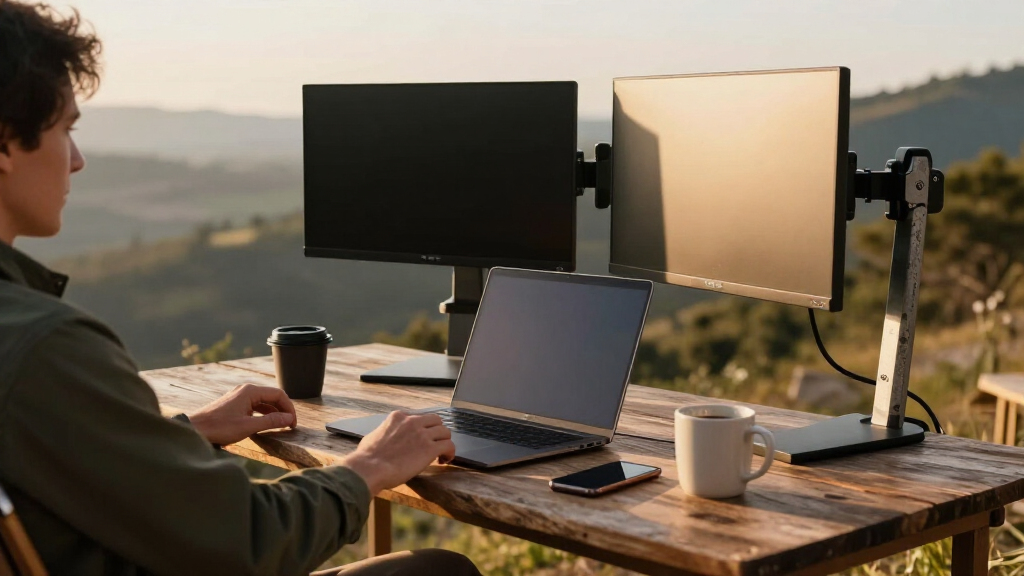
To determine the best dualmonitor desk mounts, I evaluated each product based on key criteria including build quality, adjustability, ease of installation, compatibility with different monitor sizes, and overall value. I prioritized mounts that offer smooth, reliable movement and sturdy construction, as these factors directly impact user experience and safety. Additionally, I considered user reviews and product versatility, especially for common desk setups and monitor sizes. This approach ensures the top picks balance performance with affordability and cater to various user needs, from casual users to professionals requiring robust solutions.Factors to Consider When Choosing Dualmonitor Desk Mounts
Selecting the right dualmonitor desk mount involves understanding several core factors that influence usability, compatibility, and longevity. Considering these factors carefully can prevent common pitfalls, such as choosing a mount incompatible with your desk or monitor size, or one that lacks sufficient adjustability for your workflow. Below are key considerations that will help you make a smarter choice and find a mount that truly fits your needs.Monitor Size and Weight Capacity
Start by matching the mount’s specifications with your monitors’ size and weight. Most mounts support up to 32 inches, but heavier monitors, especially 27 inches and above, require mounts with higher weight limits (often 17-22 lbs per arm). Failing to check this can lead to unstable setups or damage. Always verify your monitors’ VESA pattern compatibility, typically 75×75 or 100×100, to ensure proper fit and secure attachment. Investing in a mount with a slightly higher capacity than your monitors’ weight provides extra safety margin and longevity.
Adjustability and Range of Motion
Look for mounts that offer multiple points of adjustment — tilt, swivel, rotation, and height. This flexibility allows you to customize your viewing angles, reducing neck and eye strain. Gas springs or spring-assisted arms tend to offer smoother, easier movement compared to rigid mounts, making frequent repositioning less effortful. However, they are often more expensive and can wear out over time. Balance your need for adjustability with durability and budget constraints to find the best fit.
Mounting Options and Desk Compatibility
Mounts typically attach via clamp or grommet mount, each with pros and cons. Clamp mounts are quick to install and work well on desks with edges thick enough to clamp onto, but they may limit space underneath. Grommet mounts require drilling but offer a more permanent, stable solution and free up desk space. Ensure your desk thickness and material support your chosen mounting method. Compatibility with your desk’s dimensions and structure is essential for a secure and clutter-free setup.
Ease of Installation and Maintenance
A good dualmonitor mount should be straightforward to install with clear instructions and minimal tools. Tool-free adjustments are a plus, especially for users who frequently change monitor positions. Also, consider how easy it is to clean and maintain the mount; some designs allow quick detachment for cleaning or upgrading. A well-designed mount minimizes ongoing fuss and ensures longevity, making your workspace more efficient.
Price and Overall Value
While budget models can provide decent adjustability, investing in a higher-quality mount often yields better durability, smoother operation, and more features. Consider your usage frequency and monitor size when evaluating price. Sometimes, paying a bit more upfront results in fewer replacements or repairs later. Look for reputable brands that provide warranties or strong customer support, adding to the overall value of your purchase.
Frequently Asked Questions
Will a dualmonitor desk mount fit my desk?
Most dualmonitor mounts are compatible with standard desks, but it’s important to check your desk’s edge thickness and available space. Clamp mounts typically need at least 2 inches of space on the edge, while grommet mounts require a drilled hole of about 0.3 to 0.5 inches. If your desk is very thick or has a built-in surface that restricts clamp placement, a grommet mount might be a better choice. Always measure your desk’s dimensions before purchasing to ensure compatibility.
Can I use a dualmonitor mount with ultrawide monitors?
Ultrawide monitors often exceed standard VESA sizes or weight limits, so check the mount’s specifications carefully. Many mounts support up to 32 inches and 19.8 lbs per arm, but ultrawides can be heavier and larger. For ultrawides, look for mounts explicitly rated for higher weights and larger VESA patterns, or consider a single, larger mount designed specifically for them. Using the wrong mount can lead to instability or damage, so verify compatibility thoroughly.
Are gas spring mounts more durable than other types?
Gas spring mounts tend to offer smoother and easier adjustment, but their longevity depends on build quality and usage. High-quality gas springs can last several years with proper care, but cheaper models may wear out faster, losing their tension or leaking gas. If you frequently reposition your monitors, investing in a well-reviewed gas spring mount might be worthwhile. For less frequent adjustments, a rigid mount could be more durable long-term.
Is it worth paying more for a dualmonitor mount?
Higher-priced mounts often feature better build quality, smoother motion, and more adjustment options, providing a more reliable and ergonomic experience. They may also support larger, heavier monitors and come with longer warranties. If you plan to use your setup intensively or with larger monitors, investing in a premium model can save you money and hassle over time. However, for light or occasional use, a budget option with decent features might be sufficient.
What should I do if my monitor wobbles after installation?
Wobbling usually indicates that the mount isn’t properly tightened or that the clamp is loose. First, check all mounting points and tighten screws securely without over-tightening, which can damage components. Ensure the clamp or grommet is firmly attached to a stable, flat surface. If wobbling persists, consider upgrading to a higher-quality mount with better stability features or adding extra support, especially for larger monitors. Proper installation is key to avoiding ongoing movement issues.
Conclusion
For users seeking the best overall experience, the ErGear Dual Monitor Arm offers a versatile, tool-free setup with excellent adjustability. Those on a budget or with lighter monitors will find the Amazon Basics Dual Monitor Mount provides reliable performance at a lower cost. Professionals or heavy users should consider premium options like the Acer Gas Spring Mount or VIVO Dual Monitor Stand for superior smoothness and durability. Beginners or casual users benefit from mounts with straightforward installation, while those with ultrawide or heavier monitors need to prioritize higher weight capacity and larger VESA compatibility. This lineup aims to match every user’s needs, helping you create a more ergonomic and efficient workspace.
Evergreen bestsellers Picks
bestsellers
As an affiliate, we earn on qualifying purchases.