If you’re looking to boost your office comfort, I recommend checking out ergonomic keyboard trays like the VIVO, HUANUO, Klearlook, and BONTEC models. They offer adjustable height, tilt, and space-saving designs that reduce strain and improve posture. Many include organizational features like drawers or headphone hooks, making your workspace more efficient. Keep in mind desk compatibility and installation ease, so you’ll find the best fit. If you keep exploring, you’ll discover which one suits your needs perfectly.

Get travel and outdoor gear delivered free with Prime
- Fast, free delivery on millions of items
- Prime Video, Amazon Music and more included
- Member-only deals all year
Key Takeaways
- Adjustable height, tilt, and rotation features to customize ergonomic positioning for different users.
- Space-saving designs that free desktop area and improve workspace organization.
- Compatibility with various desk sizes and materials, including under-desk mounting options.
- Built-in organizational tools like storage drawers, phone slots, and headphone hooks for better efficiency.
- Easy installation with screw-free or minimal setup for quick ergonomic upgrades.
VIVO Large Keyboard Tray Under Desk (MOUNT-KB05E)

If you’re looking to optimize your workspace with an ergonomic solution, the VIVO Large Keyboard Tray Under Desk (MOUNT-KB05E) is an excellent choice. This sturdy tray, made of alloy steel with a sleek black finish, measures 27 inches long (33 with clamps) and 11 inches wide, providing plenty of space for your keyboard, mouse, and accessories. It extends up to 8.5 inches from the desk edge, allowing easy access and comfortable positioning. Designed for desks up to 1.25 inches thick, it installs quickly with adjustable C-clamps that won’t damage your surface. This tray helps free up desk space and promotes healthier typing angles.
Best For: individuals seeking an ergonomic, space-saving keyboard solution for their desktop workspace that is easy to install and adjustable for comfort.
Pros:
- Sturdy alloy steel construction with a sleek black finish for durability and aesthetics
- Adjustable C-clamps ensure a secure fit without surface damage and accommodate desks up to 1.25 inches thick
- Smooth sliding mechanism allows for easy extension up to 8.5 inches, promoting ergonomic typing angles and accessibility
Cons:
- Not compatible with beveled-edge desktops, limiting its use on certain desk styles
- Requires at least 32.5 inches of space between clamps, which may not fit smaller workspaces
- Maximum weight capacity of 11 lbs may not support heavier accessories or keyboard setups
HUANUO Adjustable Under Desk Keyboard Tray
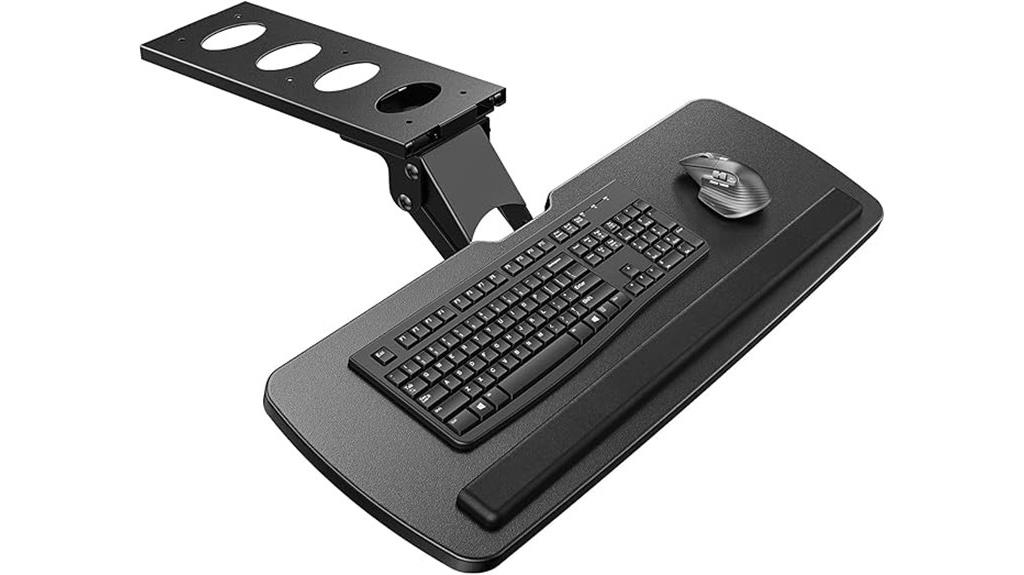
The HUANUO Adjustable Under Desk Keyboard Tray is ideal for anyone seeking customizable ergonomic support, especially those who want to switch between sitting and standing positions throughout the day. It measures 25″ wide by 9.84″ deep, fitting full-sized keyboards, mice, and accessories comfortably. The tray features 6.3 inches of height adjustment and swivels 180° left/right, with up to 22° tilt for personalized comfort. When lowered, the connector height is 7.48 inches, accommodating various desk heights. Its space-saving design retracts under the desk when not in use, freeing up desktop space. Easy to install, it’s compatible with many desk types.
Best For: users seeking customizable ergonomic support for their workspace, especially those who frequently switch between sitting and standing positions.
Pros:
- Fully adjustable with 6.3 inches of height adjustment, swiveling 180° and tilting up to 22° for personalized comfort
- Space-saving design retracts under the desk, freeing up desktop space when not in use
- Compatible with various desk materials and sizes, easy to install with included hardware
Cons:
- May not fit desks with beams or obstructions underneath, requiring careful measurement before installation
- The size (25″ x 9.84″) may not accommodate larger or extra-wide keyboards and accessories
- Requires periodic tightening of the knob to maintain stability during use
Klearlook Under Desk Keyboard Tray with 360° Rotation
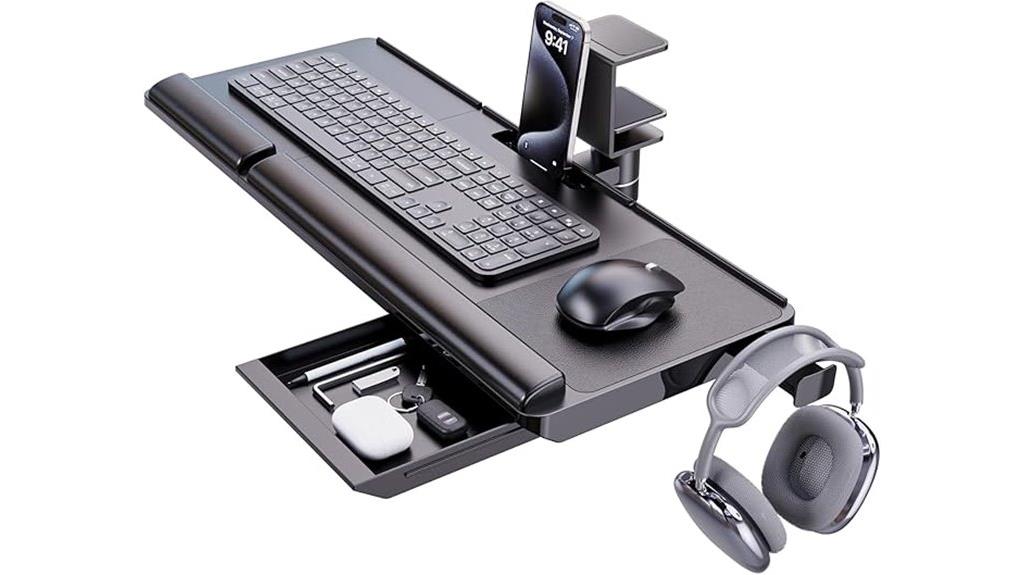
Designed for those who need a versatile and space-saving keyboard solution, the Klearlook Under Desk Keyboard Tray with 360° rotation offers a practical way to keep your workspace organized and ergonomic. Its adjustable tilt promotes healthier typing, while the sturdy ABS plastic construction guarantees stability with minimal wobbling. The 25W×11.02D platform fits various keyboards and mice, and the integrated mouse pad enhances control. Additional features like a wrist rest, storage drawer, phone slot, and headphone hanger boost productivity. The tray attaches easily via a C-clamp, swivels 360°, and tucks neatly under the desk when not in use, saving space without sacrificing accessibility.
Best For: those seeking a space-saving, ergonomic keyboard solution with versatile features for organized and comfortable workspace setup.
Pros:
- Adjustable tilt promotes healthier typing posture and reduces strain
- 360° swivel allows easy storage under desk, maximizing space
- Built-in mouse pad, wrist rest, storage drawer, phone slot, and headphone hanger enhance functionality and organization
Cons:
- Height is fixed and not adjustable, which may limit ergonomic customization
- Made from ABS plastic, which might feel less premium compared to metal options
- Some users may find the size or weight less suitable for larger or heavier keyboard setups
BONTEC Under Desk Keyboard Tray with C-Clamp
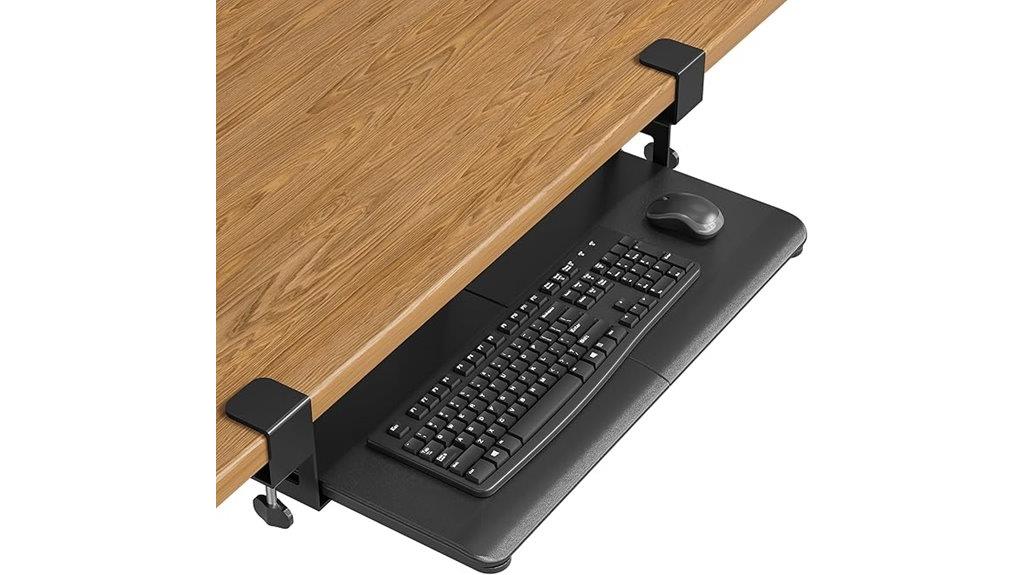
For anyone seeking a space-efficient and tool-free installation, the BONTEC Under Desk Keyboard Tray with C-Clamp stands out as an excellent choice. Its 25.6 x 11.8-inch surface comfortably supports standard keyboards and mice, helping to reduce wrist strain and free up desktop space. The no-drill C-clamp attaches securely to desks up to 1.57 inches thick without tools, making setup quick and hassle-free. With smooth sliding and sturdy construction, it offers stability during extended use. Just confirm your desk has a flat, unobstructed underside measuring at least 31.3 inches wide and 11.4 inches deep for perfect fit and function.
Best For: users seeking an easy-to-install, space-saving ergonomic keyboard tray that enhances workspace organization and comfort without requiring tools or permanent modifications.
Pros:
- No-drill C-clamp installation fits desks up to 1.57 inches thick securely and tool-free.
- Spacious 25.6 x 11.8-inch surface supports standard keyboards and mice comfortably.
- Smooth sliding mechanism ensures easy access and stability during extended use.
Cons:
- Compatibility issues may arise with desks that have curved, beveled edges, or support beams underneath.
- Slight misalignments or aesthetic imperfections can occur, though they do not affect functionality.
- The tray’s weight and snug fit may require careful measurement and adjustment for optimal setup.
VIVO Adjustable Keyboard & Mouse Platform Tray

If you’re looking to improve your workspace ergonomics, the VIVO Adjustable Keyboard & Mouse Platform Tray offers a versatile solution that adapts to various desk setups. It installs beneath standard desks, supporting most keyboards and mice on a sliding track for easy positioning. The tray is adjustable in height, tilt, and rotation, helping you find a comfortable typing angle and reducing wrist strain. Made of durable materials, it supports up to 10 pounds, with rubber padding for added comfort. Assembly takes about 20-30 minutes, and its foldable design allows easy workspace flexibility. Overall, it’s a practical choice for enhancing ergonomic comfort at your desk.
Best For: users seeking an ergonomic, adjustable keyboard and mouse platform to improve comfort and posture at their desktop.
Pros:
- Fully adjustable in height, tilt, and rotation for personalized comfort
- Durable construction with rubber padding for wrist support
- Easy to install and fold for workspace flexibility
Cons:
- Sliding guides can become stiff over time, requiring lubrication
- Slight flex under heavy weight or prolonged use
- Some users report rough screws or scratched finishes during assembly
Klearlook Adjustable Ergonomic Keyboard Tray with Wrist Rest and Storage
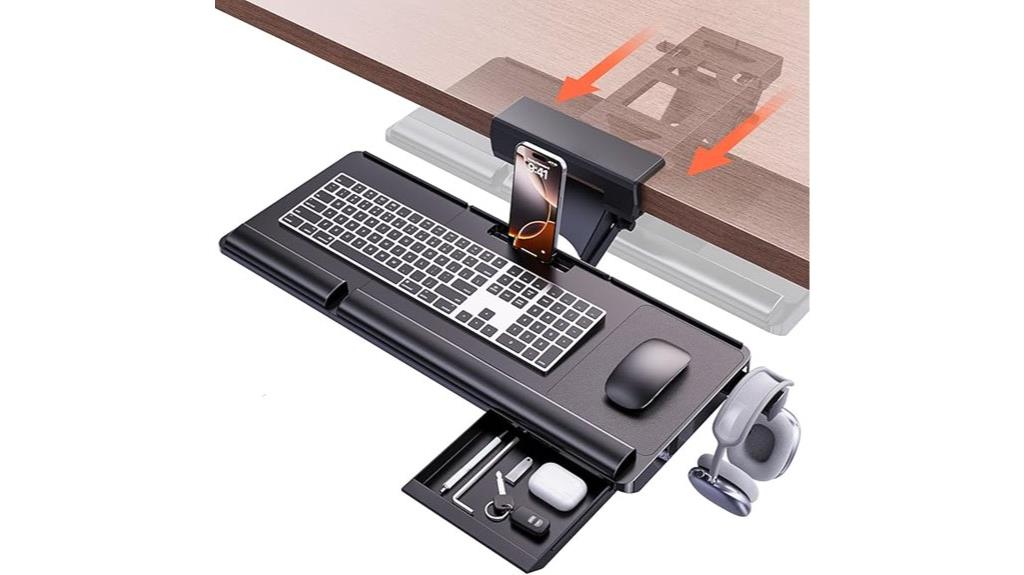
The Klearlook Adjustable Ergonomic Keyboard Tray is an excellent choice for anyone seeking to reduce shoulder and wrist strain during extended typing or gaming sessions. Its adjustable sliding platform allows for height and tilt modifications, promoting a comfortable ergonomic setup. The smooth sliding mechanism provides easy access, while the sturdy design ensures stability during use. Additional features like a phone holder, headset hook, leather mouse area, wrist rest, and storage drawer help organize your workspace and support proper wrist alignment. Compatible with desks over 24.4 inches wide and over 16 inches of clearance, it’s easy to install and built for long-lasting performance.
Best For: users seeking an ergonomic, space-saving keyboard tray with adjustable features and organizational tools for comfortable long-term use.
Pros:
- Adjustable height and tilt for customized ergonomic setup
- Includes useful accessories like phone holder, headset hook, and storage drawer
- Stable and sturdy construction suitable for daily use
Cons:
- Requires a desk width of at least 24.4 inches and 16 inches of clearance, limiting compatibility with smaller desks
- May be difficult to install on desks with edge frames or insufficient space underneath
- Faux leather surface may wear over time with heavy use
Klearlook Adjustable Keyboard Tray for Desk Use
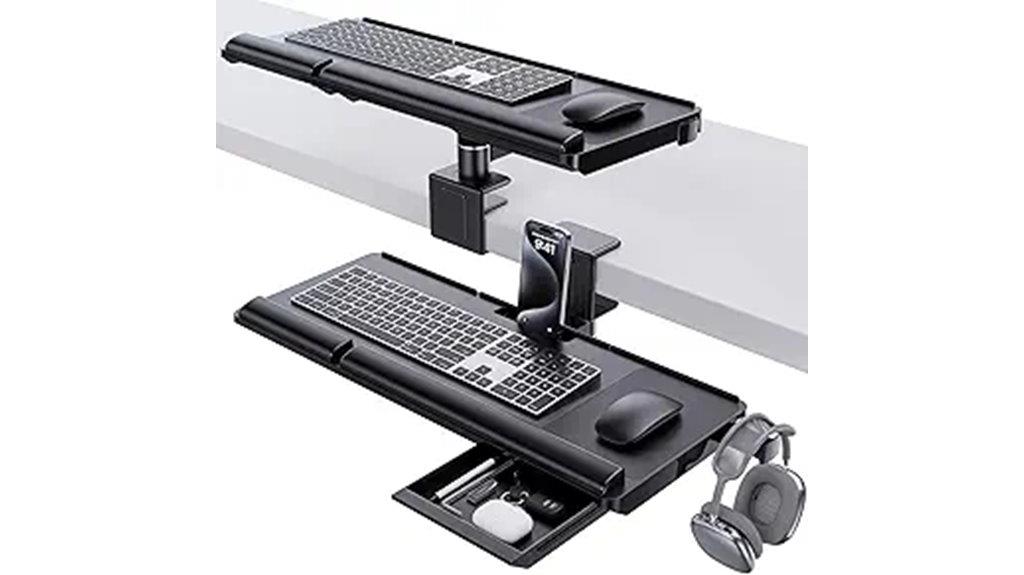
The Klearlook Adjustable Keyboard Tray stands out as an ideal choice for those seeking a versatile, ergonomic upgrade to their workspace. Its dual installation options—above or under the desk—offer great flexibility, fitting various setups. The adjustable height, tilt, and 360° rotation let you customize your typing angles for maximum comfort. Installation is quick and screw-free, taking less than five minutes. The space-saving design slides easily under the desk when not in use, keeping your workspace tidy. Made from durable materials, it provides stability during prolonged use, and added features like a storage drawer and phone slot help keep your desk organized.
Best For: users seeking a customizable, ergonomic keyboard tray that fits various desk setups and enhances comfort during long hours of work or gaming.
Pros:
- Dual installation options and adjustable features for personalized comfort and compatibility with different desks.
- Easy, screw-free installation takes less than five minutes, saving time and effort.
- Built-in storage and organizational features, including a drawer, phone slot, and headphone hanger, keep workspace tidy.
Cons:
- Some users report slight flexing when resting hands on the wrist supports.
- May benefit from quick-release bolts for easier daily adjustments.
- Limited color options, which may affect aesthetic matching with existing decor.
Kensington Adjustable Under-Desk Keyboard Tray with Cable Management

For those seeking customizable comfort and efficient workspace organization, the Kensington Adjustable Under-Desk Keyboard Tray with Cable Management stands out as an excellent choice. I appreciate how easily I can adjust the height to match my SmartFit personal comfort color, ensuring ideal ergonomics. It fits all keyboard sizes, including larger and ergonomic models, with an extra-wide 24.5-inch surface that can hold my keyboard, wrist rest, mouse, and pad. The tray’s 26-inch width and 11.75-inch depth provide ample space, while built-in cable management keeps cords tidy. Plus, it’s TAA compliant, making it a versatile and practical addition to any office setup.
Best For: professionals and home office users seeking customizable ergonomic comfort and organized workspace solutions with a spacious, adjustable keyboard tray.
Pros:
- Easily adjustable height to match SmartFit personal comfort color for optimal ergonomics
- Fits all keyboard sizes, including oversized and ergonomic models, with a generous 24.5-inch surface
- Includes built-in cable management to keep cords tidy and organized
Cons:
- May require installation effort to securely mount under the desk
- Limited color options, primarily black, which may not match all office decor
- Larger size may not be suitable for very compact or minimalist workspaces
Acrylic Tilted Computer Keyboard Stand for Ergonomic Typing
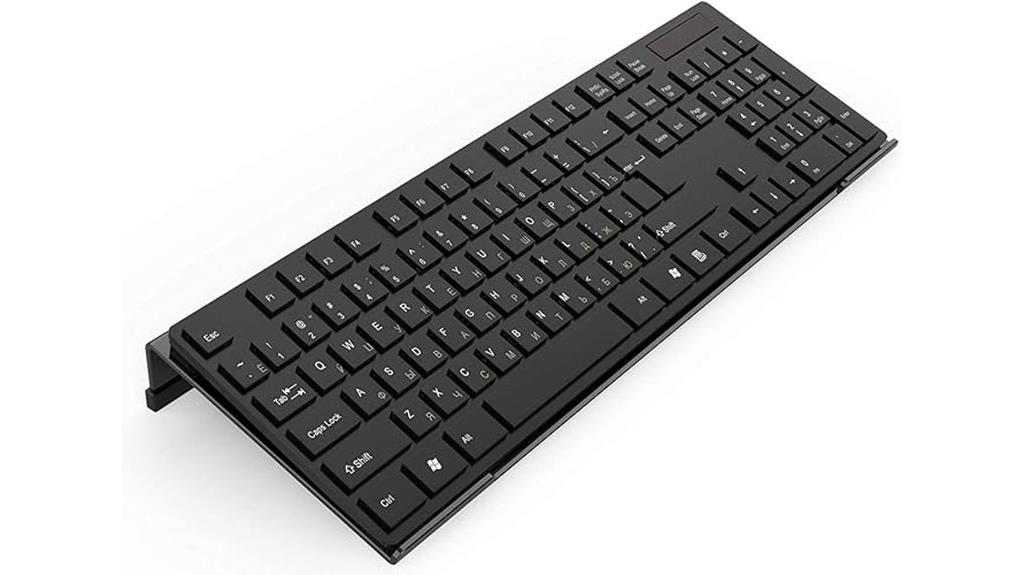
If you’re looking to improve your typing posture and reduce discomfort during long hours at your desk, the Acrylic Tilted Computer Keyboard Stand is an excellent choice. Its tilted design elevates your keyboard at the perfect angle, promoting better neck, shoulder, and wrist alignment. Made from smooth, polished acrylic with a non-slip silicone backing, it stays securely in place without damaging surfaces. The stand fits most full-size keyboards and doubles as a memo board for reminders. Lightweight at just over 10 ounces, it’s durable, stylish, and versatile—perfect for enhancing comfort and organization in your workspace.
Best For: users seeking an ergonomic, stylish, and versatile keyboard stand that improves posture and organization during long hours of typing.
Pros:
- Tilted design enhances neck, shoulder, and wrist alignment for comfortable typing.
- Made from durable, eco-friendly acrylic with a polished finish for a sleek look.
- Non-slip silicone backing ensures stability without surface damage.
Cons:
- May not fit exceptionally large or non-standard keyboards.
- Slightly limited color options, primarily black.
- Elevated design could reduce available space on the desk for other items.
EUREKA ERGONOMIC Adjustable Mouse & Keyboard Tray for Desk

When seeking a versatile and highly adjustable workspace accessory, the EUREKA ERGONOMIC Adjustable Mouse & Keyboard Tray stands out. It offers 360° horizontal rotation, 43° vertical tilt, and customizable height, ensuring you find the perfect ergonomic position. The gravity self-locking mechanism provides smooth, secure movement without accidental shifts. Designed to fit desks with wood or MDF surfaces (not plastic or glass), it measures 28.3” x 10.2”, offering ample space for multiple devices. A wrist-support lip adds comfort and stability. Easy to assemble, durable, and compatible with various desk setups, it’s an excellent choice for improving your office ergonomics.
Best For: users seeking a highly adjustable, space-saving ergonomic mouse and keyboard tray suitable for desks made of wood or MDF materials.
Pros:
- Fully customizable with 360° rotation, 43° tilt, and height adjustment for optimal ergonomic positioning
- Large, spacious surface (28.3” x 10.2”) accommodates multiple devices and reduces clutter
- Durable construction with a wrist-support lip enhances comfort and stability during extended use
Cons:
- Not compatible with plastic, stone, or glass surfaces, limiting desk material options
- Minimum desktop thickness of 0.71 inches required, which may exclude some desks
- Assembly may require some effort, especially for those unfamiliar with mechanical structures
VIVO Adjustable Keyboard and Mouse Platform Tray
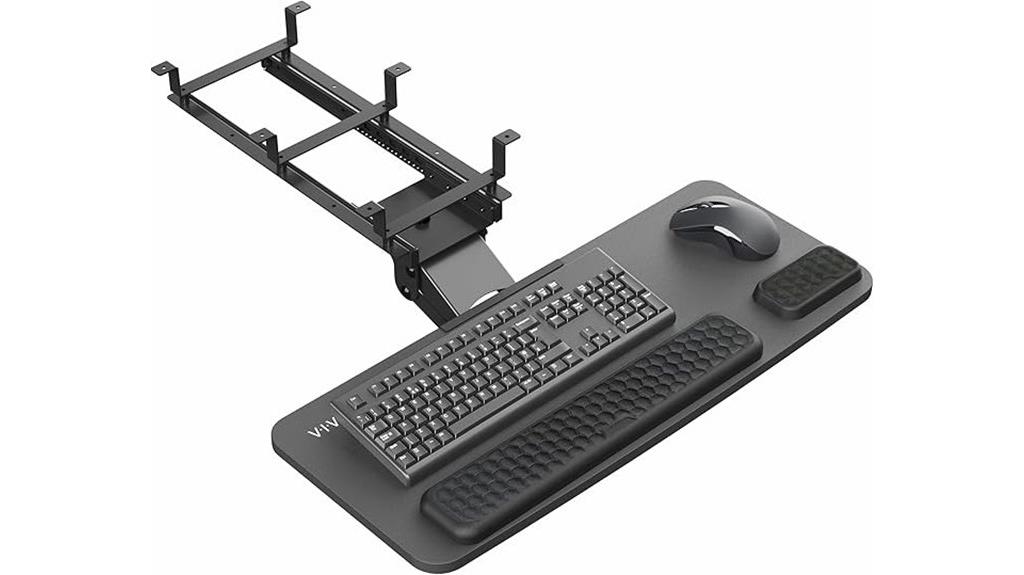
The VIVO Adjustable Keyboard and Mouse Platform Tray is an excellent choice for anyone seeking a customizable ergonomic solution to reduce strain during long hours of typing. Its large surface, measuring 26.8” x 11.2”, fits most standard keyboards and mice comfortably. The tray offers full side-to-side rotation and 6.3” height adjustment, allowing me to tailor my setup for maximum comfort. Easy to install under both straight and corner desks, it frees up valuable workspace. With plush foam padding for added comfort and a sturdy design, this tray helps improve posture and reduce wrist strain, making long typing sessions more manageable.
Best For: users seeking an ergonomic, adjustable under-desk keyboard and mouse tray to enhance comfort and reduce strain during long typing sessions.
Pros:
- Fully adjustable with side-to-side rotation and 6.3” height adjustment for personalized ergonomics
- Large surface (26.8” x 11.2”) compatible with most standard keyboards and mice
- Easy to install under both straight and corner desks, saving desktop space
Cons:
- Weighs 15.2 pounds, which may be heavy for some users to move frequently
- Requires a desk with a minimum thickness of 0.7”, limiting compatibility with very thin desks
- The plastic and foam materials, while comfortable, may wear over time with heavy use
EUREKA ERGONOMIC Adjustable Keyboard Tray for Desk

The EUREKA ERGONOMIC Adjustable Keyboard Tray is ideal for those seeking a customizable solution to improve ergonomic comfort and maximize workspace. Its 28×11-inch surface easily slides out on smooth rails, providing ample room for keyboard, mouse, and accessories. With adjustable height and position through multiple holes, you can tailor it to your perfect setup. Made from sturdy metal and sleek wood, it blends well into various office environments. Installation is straightforward, requiring specific space and desk thickness, and it supports up to 30 pounds. Users praise its solid build, smooth operation, and ability to free up desktop space, making it a versatile addition to any ergonomic workspace.
Best For: professionals and home office users seeking an ergonomic, space-saving keyboard tray that offers customizable height and positioning for improved comfort.
Pros:
- Sturdy construction with metal and wood materials ensures durability and stability.
- Smooth sliding mechanism on high-quality rails allows easy extension and retraction.
- Large surface area accommodates keyboard, mouse, and accessories, enhancing workspace organization.
Cons:
- Limited track length may prevent the tray from fully extending.
- Cannot lock in the open position, which might cause slight retraction during use.
- Height adjustment range is limited to approximately 0.5 inches, which may not suit all users.
Richboom Acrylic Keyboard Holder with Silicone Anti-Slip Case

If you’re looking for an ergonomic keyboard tray that combines stability with comfort, the Richboom Acrylic Keyboard Holder with Silicone Anti-Slip Case is an excellent choice. Its clear acrylic design offers a sleek look while providing a tilted surface that promotes better wrist positioning. The low front lip reduces strain during long typing or gaming sessions. Made from durable, polished acrylic and featuring a food-grade silicone anti-slip case, it stays firmly in place. No assembly is needed, and it fits most standard keyboards. With a solid 4.7-star rating, it’s a popular, reliable option to enhance your workspace ergonomics effortlessly.
Best For: users seeking an ergonomic, stable, and stylish keyboard tray to improve comfort during extended typing or gaming sessions.
Pros:
- Sleek, transparent acrylic design enhances workspace aesthetics.
- Tilted surface and low front lip promote ergonomic hand and wrist positioning.
- Food-grade silicone anti-slip case ensures stability and prevents unwanted movement.
Cons:
- May not fit all non-standard or oversized keyboards.
- Lack of adjustable features for height or angle customization.
- Acrylic material, while durable, can be prone to scratches if not handled carefully.
Keyboard Tray Under Desk with Storage Drawer, Adjustable Mount for Gaming & Office

Designed for those who spend hours at their desk, the Keyboard Tray Under Desk with Storage Drawer offers customizable comfort through its fully adjustable features. It rotates 180°, tilts 15°, and raises up to 6.1 inches, allowing you to find the perfect ergonomic position. Its slide-out design provides easy access to your keyboard and mouse, while the built-in storage drawer keeps small items organized and your workspace tidy. Compatible with standard and beam desks, including standing desks, it’s simple to install in just three steps. With a sturdy capacity of up to 11 lbs, this tray enhances comfort and efficiency for gaming or office work.
Best For: individuals looking to optimize their workspace with an adjustable, organized keyboard tray suitable for gaming or office tasks.
Pros:
- Fully adjustable with 180° rotation, 15° tilt, and 6.1-inch height adjustment for personalized ergonomic comfort.
- Includes a slide-out keyboard tray and built-in storage drawer to maximize workspace efficiency and organization.
- Compatible with various desk types, including standing desks, and easy to install in just three steps.
Cons:
- Has a weight capacity of only 11 lbs, which may limit use with heavier equipment.
- Some users might find the installation or adjustments challenging without detailed instructions.
- The 4.1/5 rating suggests mixed reviews on durability or functionality for some users.
VIVO Clamp-on Rotating Keyboard and Mouse Tray
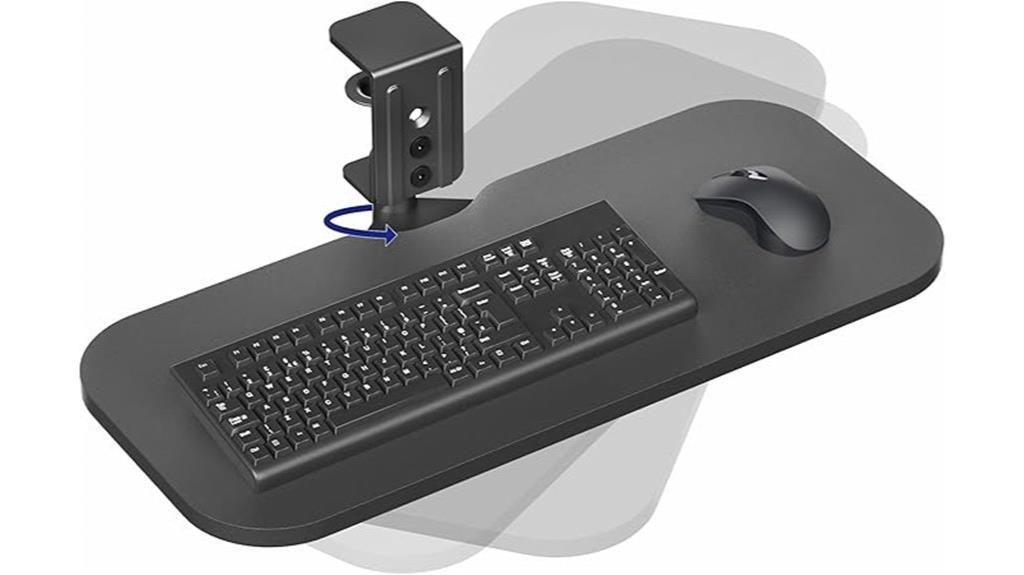
For anyone seeking to optimize workspace flexibility and comfort, the VIVO Clamp-on Rotating Keyboard and Mouse Tray offers an excellent solution. Its 23 x 10-inch surface supports small to standard-sized keyboards and weighs up to 11 pounds, providing ergonomic angles for comfortable typing. The tray pivots a full 360 degrees, allowing you to customize placement or tuck it away when not in use, saving space. Easy to install with the included hardware, it clamps securely to desks up to 2 inches thick. Made of particle board and steel, it’s durable and available in black. With a 4.3-star rating, it’s a versatile addition to any ergonomic setup.
Best For: individuals seeking an adjustable, space-saving ergonomic keyboard and mouse solution that can be easily mounted and customized for comfortable typing.
Pros:
- Fully rotatable 360 degrees for maximum flexibility and easy access
- Sturdy clamp mounts securely to desks up to 2 inches thick without damage
- Supports small to standard-size keyboards weighing up to 11 lbs, made of durable particle board and steel
Cons:
- Not compatible with lipped or beveled desk edges
- Slightly heavy at 10 pounds, which may affect portability
- Limited color options, primarily available in black
Factors to Consider When Choosing Ergonomic Keyboard Trays
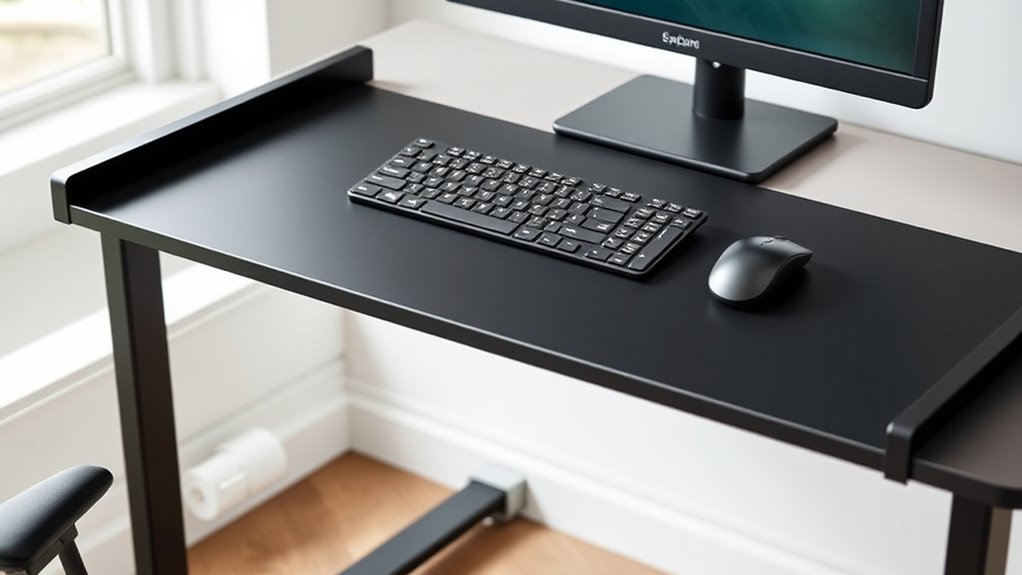
When selecting an ergonomic keyboard tray, I consider adjustable height options to guarantee proper alignment, along with surface size to fit my workspace comfortably. Ease of installation and the tray’s range of motion are also important, so I can customize how I work. Ultimately, I check my desk’s compatibility to make sure the tray fits securely and functions smoothly.
Adjustable Height Options
Choosing an ergonomic keyboard tray with adjustable height is essential because it allows you to customize your workspace for ideal comfort and posture. With multiple height settings or a continuous range from about 2 to 8 inches, you can easily find the perfect position for your desk and body. Mechanisms like gas springs, screw knobs, or quick-release levers make adjustments quick and effortless. Proper height positioning guarantees your elbows stay at roughly a 90-degree angle and your wrists remain in a neutral position, reducing strain and preventing repetitive injuries. Additionally, adjustable trays offer flexibility for different users or seating arrangements, making them suitable for shared workspaces and accommodating ergonomic growth over time. This adaptability enhances comfort and promotes healthier working habits.
Surface Size Compatibility
Have you checked if the surface size of your ergonomic keyboard tray fits your setup? A tray should comfortably hold your keyboard and mouse, with at least 25 inches in width and 11 inches in depth. If it’s too small, you might feel cramped, leading to discomfort or limited workspace. Also, consider the tray’s maximum weight capacity to ensure it can support your equipment without sagging or instability. The shape matters too; whether rectangular, angled, or tilted, it should match your ergonomic needs and fit well in your workspace. Additionally, verify that it aligns with your desk’s size and offers enough under-desk clearance. Ultimately, choose a surface material that’s smooth and non-slip for stability during use. Proper size ensures comfort and efficiency.
Installation Method Ease
Installing an ergonomic keyboard tray can be simple or complex, depending on the method you select. C-clamp models are usually the easiest, requiring just tightening screws around the desk edge—no tools or permanent changes needed. If you opt for mounting brackets or screw-in options, be prepared for a more involved process, often requiring drilling or tool use, which can be time-consuming and may damage your desk surface. Some trays offer tool-free or quick-release setups, making installation and removal straightforward and convenient. Keep in mind, the installation method also depends on your desk material and thickness; certain mounting options won’t work well with curved or beveled edges, so measuring beforehand is essential. Ultimately, choosing a tray with an easy installation process can save you time and effort.
Range of Motion
When selecting an ergonomic keyboard tray, considering its range of motion is key to customizing comfort. A good tray offers tilt, swivel, and height adjustments, allowing me to find the most natural typing position. The ability to rotate the tray 360° makes it easy to tuck away under the desk when not in use, saving space. Adjustable tilt angles, typically from 0° to 20° or more, help reduce wrist strain by enabling me to set a comfortable typing angle. Height adjustment ranges from a few inches to over 6 inches, accommodating different desk heights and personal preferences. Smooth, lockable mechanisms are essential for stability, so I can shift the tray as needed without worrying about unintended movement. This flexibility ensures a more comfortable, ergonomic workspace tailored to my needs.
Desk Compatibility Requirements
Choosing an ergonomic keyboard tray that fits well with my desk requires careful consideration of its compatibility with the available space and surface. First, I check that my desk’s thickness doesn’t exceed the maximum supported by the tray’s mounting hardware, usually around 1.25 inches for C-clamp models. I also measure the space underneath to ensure there’s enough clearance for smooth sliding and positioning. It’s essential that the desk surface is flat and free of obstructions like beveled or curved edges, which can hinder attachment or movement. I also look for any supporting beams or brackets underneath that could interfere with installation. Ultimately, I measure the width and depth of my desk to confirm the tray’s mounting brackets and sliding mechanism will fit without obstruction.
Additional Organizational Features
Incorporating organizational features into an ergonomic keyboard tray can substantially enhance workspace efficiency and keep your desk neat. Built-in storage drawers, phone slots, and headphone hangers help prevent clutter and provide quick access to essentials. Adjustable trays with compartments for pens, cables, or notes improve workflow by reducing the need to search for items. Integrated features like wrist rests and dedicated mouse pads offer ergonomic comfort while keeping peripherals organized. Multi-functional trays with organizational accessories support better cable management, preventing tangling or damage. Space-saving designs with retractable or swiveling components make it easy to access tools and accessories quickly, optimizing both desk space and ergonomic setup. These features help create a clutter-free, efficient workspace that promotes comfort and productivity.
Frequently Asked Questions
How Do I Install an Ergonomic Keyboard Tray Securely?
To install an ergonomic keyboard tray securely, I start by gathering all necessary tools like screwdrivers and measuring tape. I then follow the manufacturer’s instructions carefully, ensuring the tray is aligned properly with your desk. I tighten all screws firmly but avoid over-tightening to prevent damage. I double-check stability by gently testing the tray’s movement. This method keeps it secure and comfortable for daily use.
Can Keyboard Trays Accommodate Different Desk Thicknesses?
Yes, keyboard trays can accommodate different desk thicknesses. I’ve found many trays come with adjustable brackets or mounting hardware designed to fit a variety of desk edges. When shopping, I look for trays with versatile mounting options or adjustable features, so I can easily customize the fit. This way, whether my desk is thick or thin, I can securely install the tray and enjoy ergonomic comfort without hassle.
Are Adjustable Trays Suitable for All Keyboard Sizes?
Did you know that adjustable trays can accommodate over 85% of standard keyboard sizes? I believe they’re suitable for most keyboards because of their customizable features. I’ve personally used adjustable trays that fit both compact and full-sized keyboards, making my workspace more flexible. If you choose one with versatile height and tilt options, you’ll find it works well regardless of your keyboard’s size, enhancing comfort and ergonomics.
How Do Keyboard Trays Impact Wrist and Shoulder Health?
Keyboard trays substantially improve wrist and shoulder health by allowing me to position my keyboard at a comfortable, neutral angle. This reduces strain and prevents repetitive stress injuries. When I adjust my tray correctly, my shoulders stay relaxed, and my wrists aren’t bent awkwardly. It’s helped me work longer without discomfort, making my workspace more ergonomic and promoting better posture overall.
What Maintenance Is Required for Long-Term Use of Keyboard Trays?
Think of your keyboard tray like a car’s engine—it needs regular check-ups to keep running smoothly. I clean mine weekly with a damp cloth, check for loose screws, and adjust the height if needed. Regular maintenance prevents wear and tear, extending its lifespan. Staying attentive to these small tasks guarantees your tray remains ergonomic and comfortable, just like a well-maintained engine keeps your car running seamlessly.
Conclusion
Choosing the right ergonomic keyboard tray can truly transform your workspace—and your comfort. But with so many options out there, which one is the perfect fit for you? Don’t settle for discomfort or strain. The best tray could be just a decision away, and I’ve shared some top contenders to guide you. Ready to upgrade your office setup? The right choice might be closer than you think—are you prepared to discover it?
Fall Picks
fall essentials
As an affiliate, we earn on qualifying purchases.