In today’s increasingly connected workplaces, a reliable Wi-Fi network can be the difference between productivity and frustration. With so many options claiming to offer seamless coverage, it’s hard to know which system truly meets the demands of an office environment. I’ve compiled a list of the 13 best mesh Wi-Fi systems designed to keep your office connected without interruptions—exploring features that might just match your specific needs.
Key Takeaways
- Choose mesh systems with large coverage areas, supporting multiple devices and scalable expansion for office environments.
- Prioritize Wi-Fi 6, Wi-Fi 6E, or Wi-Fi 7 models for high speeds and future-proof performance.
- Ensure easy setup and remote management features for hassle-free office network administration.
- Opt for systems with wired backhaul options and multi-gig Ethernet ports for enhanced stability and throughput.
- Select mesh solutions with robust security, parental controls, and device management suitable for office security needs.

TP-Link Deco X55 AX3000 WiFi 6 Mesh System - Covers up to 6500 Sq.Ft, Replaces Wireless Router and Extender, 3 Gigabit Ports per Unit, Supports Ethernet Backhaul, Deco X55(3-Pack)
Wi-Fi 6 Mesh Wi-Fi - Next-gen Wi-Fi 6 AX3000 whole home mesh system to eliminate weak Wi-Fi for...
As an affiliate, we earn on qualifying purchases.
TP-Link Deco X55 AX3000 WiFi 6 Mesh System (3-Pack)
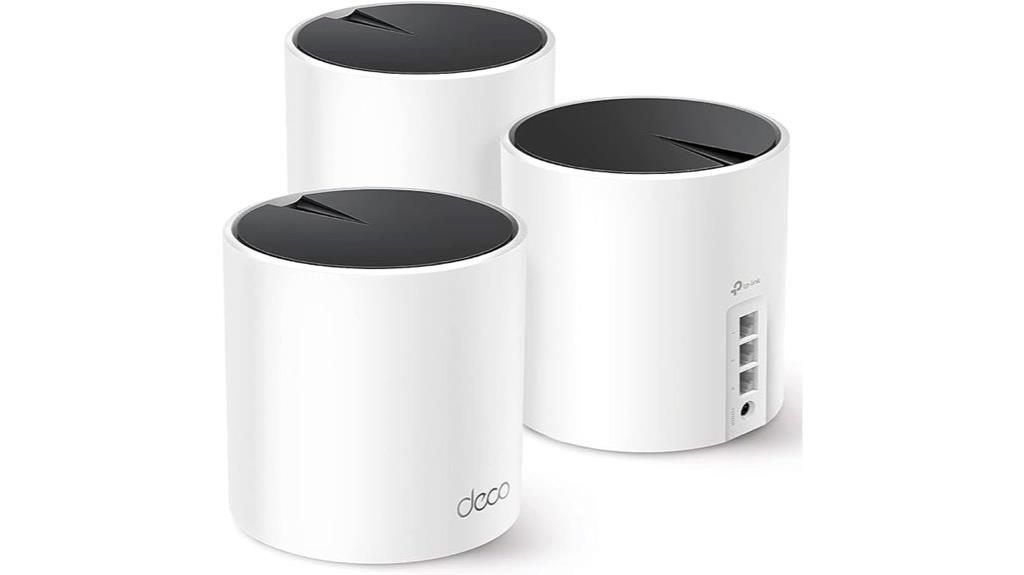
If you’re looking for a reliable mesh Wi-Fi system to cover a large office or multi-room workspace, the TP-Link Deco X55 AX3000 is an excellent choice. It uses Wi-Fi 6 technology to eliminate dead zones and buffering, supporting up to 6,500 sq. ft. of seamless coverage. With support for 2×2/HE160 at 2402 Mbps, it handles many devices—up to 150 reliably. The system includes three units, each with Gigabit Ethernet ports and wired backhaul options for faster speeds. Easy to set up via the Deco app, it offers remote management and advanced security, making it perfect for professional environments.
Best For: Homeowners and small to medium-sized office users seeking reliable, high-speed Wi-Fi coverage across large areas with easy setup and strong security.
Pros:
- Covers up to 6,500 sq. ft. with seamless Wi-Fi 6 mesh technology, reducing dead zones and buffering.
- Supports up to 150 devices simultaneously, ideal for busy households or work environments.
- Easy setup via the Deco app with remote management and advanced security features.
Cons:
- The 3-pack may be more than needed for smaller spaces, potentially increasing cost unnecessarily.
- Wired Ethernet backhaul requires additional setup and cabling, which might be complex for some users.
- Limited to the AX3000 standard, which, while fast, may not future-proof for very high-bandwidth applications.

TP-Link Deco S4 Mesh AC1900 WiFi System - Up to 5,500 Sq.ft. Coverage, Replaces WiFi Router and Extender, Gigabit Ports, Works with Alexa, Deco S4(3-Pack)
A New Way to WiFi: Deco Mesh technology gives you a better WiFi experience in all directions with...
As an affiliate, we earn on qualifying purchases.
TP-Link Deco S4 Mesh WiFi System (3-Pack)
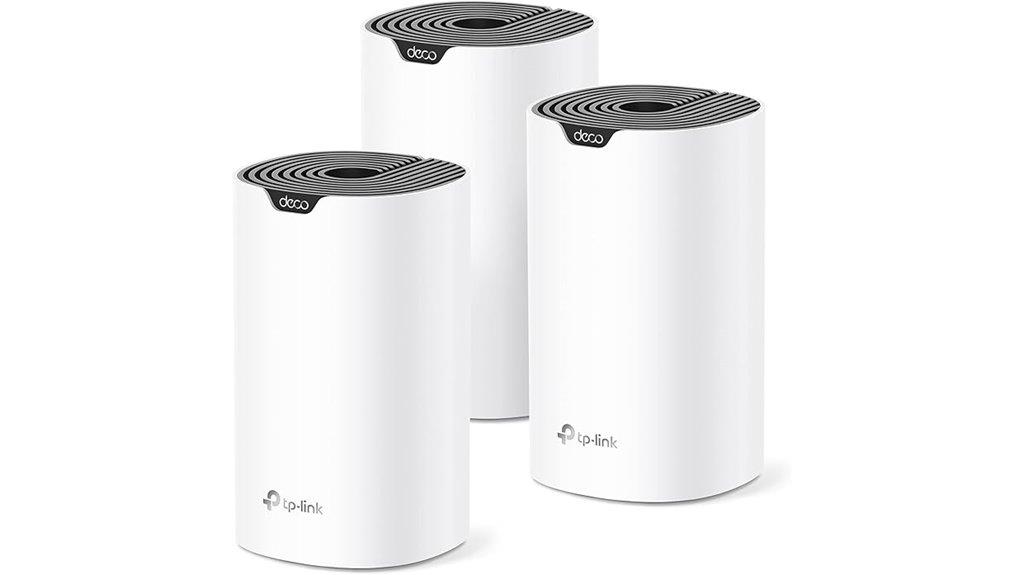
The TP-Link Deco S4 Mesh WiFi System (3-Pack) stands out as an ideal choice for small to medium-sized offices needing reliable, seamless coverage. Its Deco Mesh technology delivers better WiFi in all directions, eliminating dead zones with faster speeds. Covering up to 5,500 square feet, it creates a strong mesh network that outperforms traditional routers and extenders. Supporting up to 100 devices with AC1900 speeds, it ensures smooth connectivity for multiple users. Setup is simple via the Deco app, and the system features user-friendly management, parental controls, and compatibility with major ISPs. Each unit also offers wired Ethernet ports for enhanced speeds.
Best For: small to medium-sized offices seeking reliable, seamless WiFi coverage with easy management and strong device support.
Pros:
- Covers up to 5,500 sq ft with mesh technology for consistent WiFi in all directions
- Supports up to 100 devices with fast AC1900 speeds for smooth connectivity
- Simple setup and management via the user-friendly Deco app, plus parental controls and voice control options
Cons:
- Requires a modem for most internet service providers, adding an extra component to setup
- Wired Ethernet ports are limited to two per unit, which may restrict wired device connections
- The system may be more expensive compared to single-router solutions for smaller spaces

TP-Link Deco XE75 AXE5400 Tri-Band WiFi 6E System - Wi-Fi up to 7200 Sq.Ft, Engadget Rated Best for Most People, Replaces WiFi Router and Extender, AI-Driven New 6GHz Band, 3-Pack
WiFi 6E Tri-Band Mesh WiFi – Cover up to 7,200 Sq.Ft with next-gen seamless WiFi and make dead...
As an affiliate, we earn on qualifying purchases.
TP-Link Deco XE75 WiFi 6E Mesh System (3-Pack)

For offices demanding seamless, high-speed connectivity across large spaces, the TP-Link Deco XE75 WiFi 6E Mesh System (3-Pack) stands out with its expansive coverage of up to 7,200 square feet. It leverages WiFi 6E tri-band technology, including a new 6 GHz band that reduces interference and enhances stability. With true tri-band speeds reaching up to 5,400 Mbps, it supports up to 200 devices simultaneously. Its AI-driven mesh adapts automatically to network conditions, ensuring consistent performance. Easy to set up through the Deco app and compatible with Alexa, this system offers robust security and reliable coverage, making it ideal for busy office environments.
Best For: offices and large households requiring seamless, high-speed WiFi coverage across extensive areas with multiple devices.
Pros:
- Extensive coverage of up to 7,200 sq.ft, eliminating dead zones.
- Advanced WiFi 6E tri-band technology with a dedicated 6 GHz band for reduced interference.
- Easy setup via the Deco app with AI-driven mesh for adaptive, reliable performance.
Cons:
- Higher price point compared to traditional routers or dual-band systems.
- May be more than needed for small or low-traffic environments.
- Dependence on app-based management could be a barrier for users preferring manual configuration.

Amazon eero 6 mesh wifi system - Supports internet plans up to 500 Mbps, Coverage up to 4,500 sq. ft., Connect 75+ devices, 3-pack (1 router + 2 extenders)
WHOLE-HOME WI-FI 6 COVERAGE - an eero 6 3-pack covers up to 4,500 sq ft. with wifi and...
As an affiliate, we earn on qualifying purchases.
Amazon eero 6 Mesh WiFi System (3-Pack)
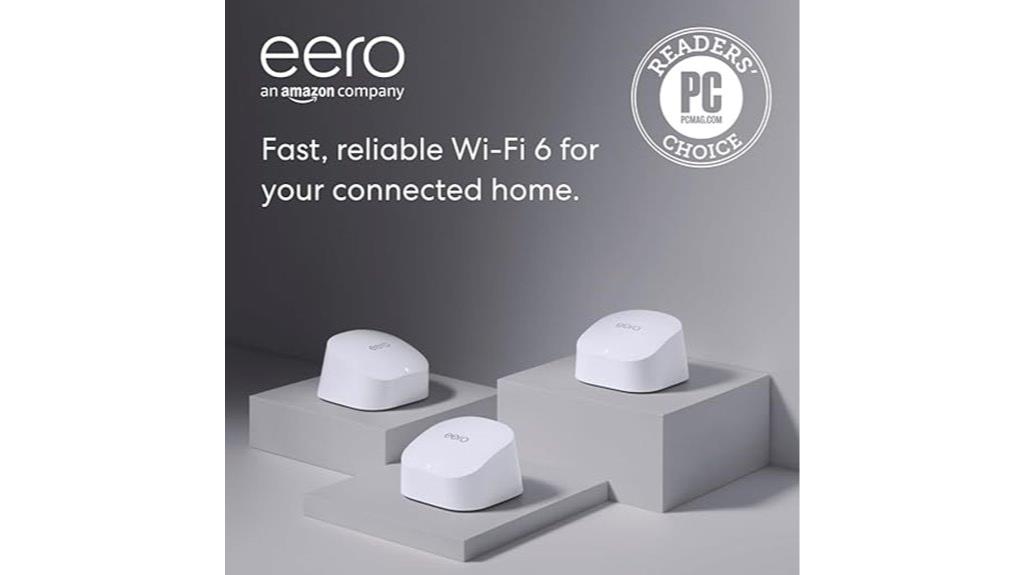
The Amazon eero 6 Mesh WiFi System (3-Pack) stands out for offices that need reliable coverage over large areas, supporting up to 4,500 square feet and internet plans up to 500 Mbps. It delivers Wi-Fi 6 speeds, providing faster connections than previous standards, ideal for data-heavy tasks. Supporting over 75 devices simultaneously, it minimizes dead spots and buffering. Setup is quick via the eero app, and managing your network is simple from anywhere. Plus, it doubles as a Zigbee smart home hub, allowing easy integration with compatible devices. Its expandability and automatic updates guarantee your office stays secure, connected, and adaptable to evolving needs.
Best For: offices or large homes that require reliable, high-speed Wi-Fi coverage for multiple devices and smart home integration.
Pros:
- Supports up to 75+ devices simultaneously, reducing dead spots and buffering
- Easy and quick setup via the eero app with network management from anywhere
- Doubles as a Zigbee smart home hub, enabling seamless device integration and future expandability
Cons:
- Supports internet plans only up to 500 Mbps, which may not suit ultra-high-speed needs
- Requires a compatible internet plan and modem for optimal performance
- May be more expensive than traditional routers for small or less device-heavy environments
TP-Link Deco WiFi 6 Mesh System (Deco X20)
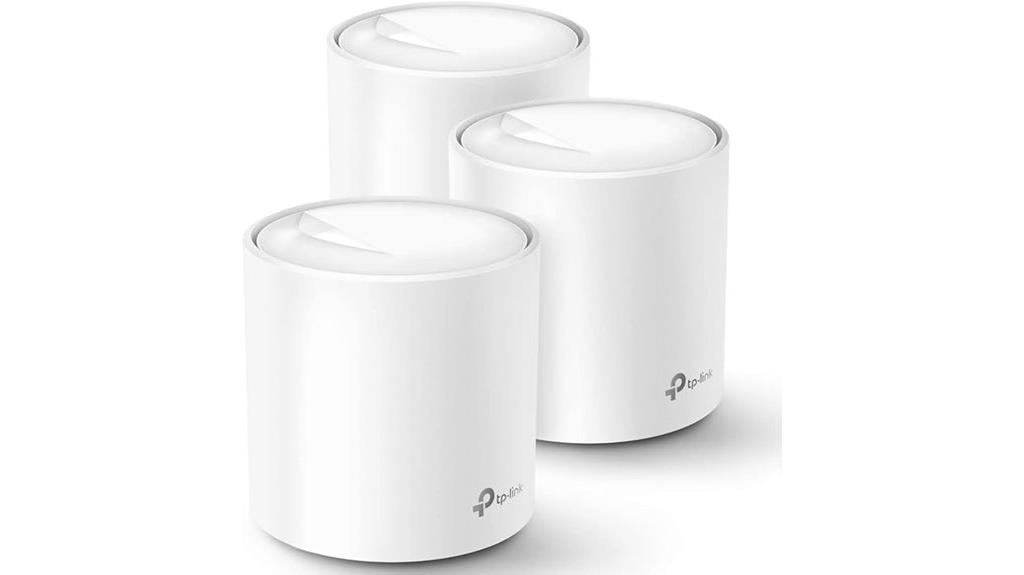
If you need reliable, high-performance Wi-Fi coverage for a busy office environment, the TP-Link Deco WiFi 6 Mesh System (Deco X20) is an excellent choice. It replaces traditional routers and extenders, providing seamless coverage up to 5800 sq. ft. with Wi-Fi 6 AX1800 technology, eliminating dead zones and buffering. Supporting up to 150 devices, it ensures all smartphones, tablets, and smart devices stay connected. Easy to set up via the Deco app, it allows remote management and voice control with Alexa. Each unit includes Gigabit Ethernet ports, supporting wired backhaul for enhanced stability, making it ideal for modern office needs.
Best For: professionals and busy households seeking reliable, high-speed Wi-Fi coverage with easy management and expandability.
Pros:
- Seamless whole-home coverage up to 5800 sq. ft. with Wi-Fi 6 AX1800 technology
- Supports up to 150 devices simultaneously, ideal for busy environments
- Easy setup via the Deco app with remote management and Alexa voice control
Cons:
- Requires a modem for most ISPs, adding to initial setup complexity
- May be overkill for small spaces or minimal device users
- Wired Ethernet backhaul support depends on additional network infrastructure
TP-Link Deco XE70 Pro WiFi 6E Mesh System (3-Pack)
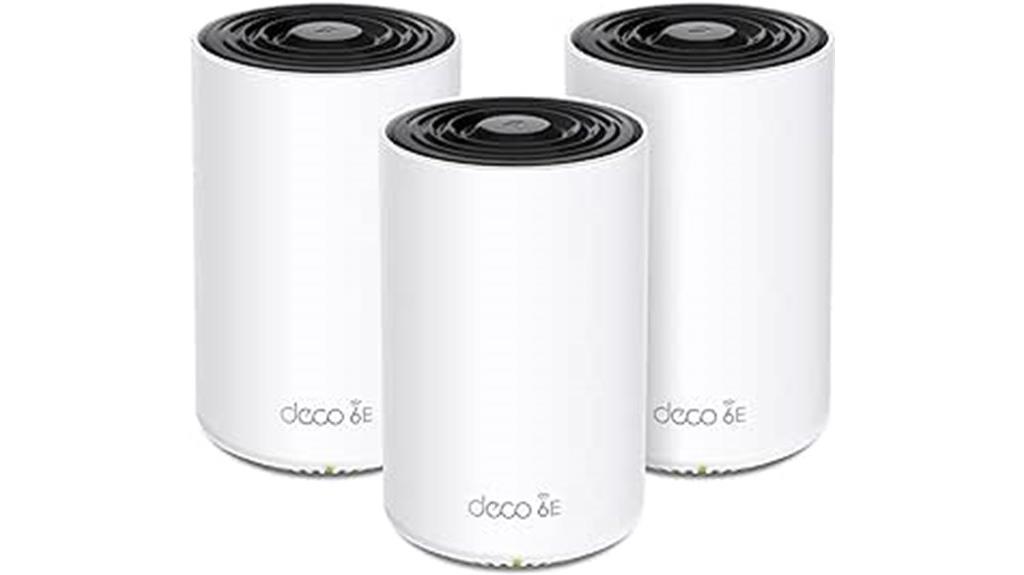
With support for Wi-Fi 6E and Wi-Fi 7, the TP-Link Deco XE70 Pro Mesh System (3-Pack) delivers lightning-fast speeds up to 4.9 Gbps, making it an ideal choice for busy offices that require reliable, high-capacity connectivity. Its tri-band setup combines 2.4 GHz, 5 GHz, and 6 GHz bands for maximum performance, supporting up to 200 devices across 2,900 sq. ft. per unit. The AI-powered mesh guarantees seamless roaming and self-optimization, while wired 2.5 Gbps ports handle high-speed wired connections. Designed with security and user-friendly management, it’s a future-proof solution that keeps your office connected without interruption.
Best For: busy households or offices seeking high-speed, reliable Wi-Fi coverage for multiple devices and smart home or work applications.
Pros:
- Supports Wi-Fi 6E and Wi-Fi 7 for lightning-fast speeds up to 4.9 Gbps and minimal interference.
- Tri-band setup ensures optimal performance across 2.4 GHz, 5 GHz, and 6 GHz bands.
- AI-powered mesh provides seamless roaming, self-optimization, and extensive coverage for large spaces.
Cons:
- Higher price point compared to basic Wi-Fi systems due to advanced features.
- May be more complex to set up for users unfamiliar with mesh networking technology.
- Limited to approximately 600 sq. ft. coverage per 3-pack without additional units.
NETGEAR Orbi 770 Series Tri-Band WiFi 7 Mesh Network System

For anyone seeking seamless, high-speed WiFi coverage across a large office space, the NETGEAR Orbi 770 Series Tri-Band WiFi 7 Mesh Network System stands out as an excellent choice. It offers speeds up to 11Gbps, ensuring smooth performance for multiple devices. With high-performance antennas and a sleek design, it delivers 360° coverage up to 8,000 sq. ft., supporting up to 100 devices. Its Tri-band technology with Enhanced Backhaul maintains fast, reliable connections. Plus, the system includes multiple Ethernet ports for wired setups and supports high-speed internet plans, making it perfect for demanding office environments that require robust, secure connectivity.
Best For: businesses and large households seeking ultra-fast, reliable WiFi coverage across extensive spaces with multiple devices.
Pros:
- Supports speeds up to 11Gbps for high-performance connectivity
- Provides up to 8,000 sq. ft. coverage with 360° WiFi signal
- Equipped with multiple high-speed Ethernet ports for wired connections
Cons:
- May be more expensive than standard WiFi systems
- Complex setup might require technical knowledge for optimal configuration
- Larger size of units could be less discreet in certain environments
TP-Link Deco BE23 Dual-Band WiFi 7 Mesh System (3-Pack)

The TP-Link Deco BE23 Dual-Band WiFi 7 Mesh System stands out as an excellent choice for busy offices that demand fast, reliable connectivity across large spaces. Covering up to 6,500 sq. ft with three units, it supports over 150 devices at speeds up to 3.6 Gbps, optimized for the latest Wi-Fi 7 devices. Advanced features like Multi-Link Operation, beamforming, and OFDMA ensure seamless streaming, gaming, and browsing. Each unit offers two 2.5 Gbps ports for wired backhaul, making it versatile for multi-gig setups. Managed via the Deco app, it combines strong security, smart device management, and compatibility with Alexa and Google Assistant, making it ideal for dynamic office environments.
Best For: busy offices and large households seeking fast, reliable Wi-Fi coverage, seamless device connectivity, and advanced security features with support for numerous devices.
Pros:
- Supports Wi-Fi 7 technology with speeds up to 3.6 Gbps and coverage up to 6,500 sq. ft.
- Equipped with multi-gig 2.5 Gbps ports for versatile wired connections and multi-gig setups.
- Managed easily through the Deco app with strong security, parental controls, and smart device integration.
Cons:
- May be overkill for small homes or users with basic internet needs.
- Slightly larger physical size of units could be a concern for limited space.
- Advanced features and security options might require some technical familiarity to maximize benefits.
NETGEAR Orbi 370 Series WiFi 7 Mesh System

If you need a mesh Wi-Fi system that keeps up with demanding office environments, the NETGEAR Orbi 370 Series WiFi 7 Mesh System stands out with speeds up to 5 Gbps. It’s 1.7 times faster than WiFi 6, supporting seamless 4K streaming, video calls, gaming, and multiple devices at once. Covering up to 8,000 sq.ft., it delivers reliable, strong signals throughout your workspace thanks to high-performance antennas and Enhanced Backhaul. Fully compatible with older devices, it also features a 2.5 Gbps port for ultra-fast internet plans. Easy to set up and manage via the Orbi app, it’s a powerful solution for office connectivity.
Best For: small to medium-sized office environments and households requiring high-speed, reliable WiFi coverage for multiple devices and demanding activities.
Pros:
- Supports ultra-fast speeds up to 5 Gbps, ideal for high-bandwidth tasks.
- Covers up to 8,000 sq.ft. with reliable 360° WiFi coverage.
- Fully backward compatible with older devices and easy to set up via the Orbi app.
Cons:
- Higher cost compared to traditional WiFi systems.
- May be overpowered for very small spaces with minimal device needs.
- Requires a compatible internet plan to fully utilize the 2.5 Gbps port capabilities.
Amazon eero Pro 7 tri-band mesh Wi-Fi 7 router (3-pack)

With its tri-band Wi-Fi 7 technology and support for internet plans up to 5 Gbps, the Amazon eero Pro 7 3-pack is an ideal choice for offices needing ultra-fast, reliable connectivity across large spaces. Covering up to 6,000 sq. ft., it provides seamless coverage and eliminates dead spots across floors and rooms. Supporting over 600 devices simultaneously, it handles demanding applications with speeds up to 3.9 Gbps. Built on advanced Wi-Fi 7 features like multi-link operation, it ensures stable, high-performance connections. Its compatibility with previous eero models and intelligent software, including TrueMesh, guarantees optimized network management and effortless setup for busy office environments.
Best For: small to medium-sized offices or homes requiring high-speed, extensive Wi-Fi coverage with reliable connectivity for many devices.
Pros:
- Supports internet plans up to 5 Gbps for ultra-fast speeds
- Covers up to 6,000 sq. ft. with a 3-pack setup for comprehensive coverage
- Capable of supporting over 600 devices simultaneously for demanding environments
Cons:
- May be more expensive than single-router systems for some users
- Requires compatible modem/router setup and network configuration expertise
- Advanced features like Wi-Fi 7 may not be fully utilized on older devices
Amazon eero 7 Mesh Wi-Fi 7 Router (3-Pack)

For large office spaces needing reliable, high-speed Wi-Fi, the Amazon eero 7 Mesh Wi-Fi 7 Router (3-Pack) stands out as an excellent choice due to its expansive coverage and support for internet plans up to 2.5 Gbps. With three units, it covers up to 6,000 sq. ft. and supports over 120 devices simultaneously. It leverages Wi-Fi 7 features like multi-link operation for better performance and includes advanced technologies like TrueMesh, TrueRoam, and TrueChannel for stable connections. Fully backward compatible and affordable, it’s designed to future-proof networks and eliminate dead zones, ensuring seamless connectivity across your entire office.
Best For: large office spaces or multi-room environments that require reliable, high-speed, and expansive Wi-Fi coverage for multiple devices.
Pros:
- Supports internet plans up to 2.5 Gbps with ultra-fast Wi-Fi 7 speeds up to 1.8 Gbps.
- Covers up to 6,000 sq. ft. and supports over 120 devices simultaneously, reducing dead zones.
- Utilizes advanced technologies like TrueMesh, TrueRoam, and TrueChannel for stable, reliable connections.
Cons:
- May be more expensive than standard routers for small homes or single-use setups.
- Requires compatible devices to fully benefit from Wi-Fi 7 features.
- Setup and management might be complex for users unfamiliar with mesh networking systems.
Google Wifi Mesh WiFi System (3 Pack)
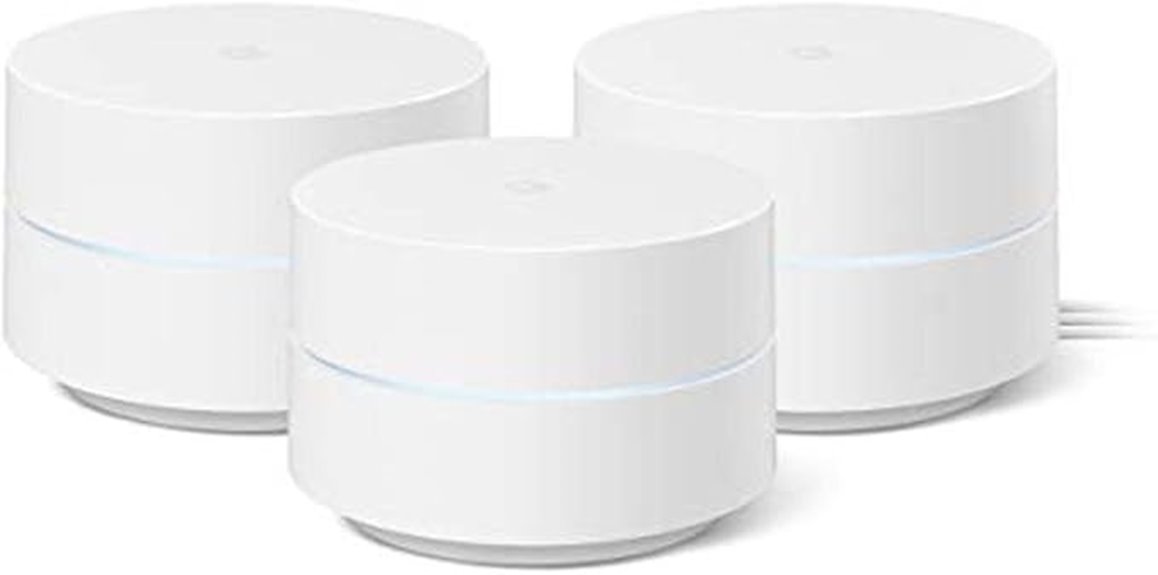
The Google Wifi Mesh WiFi System (3 Pack) stands out as an excellent choice for small to medium-sized offices seeking reliable, seamless internet coverage. It replaces a traditional router and expands coverage with additional points, covering up to 4,500 sq ft. Setup is quick and simple via the Google Home app. The system manages the network intelligently, reducing buffering and maintaining fast speeds across all rooms. Parental controls allow for managing device access and content restrictions. Its compact design, reliable performance, and scalable coverage make it ideal for office environments, especially where consistent connectivity is *essential*. Overall, it offers an easy, effective solution for whole-office WiFi needs.
Best For: small to medium-sized offices seeking reliable, seamless WiFi coverage with easy setup and scalable performance.
Pros:
- Easy setup via Google Home app with quick network creation
- Reliable, fast WiFi coverage up to 4,500 sq ft with mesh points
- Parental controls for managing device access and content restrictions
Cons:
- Signal quality may vary depending on home or office construction and layout
- Additional points may be needed for larger or complex spaces
- Performance depends on internet provider and external network factors
DBIT AC1200 Whole Home Mesh WiFi System (3-Pack)

If you’re looking to eliminate dead zones across a large office space, the DBIT AC1200 Whole Home Mesh WiFi System (3-Pack) is an excellent choice. It covers up to 6,000 sq ft, providing ultra-stable, seamless Wi-Fi with smart roaming technology that guarantees devices switch smoothly between nodes without interruptions. With combined speeds up to 1200Mbps, it handles 4K streaming, gaming, and video calls effortlessly. Each node features four Gigabit Ethernet ports, allowing wired connections for high-stability devices. Easily expandable via a simple one-click mesh button, this system offers robust performance, security with WPA3 encryption, and easy setup, making it perfect for large offices and complex layouts.
Best For: large offices, multi-room homes, and environments requiring extensive, reliable Wi-Fi coverage with multiple device connections.
Pros:
- Covers up to 6,000 sq ft with seamless mesh coverage and smart roaming technology.
- Supports over 90 devices simultaneously without lag, ideal for busy networks.
- Easy to set up with quick installation via mobile app or web interface, and supports expansion with a simple one-click mesh button.
Cons:
- May require additional nodes for coverage beyond 6,000 sq ft or in very complex layouts.
- Compatibility with some ISPs or existing hardware might vary, potentially requiring troubleshooting.
- No mention of advanced customization options for network management beyond basic controls.
Factors to Consider When Choosing Mesh Wi‑Fi Systems for Offices

When selecting a mesh Wi‑Fi system for your office, I consider factors like coverage area, device limits, and speed needs to guarantee reliable connectivity. Security features are also vital to protect sensitive data, while ease of setup can save time and frustration. By keeping these points in mind, you can choose a system that fits your office’s specific requirements perfectly.
Coverage Area Requirements
Evaluating the coverage area is crucial when selecting a mesh Wi-Fi system for your office, as it guarantees dependable connectivity throughout the space. First, I recommend measuring the total square footage to verify the system can cover every corner without dead zones. Don’t forget to take into account the number of floors and walls, especially materials like concrete or metal, which can weaken signals and require more coverage points. It’s also essential to assess how many devices and users will connect simultaneously, as higher density demands greater capacity. Additionally, think about future growth; choose a system that can easily add nodes if your office expands or reconfigures. Finally, review the specific coverage specifications of potential mesh systems to confirm they meet or exceed your office’s size and layout needs.
Device Connectivity Limits
Choosing a mesh Wi-Fi system that can handle the number of devices in your office is vital to maintaining a reliable network. Most systems support between 100 to 200 devices, which is usually sufficient for small to medium offices. However, in high-density environments with many smartphones, tablets, computers, and IoT devices, exceeding this limit can cause slower speeds, higher latency, and instability. Some advanced systems can support over 300 devices, making them suitable for large organizations. It’s essential to select a system with a device capacity that matches your office’s needs. Failing to do so may lead to congestion and poor performance. Consequently, assess your device count carefully to guarantee your mesh Wi-Fi system can handle current and future connectivity demands effectively.
Speed and Bandwidth Needs
To guarantee your office network runs smoothly, it’s essential to take into account the total wireless speed supported by your mesh Wi-Fi system, making sure it matches or exceeds your internet plan. This prevents bottlenecks and ensures seamless data flow. Evaluate the system’s bandwidth capacity, considering the number of devices and data streams active simultaneously, especially during peak hours. Support for high-capacity Wi-Fi standards like Wi-Fi 6 or Wi-Fi 6E is crucial, as these offer faster speeds and handle multiple users efficiently. Additionally, check if the system can manage large data transfers, indispensable for cloud services, file sharing, and video conferencing. Flexible band options, such as dual-band or tri-band, can help optimize traffic and reduce congestion in high-density office environments.
Network Security Features
How can you guarantee your office Wi-Fi remains secure amidst increasing cyber threats? Start by choosing a mesh Wi-Fi system that supports WPA3 encryption, the latest standard offering top-tier security. Look for built-in firewall features and automatic firmware updates, which help protect against vulnerabilities and cyberattacks. Ensure the system provides secure guest networks to isolate visitors from sensitive data, maintaining privacy and security. Advanced parental controls and content filtering can prevent unauthorized or harmful internet activity within your network. Additionally, remote management capabilities enable real-time security monitoring and quick responses to potential issues. Prioritizing these features ensures your office network stays protected, resilient, and compliant with security standards, giving you peace of mind in today’s increasingly digital workspace.
Ease of Setup
Setting up a mesh Wi-Fi system for your office can be straightforward if you prioritize user-friendly features. Look for systems with intuitive mobile apps or web interfaces that guide you through installation step-by-step, even without technical expertise. Visual setup instructions or automated configurations make deployment quicker and less stressful. Systems supporting one-click or plug-and-play setup are ideal for easy expansion and management. Remote management capabilities via apps or cloud platforms allow you to configure and troubleshoot from anywhere, saving time and effort. Compatibility with your existing hardware and adherence to standard networking protocols simplify initial setup and future upgrades. Choosing a system with these features ensures a smooth, hassle-free installation process, letting you focus on what really matters—your business.
Management and Control
When choosing a mesh Wi-Fi system for your office, effective management and control are essential for maintaining a secure and efficient network. A good system offers centralized management via dedicated apps or web interfaces, making it easy to configure and monitor. Look for advanced features like user permissions, guest networks, and parental controls to regulate access and enhance security. Remote management capabilities allow you to oversee network performance and troubleshoot issues from anywhere, saving time and minimizing disruptions. Support for device prioritization (QoS) helps allocate bandwidth to critical applications, boosting productivity. Additionally, security features such as automatic firmware updates, WPA3 encryption, and network activity monitoring are crucial to protect your office data and ensure a safe working environment.
Compatibility With Devices
Choosing a mesh Wi-Fi system that seamlessly supports your office devices starts with guaranteeing it’s compatible with the latest Wi-Fi standards like Wi-Fi 6 or Wi-Fi 6E. These standards improve speed, capacity, and device handling, essential for busy office environments. Check that the system’s frequency bands (2.4 GHz, 5 GHz, and 6 GHz) match your office equipment’s capabilities to maximize performance. It’s also important to verify that it has enough Ethernet ports and supports wired backhaul options for desktop computers and VoIP phones requiring reliable wired connections. Additionally, confirm compatibility with your existing network infrastructure—routers, switches, and firewalls—and ensure the management software aligns with enterprise security policies. This guarantees smooth integration and robust performance across all connected devices.
Future Scalability Options
As your office grows, your Wi-Fi network needs to keep pace with increasing device demands and bandwidth requirements. To future-proof your setup, choose a mesh Wi-Fi system that supports easy expansion with additional nodes, so you can add coverage as needed. Make sure it’s compatible with multi-gigabit internet plans to handle rising bandwidth demands. Opt for modular designs that allow upgrades or adding new nodes without replacing the entire network. Systems with wired backhaul options facilitate seamless integration of additional nodes, ensuring reliable coverage. Lastly, select solutions with firmware and software that receive regular updates, keeping your network compatible with evolving standards and scalable for future growth. This approach guarantees your office stays connected, no matter how much your network expands.
Frequently Asked Questions
How Do Mesh Systems Handle Multiple Simultaneous Device Connections?
Mesh systems handle multiple devices by distributing network traffic evenly across all nodes, preventing any single point from becoming overwhelmed. I’ve noticed that they intelligently prioritize devices and optimize data flow, so I don’t experience lag or disconnections, even with many devices connected simultaneously. This seamless handling guarantees my office stays productive, with fast, reliable internet for everyone, regardless of how many gadgets are online at once.
What Is the Typical Setup Time for a Mesh Wi-Fi System in an Office?
Setting up a mesh Wi-Fi system in an office usually takes about 30 minutes to an hour. I connect the main router to my modem, then position the satellite nodes around the space. Once plugged in, I follow the app instructions for quick setup. It’s straightforward, and I appreciate how seamless the process is—plus, it’s ready to support multiple devices once I finish.
Are Mesh Wi-Fi Systems Suitable for Large Office Buildings?
Yes, mesh Wi-Fi systems are suitable for large office buildings. I’ve used them in big spaces because they easily expand coverage by adding more nodes. They provide reliable, seamless connectivity across extensive areas, reducing dead zones and ensuring everyone stays connected. Plus, they’re scalable and flexible, so I can adapt the setup as the office grows. Overall, mesh systems are a smart choice for maintaining strong Wi-Fi in large office environments.
How Do Mesh Systems Prioritize Network Security and Data Privacy?
They say “trust, but verify,” and that’s how mesh systems handle security and privacy. I guarantee my network uses strong encryption protocols like WPA3, regularly update firmware, and enable firewalls. Additionally, I segment the network to isolate sensitive data and use VPNs for extra protection. Mesh systems often come with built-in security features, but I always stay proactive, keeping my network safe from potential threats.
Can Mesh Wi-Fi Systems Be Integrated With Existing Wired Network Infrastructure?
Yes, mesh Wi-Fi systems can be integrated with existing wired network infrastructure. I’ve set up systems where the primary mesh node connects directly to the router via Ethernet, and other nodes communicate wirelessly or wired. This hybrid setup boosts performance and reliability. Just make sure your mesh system supports Ethernet backhaul, so you can easily link nodes with your wired network, providing seamless, stable connectivity throughout your office.
Conclusion
Choosing the right mesh Wi-Fi system can transform your office’s connectivity, but the best option depends on your unique needs. Will you prioritize speed, coverage, or scalability? The market offers powerful choices, each with its own advantages. Don’t settle for less—your seamless, secure, future-proof network is within reach. Ready to make the smart move? Keep exploring, because the perfect solution might be closer than you think—just one step away from revolutionizing your office connectivity.