
When it comes to managing receipts for bookkeeping, choosing the right scanner can significantly simplify your workflow. The best models balance speed, accuracy, and ease of use, with some excelling in portability while others provide advanced data management. The ScanSnap iX1300 stands out as the overall top pick thanks to its reliable duplex scanning and user-friendly features. Meanwhile, the Epson RapidReceipt RR-400W offers a compact, wireless solution ideal for small offices, and the Canon imageFORMULA R40 provides a straightforward experience for office environments. As you evaluate options, consider how important speed, portability, and software integration are for your needs. Keep reading for a detailed comparison that will help you find the perfect receipt scanner for your bookkeeping setup.
Complete the kit



Key Takeaways
- Speed and duplex scanning capabilities are key for efficiently handling large volumes of receipts.
- Portability varies widely; mobile scanners excel for on-the-go use but may sacrifice some features.
- Software compatibility and data management features can significantly reduce manual entry and errors.
- Higher-priced models often provide better build quality and faster processing, but budget options can suffice for light use.
- Ease of use and setup are critical; complicated models may hinder rather than help your bookkeeping process.
| ScanSnap iX1300 Wireless and USB Double-Sided Color Document Scanner |  | Best Overall for Versatile Small Office Use | Connectivity: Wi-Fi, USB | Scan Speed: up to 30 pages per minute | Color: Color | VIEW ON AMAZON | See Our Full Breakdown |
| Epson RapidReceipt RR-400W Wireless Compact Desktop Color 2-Sided Document & Tax Receipt Scanner |  | Best for Remote and Hybrid Work Environments | Technology: ScanSmart AI PRO | Connectivity: Wireless | Document Feeder Capacity: 20 pages | VIEW ON AMAZON | See Our Full Breakdown |
| ScanSnap iX2500 Receipt Edition Wireless Scanner for Mac and PC |  | Best for Seamless Bookkeeping Integration | Page Capacity: 100 pages | Scanning Speed: 45 pages per minute | Connectivity: Wi-Fi, USB | VIEW ON AMAZON | See Our Full Breakdown |
| Epson RapidReceipt RR-70W Wireless Mobile Tax Receipt and Color Document Scanner with Data Management Software |  | Best for Mobile Scanning on the Go | Scan Speed: 15 pages per minute | Weight: under 11 oz | Connectivity: Wireless, USB, Battery-powered | VIEW ON AMAZON | See Our Full Breakdown |
| Epson RapidReceipt RR-60 Mobile Tax Receipt and Color Document Scanner with Data Management Software |  | Best for Compact, On-the-Go Scanning | Scan Speed: 10 pages per minute | Weight: under 10 oz | Maximum Document Length: 8.5″ x 72″ | VIEW ON AMAZON | See Our Full Breakdown |
| HP Small USB Document & Photo Scanner for Portable 1-Sided Sheetfed Digital Scanning, Model HPPS100 |  | Best Compact Portable Scanner | Model: HPPS100 | Scanning Speed: 15 ppm | Resolution: 1200 dpi | VIEW ON AMAZON | See Our Full Breakdown |
| Canon imageFORMULA R40 Office Document Scanner Receipt Edition |  | Best Office Scanner with Cloud Integration | Scan Speed: up to 40 ppm | Document Types: receipts, invoices, various sizes | Connectivity: PC and Mac | VIEW ON AMAZON | See Our Full Breakdown |
| Canon imageFORMULA R10 Portable Document Scanner |  | Best Lightweight Mobile Scanner | Power Consumption: 2.5W or less | Suggested Daily Volume: 500 scans | Media Types: Receipts, business cards, reports | VIEW ON AMAZON | See Our Full Breakdown |
| Brother DS-740D Duplex Compact Mobile Document Scanner |  | Best Dual-Sided Portable Scanner | Scan Speed: 16 ppm | Duplex Scanning: Yes | Connectivity: Micro USB 3.0 | VIEW ON AMAZON | See Our Full Breakdown |
| ScanSnap iX2400 High-Speed Color Document, Photo & Receipt Scanner with 100-Page Auto Document Feeder |  | Best High-Volume Office Scanner | Speed: 45 ppm | Auto Document Feeder Capacity: 100 pages | Connectivity: Wired USB | VIEW ON AMAZON | See Our Full Breakdown |
| Brother DS-640 Compact Mobile Document Scanner |  | Best for On-the-Go Mobile Scanning | Scan Speed: 16 ppm | Weight: 1.5 lbs | Dimensions: Less than 1 foot in length | VIEW ON AMAZON | See Our Full Breakdown |
| ScanSnap iX1300 Wireless & USB Color Document Scanner with Auto Document Feeder |  | Best for Versatile, High-Speed Office Use | Connectivity: USB, Wi-Fi | Scan Speed: 30 ppm duplex | Color: Color | VIEW ON AMAZON | See Our Full Breakdown |
| Plustek Mobile Scanner S410 Plus – Portable Sheet-Fed Document Scanner with OCR Software |  | Best for On-the-Go Digitization with OCR | Compatibility: Windows 7/8/10/11 | Power: USB powered | Weight: Less than 1 lb | VIEW ON AMAZON | See Our Full Breakdown |
| Epson WorkForce ES-50 Portable Single-Sheet-Fed Receipt and Document Scanner for PC and Mac |  | Best for Quick, Single-Page Receipt Scanning | Compatibility: Windows and Mac | Scan Speed: 5.5 seconds per page | Maximum Document Size: 8.5 x 72 inches | VIEW ON AMAZON | See Our Full Breakdown |
| receipt scanners for bookkeeping | Connectivity | Scan Speed | Compatibility |
|---|---|---|---|
| ScanSnap iX1300 Wireless and U | Wi-Fi, USB | up to 30 pages per minute | Mac, PC, mobile devices, Chromebook |
| Epson RapidReceipt RR-400W Wir | Wireless | — | — |
| ScanSnap iX2500 Receipt Editio | Wi-Fi, USB | — | Mac and PC |
| Epson RapidReceipt RR-70W Wire | Wireless, USB, Battery-powered | 15 pages per minute | — |
| Epson RapidReceipt RR-60 Mobil | USB, Wi-Fi via app | 10 pages per minute | — |
| HP Small USB Document & Photo | USB 2.0 | — | Windows and Mac |
| Canon imageFORMULA R40 Office | PC and Mac | up to 40 ppm | — |
| Canon imageFORMULA R10 Portabl | — | up to 12 ppm | Windows and Mac |
| Brother DS-740D Duplex Compact | Micro USB 3.0 | 16 ppm | Windows, Mac, Linux |
| ScanSnap iX2400 High-Speed Col | Wired USB | — | — |
| Brother DS-640 Compact Mobile | — | 16 ppm | — |
| ScanSnap iX1300 Wireless & USB | USB, Wi-Fi | 30 ppm duplex | Mac, PC, Chromebook, mobile devices |
| Plustek Mobile Scanner S410 Pl | — | — | Windows 7/8/10/11 |
| Epson WorkForce ES-50 Portable | USB 2.0 | 5.5 seconds per page | Windows and Mac |
More Details on Our Top Picks
ScanSnap iX1300 Wireless and USB Double-Sided Color Document Scanner
The ScanSnap iX1300 excels in compactness without sacrificing speed, making it ideal for small office or home setups where desk space is limited. Its ability to handle various document types, photos, and cards with high-quality duplex scanning outperforms many entry-level models, offering a good balance of features and ease of use. While setup can be a hurdle due to driver and software installation, once configured, it provides smooth wireless and USB connectivity, supporting multiple devices and cloud services. Compared with the Epson RR-400W, it may lack some smart AI features, but its reliability and flexibility make it a strong choice for everyday bookkeeping tasks. The main tradeoff is its limited capacity for high-volume scanning, which might be a drawback for larger businesses.
Pros:- Compact and space-efficient design
- Fast duplex scanning with high image quality
- Wireless connectivity for flexible device pairing
Cons:- Requires setup of software and drivers, which can be time-consuming
- Less suitable for high-volume or heavy-duty scanning
Best for: Small business owners and home users needing reliable, space-saving document scanning
Not ideal for: High-volume environments or users requiring industrial-grade speed and capacity
- Connectivity:Wi-Fi, USB
- Scan Speed:up to 30 pages per minute
- Color:Color
- Automatic Features:Auto document feeder, de-skew, blank page removal
- Compatibility:Mac, PC, mobile devices, Chromebook
- Software:ScanSnap Home
Our verdict“This scanner is best for small offices or home setups that value versatility and space efficiency over bulk capacity.”
Epson RapidReceipt RR-400W Wireless Compact Desktop Color 2-Sided Document & Tax Receipt Scanner
The Epson RapidReceipt RR-400W stands out for its integration of AI-powered data extraction via ScanSmart AI PRO and its compact, desk-friendly design. It offers a solid 30 pages per minute duplex scan speed, matching the speed of the ScanSnap iX2500 but with a focus on receipt and small document workflows. Compared to the larger, more feature-rich iX2500, it sacrifices some advanced controls but gains portability and wireless convenience, making it ideal for remote workers or small teams. Its 20-page auto document feeder streamlines multiple receipts, but it’s limited to desktop use and relies on compatible financial software to unlock its full potential. This makes it less suitable for high-volume or industrial environments.
Pros:- Smart AI data extraction improves accuracy
- Compact design fits small desks
- Wireless setup offers flexible placement
Cons:- Limited to desktop use, less portable
- Requires compatible financial software to maximize features
Best for: Remote workers and small teams needing efficient, space-saving receipt scanning
Not ideal for: High-volume scanning environments or users needing extensive customization options
- Technology:ScanSmart AI PRO
- Connectivity:Wireless
- Document Feeder Capacity:20 pages
- Scanning Speed:30 pages per minute
- Double-sided Scanning:Yes
- Color:Color
Our verdict“This scanner is ideal for remote workers or small offices prioritizing smart data capture and wireless convenience.”
ScanSnap iX2500 Receipt Edition Wireless Scanner for Mac and PC
The ScanSnap iX2500 Receipt Edition offers a user-friendly interface with a large touchscreen, making it easier for users to operate without a computer. Its impressive 45 pages per minute duplex scanning performance significantly outpaces most competitors, including the Epson RR-70W, especially for high-volume tasks. Its 100-page auto document feeder and cloud support streamline workflows, and direct QuickBooks integration simplifies bookkeeping. The main tradeoff is its size—bulkier than mobile or compact models—making it less ideal in tight spaces. For those who need fast, reliable, and integrated receipt management, this model provides a comprehensive solution, albeit at a higher price point.
Pros:- High-speed 45ppm duplex scanning
- Large 100-page auto document feeder
- Supports direct cloud and QuickBooks integration
Cons:- Bulkier size may not suit small spaces
- Higher cost might be prohibitive for casual users
Best for: Bookkeepers and small business owners who prioritize speed and seamless software integration
Not ideal for: Users with limited space or those who prefer portable, lightweight scanners
- Page Capacity:100 pages
- Scanning Speed:45 pages per minute
- Connectivity:Wi-Fi, USB
- Compatibility:Mac and PC
- Features:Auto document feeder, touchscreen, cloud support, multi-feed sensor, skew detection
Our verdict“This scanner is best for busy bookkeeping environments that demand speed, capacity, and software integration.”
Epson RapidReceipt RR-70W Wireless Mobile Tax Receipt and Color Document Scanner with Data Management Software
The Epson RapidReceipt RR-70W prioritizes portability, weighing under 11 ounces and featuring a battery option, making it perfect for on-the-move receipt capture. Its AI-powered data extraction and ability to create searchable PDFs help digitize receipts efficiently, especially for small batches or quick on-site scans. Unlike larger desktop models like the iX2500, this device is limited to single-sheet scans, which could slow down high-volume workflows. However, its wireless and battery capabilities give it a distinct advantage for sales reps, event organizers, or mobile accountants. The tradeoff is that it’s less suited for large-scale scanning or bulk document handling, but its portability and smart features make it a standout for specific use cases.
Pros:- Extremely lightweight and portable
- AI data extraction and searchable PDFs
- Wireless and battery-powered for on-the-go use
Cons:- Limited to single-sheet scanning, reducing throughput
- Dependent on app compatibility for full AI features
Best for: Field agents, salespeople, or mobile accountants needing quick, portable receipt scanning
Not ideal for: Heavy-duty bookkeeping or scanning large document batches in a fixed location
- Scan Speed:15 pages per minute
- Weight:under 11 oz
- Connectivity:Wireless, USB, Battery-powered
- Maximum Document Length:8.5″ x 72″
- Supported Software:Data management software for PC and Mac
- Features:AI data extraction, searchable PDFs, cloud scanning, auto file naming
Our verdict“This device is perfect for mobile professionals who need quick, on-the-spot receipt digitization without bulk capacity.”
Epson RapidReceipt RR-60 Mobile Tax Receipt and Color Document Scanner with Data Management Software
The Epson RapidReceipt RR-60 is designed with portability in mind, weighing under 10 ounces and offering quick scanning speeds for receipts and small documents. Its AI-powered data extraction and automatic file naming streamline the organization process, supporting cloud storage and integration with financial software. Compared with the RR-70W, it’s slightly slower at 10 pages per minute but remains suitable for quick, lightweight scanning tasks. Its compact size and ease of use make it ideal for freelancers or small business owners who need to scan receipts during travel or at client sites. The main limitation is its slower speed and lack of multi-sheet feeding, which could be a bottleneck for larger batches.
Pros:- Extremely portable and lightweight
- AI-powered data extraction and automatic file organization
- Supports cloud storage and financial software integration
Cons:- Slower at 10 pages per minute, limiting batch size
- Single-sheet scanning only, not suitable for large volumes
Best for: Freelancers, consultants, or small business owners needing portable receipt scanning
Not ideal for: Large volume scanning or environments requiring rapid throughput
- Scan Speed:10 pages per minute
- Weight:under 10 oz
- Maximum Document Length:8.5″ x 72″
- Connectivity:USB, Wi-Fi via app
- Supported Software:Data management software for PC and Mac
- Features:AI data extraction, automatic file naming, searchable PDFs
Our verdict“This scanner fits mobile users who prioritize portability and smart data features over high volume capacity.”
HP Small USB Document & Photo Scanner for Portable 1-Sided Sheetfed Digital Scanning, Model HPPS100
This scanner stands out for its portability, making it ideal for those who need quick, on-the-go digitization of receipts and small documents. Compared to the ScanSnap iX2400, it offers a smaller footprint and weight, though it sacrifices high-volume capacity. Its 1200 dpi resolution ensures clear images, perfect for archiving receipts or photos with detail. However, it only supports single-sided scanning and lacks wireless options, limiting its use to small batches and tethered scenarios. Designed for mobile professionals, freelancers, or small business owners who prioritize convenience over volume, this model is less suited for high-volume or office-based scanning needs.
Pros:- Highly portable and lightweight, ideal for mobile use
- High-resolution 1200 dpi for detailed scans
- Easy to use with auto-scan features
Cons:- Limited to single-sided documents only
- No wireless or network connectivity, tethered via USB
Best for: Travelers, freelancers, or small business owners needing portable, high-quality scans on the move.
Not ideal for: Large offices or those performing bulk scanning, due to its limited batch capacity and single-sided scanning only.
- Model:HPPS100
- Scanning Speed:15 ppm
- Resolution:1200 dpi
- Paper Size Range:2″ x 2.9″ to 8.5″ x 14″
- Connectivity:USB 2.0
- Compatibility:Windows and Mac
Our verdict“This pick is perfect for mobile users needing high-resolution scans of small batches but isn’t suited for high-volume office workflows.”
Canon imageFORMULA R40 Office Document Scanner Receipt Edition
The Canon imageFORMULA R40 earns its place for office environments where speed and data handling matter. Its ability to scan up to 40 pages per minute surpasses many portable options like the Canon R10, making it more suitable for busy small offices or home setups. It supports various document sizes, including receipts, and offers automatic data extraction with direct uploads to cloud services like QuickBooks Online, streamlining bookkeeping workflows. The one-touch operation simplifies daily tasks, but it’s less adaptable for mobile or remote work, and it requires software setup for data extraction, which could be a hurdle for some users. Compared to the R10, it’s bulkier but more feature-rich for office use.
Pros:- High-speed scanning up to 40 pages per minute
- Supports data extraction and direct cloud uploads
- Auto Document Feeder and duplex scanning for efficiency
Cons:- Bulkier and less portable than portable models like the Canon R10
- Requires software setup for data extraction, adding initial complexity
Best for: Small to medium-sized offices or home-based businesses needing fast, integrated document processing.
Not ideal for: Mobile professionals or those requiring a portable scanner, since it’s designed for stationary use and setup complexity.
- Scan Speed:up to 40 ppm
- Document Types:receipts, invoices, various sizes
- Connectivity:PC and Mac
- Features:Auto Document Feeder, Color Duplex, Easy Setup
Our verdict“Ideal for busy office settings where speed and integration with cloud bookkeeping are priorities, but less suited for mobile or quick-use scenarios.”
Canon imageFORMULA R10 Portable Document Scanner
The Canon imageFORMULA R10 is tailored for mobile users who need a reliable, lightweight scanner. Its compact size and built-in software make it easy to carry and operate without complex setup, unlike bulkier options like the ScanSnap iX2400. It offers duplex scanning at 12 pages per minute, suitable for moderate daily volumes like receipts or reports. The device’s energy-efficient design and compatibility with both Windows and Mac make it versatile, although it’s not suited for high-volume or photo-heavy scanning tasks. This model is a solid choice for professionals who need dependable, on-the-go digitization for receipts or small documents.
Pros:- Extremely portable and lightweight design
- Built-in software requires no installation
- Supports duplex scanning with a 20-sheet feeder
Cons:- Limited to 500 scans per day, not suitable for large workloads
- Not designed for high-detail photo scans or large documents
Best for: Mobile workers, field agents, or small business owners needing quick, reliable scans away from the office.
Not ideal for: High-volume or photo scanning needs, as it’s limited to moderate daily volume and not ideal for large batches.
- Power Consumption:2.5W or less
- Suggested Daily Volume:500 scans
- Media Types:Receipts, business cards, reports
- Scan Speed:up to 12 ppm
- Automatic Document Feeder:20 sheets
- Compatibility:Windows and Mac
Our verdict“This scanner is a go-to for mobile professionals who require dependable, moderate-volume scanning of receipts and small documents.”
Brother DS-740D Duplex Compact Mobile Document Scanner
The Brother DS-740D excels for users needing duplex scanning in a compact form factor. Its less than 1-foot length makes it highly portable, perfect for on-the-go document management. It processes up to 16 pages per minute, slightly slower than the Canon R10 but supports automatic image enhancement and cloud integration, making it suitable for receipts, forms, and reports. The device’s USB-powered design limits its use to environments with compatible power sources, and its software setup can be a barrier for some. Compared to the Canon R10, it offers more advanced features for document quality but at a similar size, ideal for those who prioritize duplex capability in a small package.
Pros:- Compact and lightweight, fits in a bag easily
- Supports duplex scanning at 16 ppm
- Automatic image enhancement and cloud support
Cons:- Requires USB connection, no standalone operation
- Limited to less than 1 foot in size, may not handle large documents
Best for: Field agents, mobile clerks, or small teams needing duplex scans and cloud support on the move.
Not ideal for: Users who require higher volume or standalone scanning, as it relies on USB power and extra software setup.
- Scan Speed:16 ppm
- Duplex Scanning:Yes
- Connectivity:Micro USB 3.0
- Compatibility:Windows, Mac, Linux
- Dimensions:Less than 1 foot
- Power Source:USB powered
Our verdict“This scanner is great for mobile users needing duplex scans with enhanced image quality but isn’t ideal for high-volume or standalone use cases.”
ScanSnap iX2400 High-Speed Color Document, Photo & Receipt Scanner with 100-Page Auto Document Feeder
The ScanSnap iX2400 makes a compelling case for fast, reliable office scanning, handling large batches with ease thanks to its 100-page auto feeder. Its 45 pages per minute speed far surpasses portable options like the Canon R10, making it suitable for busy environments. The automatic image correction and cleanup ensure high-quality digital copies, ideal for receipts, invoices, and documents. While its wired-only connection may be limiting for some, its design prioritizes speed and efficiency for office workflows. Compared to the R40, it’s bulkier but offers a significant boost in throughput, making it a clear choice for organizations with high-volume needs.
Pros:- Fast scanning speed of 45 pages per minute
- Large 100-page auto document feeder
- Automatic image correction and cleanup
Cons:- Limited to wired USB connection, no wireless option
- Bulkier design may not fit in small spaces
Best for: Small offices or bookkeeping teams handling large volumes of receipts and documents daily.
Not ideal for: Remote or mobile users who need a portable scanner, as it’s designed for desktop use with a wired connection.
- Speed:45 ppm
- Auto Document Feeder Capacity:100 pages
- Connectivity:Wired USB
- Compatible Devices:Mac or PC
Our verdict“This model is best for high-volume environments where speed and capacity outweigh portability concerns.”
Brother DS-640 Compact Mobile Document Scanner
The Brother DS-640 stands out for its ultra-portable design, weighing only 1.5 lbs and fitting into a bag easily. While it offers a decent speed of 16 ppm and automatic image enhancement, it’s limited to simple document scanning and lacks wireless connectivity, making it less flexible than the ScanSnap iX1300. Compared with larger desktop models, the DS-640 sacrifices some handling capacity for mobility, which is ideal for professionals needing quick scans away from the office. The USB-only setup and small document size may frustrate users with larger or multiple-page needs. This scanner works best for those who prioritize portability over advanced features, such as field agents or traveling professionals. It’s not suited for high-volume or multi-page scanning tasks that require wireless or multi-document support.
Pros:- Extremely portable and lightweight
- Fast scanning speed for its size
- Supports multiple OS and cloud destinations
- Automatic image enhancement features
Cons:- Limited to document scanning only
- Requires constant USB connection
- Small size may limit handling of larger documents
Best for: Traveling professionals or field workers who need lightweight, portable document scanning
Not ideal for: Office users with high-volume scanning needs or those requiring wireless connectivity
- Scan Speed:16 ppm
- Weight:1.5 lbs
- Dimensions:Less than 1 foot in length
- Power:Micro USB 3.0
- Supported OS:Windows, Mac, Linux
- Features:Color detection, image rotation, background removal, OCR
Our verdict“This is ideal for mobile users needing quick, straightforward document scans in the field.”
ScanSnap iX1300 Wireless & USB Color Document Scanner with Auto Document Feeder
The ScanSnap iX1300 offers a compelling blend of speed and convenience with duplex scanning at 30 ppm and the ability to connect via Wi-Fi or USB. Compared with the Brother DS-640, it supports multiple document types, including thicker items and cards, and includes an auto document feeder, making it more suitable for busy office environments. Although it requires software setup and may have limited device compatibility without additional apps, its wireless capability adds flexibility that the Brother lacks. It excels in settings where multiple users need quick, high-quality scans, and the automatic features help streamline workflow. However, the upfront setup complexity might be a hurdle for less tech-savvy users. This scanner suits small offices or home workers demanding fast, reliable, multi-purpose scanning. It’s less ideal for those preferring strictly portable, single-purpose devices.
Pros:- Fast duplex scanning at 30 ppm
- Wireless and USB connectivity for flexible use
- Supports a variety of document types including thick and plastic cards
- Auto document feeder for efficiency
Cons:- Requires software installation and setup
- Limited device compatibility without extra apps
- Larger footprint than ultra-portable options
Best for: Small office teams or home workers needing fast, duplex, and versatile scanning
Not ideal for: Users seeking a plug-and-play device with minimal setup or portable-only use
- Connectivity:USB, Wi-Fi
- Scan Speed:30 ppm duplex
- Color:Color
- Document Types:Documents, photos, cards, receipts
- Feeder Type:Auto Document Feeder
- Compatibility:Mac, PC, Chromebook, mobile devices
Our verdict“Best suited for busy office environments where speed and multi-functionality are priorities.”
Plustek Mobile Scanner S410 Plus – Portable Sheet-Fed Document Scanner with OCR Software
The Plustek Mobile Scanner S410 Plus shines for its lightweight, under 1 lb design, making it extremely portable for on-the-go digitization. Its automatic, button-free scanning combined with built-in OCR turns physical documents into editable, searchable files effortlessly. While it provides a simple, fast way to scan IDs, receipts, and various document sizes, it’s limited to Windows systems and lacks wireless options, which could restrict versatility. Compared with the Brother DS-640, it offers more advanced OCR and ease of use but at the expense of broader OS support and wireless connectivity. This makes it perfect for users who prioritize easy, quick OCR conversion in a compact package, especially if they work primarily on Windows. It’s less suitable for those needing multi-device support or wireless operation.
Pros:- Extremely portable and lightweight
- Automatic, button-free scanning
- Built-in OCR for searchable files
- Supports diverse document sizes
Cons:- Limited to Windows OS
- No wireless connectivity
- Potentially slower due to portability constraints
Best for: Mobile professionals or students needing quick OCR-enabled scans on Windows
Not ideal for: Users seeking wireless or multi-platform compatibility or high-volume scanning
- Compatibility:Windows 7/8/10/11
- Power:USB powered
- Weight:Less than 1 lb
- Features:Button-free scanning, built-in OCR
- Supports:Various document sizes
Our verdict“Ideal for Windows users who need quick, OCR-ready scans while on the move.”
Epson WorkForce ES-50 Portable Single-Sheet-Fed Receipt and Document Scanner for PC and Mac
The Epson WorkForce ES-50 offers a sleek, lightweight solution for quick, single-page scans, making it ideal for receipts, IDs, and small documents. Its fast scan speed of 5.5 seconds per page and OCR support facilitate rapid organization, especially for users who need to process many individual receipts or documents on the go. Compared with the Plustek S410 Plus, the ES-50 is more streamlined for single-sheet tasks and easier to carry around. However, it’s limited to one page at a time, which could slow down workflows involving multiple receipts or documents. Its reliance on USB and absence of wireless connectivity reduce flexibility, but for those needing a straightforward, portable receipt scanner, this makes a strong case. It works best for individuals or small businesses prioritizing quick, single-page scans over multi-page batch processing.
Pros:- Very lightweight and portable
- Fast scan speed per page
- Includes OCR for searchable files
- No external power needed
Cons:- Limited to single-page scans
- No wireless connectivity
- Less suitable for bulk or multi-page workflows
Best for: Small business owners or mobile employees needing fast, single-page receipt scans
Not ideal for: Heavy document processors or those who require multi-page scanning or wireless operation
- Compatibility:Windows and Mac
- Scan Speed:5.5 seconds per page
- Maximum Document Size:8.5 x 72 inches
- Connectivity:USB 2.0
- Power:USB powered
- OCR:Yes
Our verdict“Perfect for quick, single-page receipt capture for busy mobile users.”
How We Picked
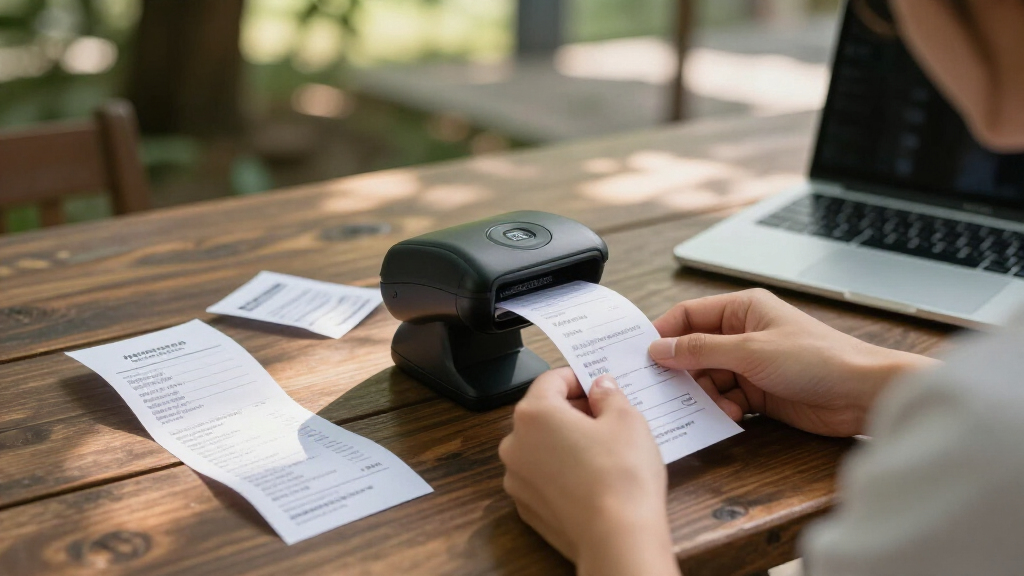
To determine the best receipt scanners for bookkeeping, I evaluated each product based on performance, ease of use, build quality, and software features. Speed of scanning and duplex capabilities were prioritized for handling large receipt volumes efficiently. Portability was also a key factor, especially for users who need to scan receipts on the go, so mobile scanner options received special consideration. Price was balanced against features to highlight models that offer the best value, and user interface simplicity was assessed to ensure even less tech-savvy users could operate them comfortably. The ranking reflects a combination of these factors, aiming to recommend options suited to different types of bookkeepers and business sizes.| receipt scanners for bookkeeping | Compatibility |
|---|---|
| ScanSnap iX1300 Wireless and U | Mac, PC, mobile devices, Chromebook |
| Epson RapidReceipt RR-400W Wir | — |
| ScanSnap iX2500 Receipt Editio | Mac and PC |
| Epson RapidReceipt RR-70W Wire | — |
| Epson RapidReceipt RR-60 Mobil | — |
| HP Small USB Document & Photo | Windows and Mac |
| Canon imageFORMULA R40 Office | — |
| Canon imageFORMULA R10 Portabl | Windows and Mac |
| Brother DS-740D Duplex Compact | Windows, Mac, Linux |
| ScanSnap iX2400 High-Speed Col | — |
| Brother DS-640 Compact Mobile | — |
| ScanSnap iX1300 Wireless & USB | Mac, PC, Chromebook, mobile devices |
| Plustek Mobile Scanner S410 Pl | Windows 7/8/10/11 |
| Epson WorkForce ES-50 Portable | Windows and Mac |
Factors to Consider When Choosing Receipt Scanners For Bookkeeping
Choosing the right receipt scanner involves balancing several key factors beyond just price. Understanding your specific needs, such as volume, portability, and integration with bookkeeping software, ensures you pick a model that truly streamlines your process. Consider these critical aspects to make an informed decision and avoid common pitfalls like overpaying for features you don’t need or selecting a device incompatible with your existing setup.Scanning Speed and Duplex Capabilities
Speed matters when you have a large volume of receipts to digitize. Look for models with higher pages per minute (PPM) ratings and duplex scanning, which allows double-sided scans in a single pass. Faster scanners reduce waiting time and improve efficiency, especially during tax season or busy periods. However, ultra-fast models can come at a higher cost, so balance your volume needs with your budget.
Portability and Size
If you frequently travel or work outside your office, a portable scanner becomes essential. Compact, lightweight models like the Epson ES-50 or Canon R10 are easy to carry and set up anywhere. Keep in mind, these smaller devices might have limited features or slower speeds. Larger, desktop options generally offer more robust capabilities but are less convenient for mobile use.
Software Compatibility and Data Management
Effective bookkeeping relies on seamless data transfer. Check whether the scanner comes with software compatible with your bookkeeping programs, like QuickBooks or Excel. Some models include OCR (Optical Character Recognition) to convert scans into editable text, saving manual entry time. Beware of proprietary software that might lock you into specific platforms or require ongoing subscriptions.
Build Quality and Reliability
Investing in a well-constructed scanner reduces maintenance and prolongs lifespan. Look for models with sturdy materials and positive user reviews regarding durability. Cheaper, lower-quality devices may jam frequently or break down after limited use, leading to frustration and additional costs. Reliability is especially important if you plan to scan in high volumes regularly.
Price and Value
While budget models can work for light, occasional use, investing in higher-end options often pays off through faster processing and more features. Balance your needs with your budget, considering long-term value rather than initial cost alone. Sometimes, spending a bit more upfront can save time and reduce headaches later.
Frequently Asked Questions
Do I need a duplex scanner for bookkeeping?
Yes, a duplex scanner can significantly speed up your workflow by scanning both sides of a receipt simultaneously. This feature is especially useful if you handle large volumes of receipts or documents with information on both sides. It reduces the total scanning time and minimizes manual sorting, making it a worthwhile investment for most bookkeeping needs.
Are portable receipt scanners reliable for high-volume use?
Portable scanners are generally designed for convenience and light to moderate use. While many are quite reliable for occasional or mobile scanning, they may struggle with very high volumes or continuous operation. If your bookkeeping involves daily scanning of hundreds of receipts, a dedicated desktop model with higher speed and durability might be more appropriate.
How important is OCR software in a receipt scanner?
OCR software is a game-changer for bookkeeping because it converts scanned receipts into editable and searchable text. This feature greatly reduces manual data entry, speeds up reconciliation, and minimizes errors. When selecting a scanner, prioritize models with reliable OCR capabilities, especially if you need to process large numbers of receipts regularly.
Should I prioritize speed over portability?
It depends on your workflow. If most receipts are scanned in a stationary office environment, speed and duplex features might be more beneficial. Conversely, if you often scan receipts at different locations or during travel, portability may take precedence, even if it means sacrificing some speed or features. Consider how you balance convenience with efficiency in your routine.
Is it worth investing in a high-end scanner for my small business?
Investing in a high-end scanner can be worthwhile if your volume justifies it and you prioritize speed, durability, and advanced software features. For small businesses with light, occasional use, a mid-range or budget model may suffice. Weigh your current and anticipated future needs to determine if the extra upfront cost will deliver enough long-term benefits.