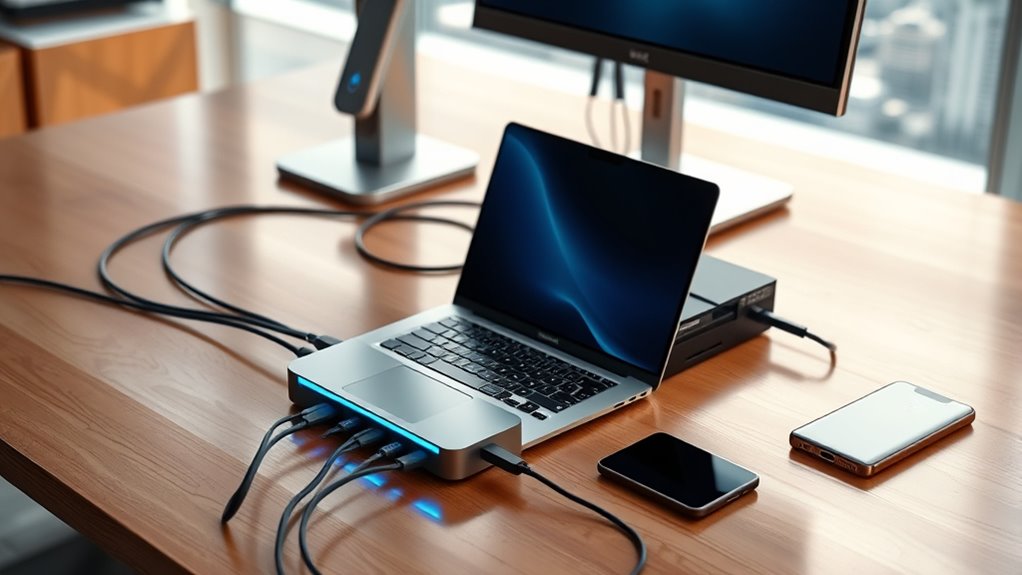

If you’re looking for the best Thunderbolt 4 docks in 2025, I recommend checking out options like the Plugable Thunderbolt 4 Dock, CalDigit TS4, Amazon Basics Thunderbolt4/USB4 Station, and Lenovo ThinkPad Dock. These models offer high-speed data, multiple 4K or even 8K display support, and powerful charging capabilities. They’re compatible across various OS and perfect for professional workflows. Keep exploring, and you’ll discover details tailored to your specific needs.
Listen free for 30 days with Audible
Thousands of audiobooks and originals — cancel anytime.
As an affiliate, we earn on qualifying purchases.
Key Takeaways
- Top-rated Thunderbolt 4 docks like Plugable, CalDigit, and Amazon Basics offer high-speed data transfer, multi-monitor support, and robust port options.
- Compatibility spans Windows, macOS (including M1/M2), and some Linux systems, ensuring seamless connectivity across devices.
- Many docks deliver up to 100W charging power, supporting fast recharging for laptops and peripherals simultaneously.
- Advanced video capabilities include support for dual 4K, 8K displays, and high-resolution multi-monitor setups.
- Certified and award-winning models provide reliable performance, with features tailored for professional, gaming, and creative workflows.
Plugable Thunderbolt 4 Dock with 100W Charging

If you’re looking for a reliable Thunderbolt 4 dock that can handle demanding workflows, the Plugable Thunderbolt 4 Dock with 100W Charging is an excellent choice. It’s Thunderbolt Certified, awarded Best Thunderbolt Dock 2024 by Tom’s Guide, and Intel Evo certified. With 40Gbps speed, 13 ports, dual 4K 60Hz HDMI, and 100W Power Delivery (96W certified), it supports multiple displays and peripherals seamlessly. Compatible with Windows 10+ and macOS, including M1, M2, and M3 Macs, it’s perfect for professional use. The dock offers reliable performance, easy setup, and extensive connectivity, making it a versatile addition to any workspace.
Best For: professionals and creatives who need reliable, high-speed connectivity with support for multiple high-resolution displays and peripherals.
Pros:
- Thunderbolt Certified with 40Gbps transfer speeds for seamless data and video throughput
- Supports dual 4K 60Hz displays or single 8K display, ideal for multi-monitor setups
- Robust build quality with extensive port options, including 13 ports and 100W Power Delivery
Cons:
- Bulky power brick limits portability and ease of transport
- Front-mounted Thunderbolt port may be less convenient for permanent connections
- Occasional issues like monitor recognition problems or HDMI port failures after prolonged use
CalDigit TS4 Thunderbolt 4 Dock with 18 Ports

The CalDigit TS4 Thunderbolt 4 Dock stands out as the ultimate choice for professionals and power users who need extensive connectivity in a single compact device. It boasts 18 ports, including three Thunderbolt 4, eight USB-A, SD and microSD card readers, DisplayPort 1.4, audio jacks, Ethernet, and a security slot. Supporting single 8K or dual 6K displays, it delivers 98W power to charge laptops and supports multiple OS platforms. Its versatile compatibility, fast data transfer, and network features make it perfect for demanding workflows. Despite its compact size, it packs a punch, making it a top-tier dock for those who require maximum connectivity and performance.
Best For: professionals and power users seeking extensive connectivity, high-resolution display support, and fast data transfer in a compact and versatile docking station.
Pros:
- Offers 18 versatile ports including Thunderbolt 4, USB-A, SD card readers, DisplayPort, Ethernet, and audio jacks for comprehensive connectivity.
- Supports high-resolution displays up to 8K single or dual 6K 60Hz, ideal for demanding visual workflows.
- Delivers 98W power to charge laptops and supports multiple OS platforms, ensuring broad compatibility and efficient performance.
Cons:
- The compact size may limit physical space for additional accessories or cables.
- Performance depends on the host device’s interface; older USB-C or Thunderbolt 3 ports may not enable maximum capabilities.
- Premium price point may be a consideration for budget-conscious users.
Amazon Basics Thunderbolt4/USB4 Pro Docking Station
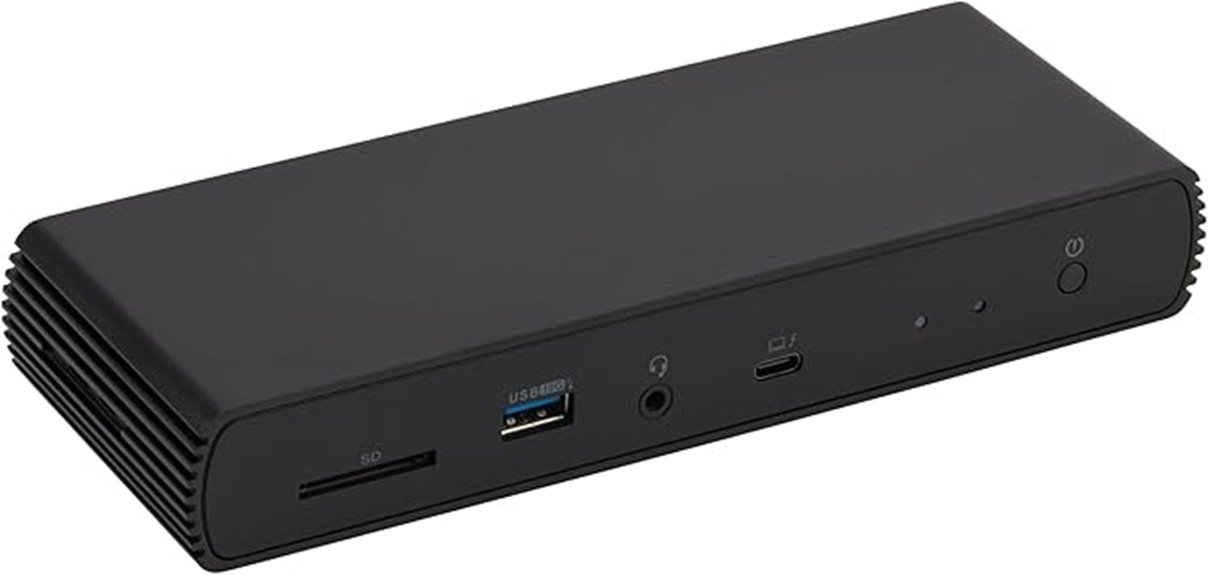
Designed for users seeking a compact yet versatile docking solution, the Amazon Basics Thunderbolt4/USB4 Pro Docking Station offers impressive connectivity and charging capabilities. Its small footprint (7.86 x 2.95 x 1.23 inches) makes it travel-friendly, fitting easily into bags. It features dual Thunderbolt 4/USB4 ports, HDMI 2.1 output supporting 8K30Hz, three USB-A 3.1 ports, and 2.5Gbps Ethernet. Supporting up to 96W dynamic PD charging, it works with Windows 10+ and non-M1/M2 MacBooks. However, it’s not compatible with Linux or older macOS versions. Overall, it’s a reliable, portable dock ideal for expanding connectivity on compatible laptops.
Best For: users with Thunderbolt 4 or USB4-compatible Windows or non-M1/M2 MacBooks seeking a portable, versatile docking station for high-resolution displays and fast data transfer.
Pros:
- Compact and travel-friendly design easily fits into bags or carry-ons.
- Supports dual 4K@60Hz displays via Thunderbolt 4/USB4 ports and HDMI 2.1 up to 8K30Hz.
- Provides fast 2.5Gbps Ethernet, multiple USB-A ports, and up to 96W PD charging for compatible laptops.
Cons:
- Not compatible with Linux, Chrome OS, or older macOS versions before 11.
- Thunderbolt bandwidth sharing may reduce display resolution and LAN speeds when multiple high-bandwidth devices are connected.
- Laptops exceeding 96W power input may experience disconnection or malfunction due to overload protection.
Lenovo ThinkPad Thunderbolt 4 Dock with 4 Displays

For professionals who need to run multiple high-resolution displays, the Lenovo ThinkPad Thunderbolt 4 Dock with 4 displays offers an impressive solution. It supports up to four screens, including 8K at 30Hz, and delivers lightning-fast 40 Gbps transfer speeds. With a versatile array of ports—2 DisplayPort 1.4, HDMI 2.1, Thunderbolt 4, and multiple USB options—it’s designed for seamless multi-monitor setups. The dock provides universal compatibility with Thunderbolt 3 and 4, USB 4, and USB-C devices, along with up to 100W power delivery. While firmware updates have improved performance, some users report issues like port inconsistencies and overheating, especially with non-Lenovo systems.
Best For: professionals and power users who require multi-monitor setups with high resolutions and fast data transfer capabilities.
Pros:
- Supports up to four displays, including 8K @ 30Hz, ideal for high-resolution workflows.
- Offers lightning-fast 40 Gbps transfer speeds and multiple versatile video and USB ports.
- Compatible with Thunderbolt 3 and 4, USB 4, and USB-C devices, with up to 100W power delivery.
Cons:
- Users report port inconsistencies and intermittent functionality on some systems.
- Overheating issues and limited power delivery for certain laptops, such as Lenovo Legion models.
- Firmware updates and support can vary, and some users experience difficulties with compatibility and warranty service.
Plugable Thunderbolt 4 Dock for MacBook Air & Pro (TBT-UDM)
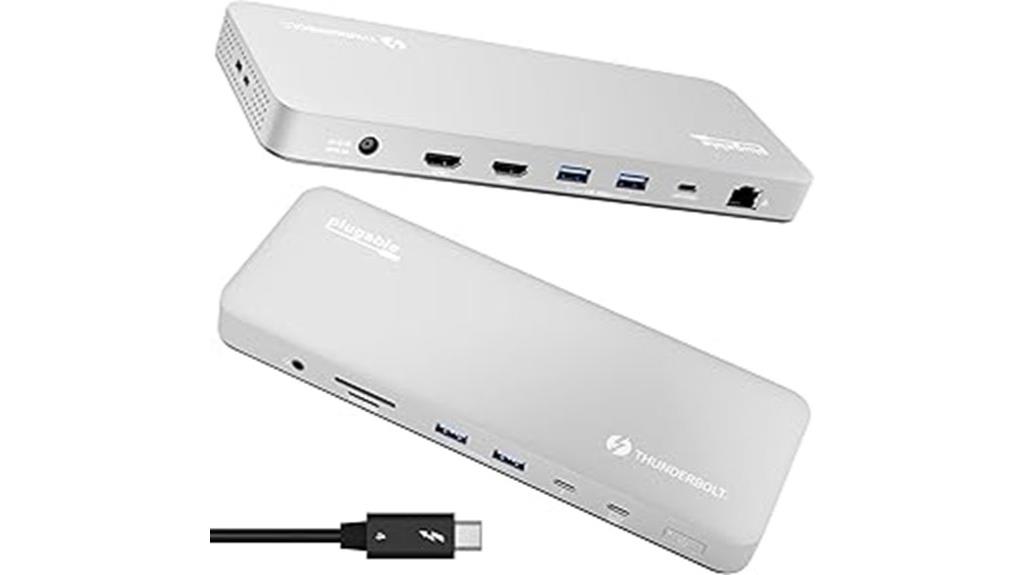
If you’re looking for a reliable, high-performance dock tailored for MacBook Air and Pro users, the Plugable Thunderbolt 4 Dock (TBT-UDM) stands out as an excellent choice. It offers 13-in-1 connectivity, supporting dual 4K displays on M3 Macs and single or dual displays on M1/M2 models. The dock features Thunderbolt 4, six USB ports, SD card readers, Gigabit Ethernet, and 100W power delivery, all in a sleek aluminum design. It’s fully plug-and-play, with no driver hassles, providing seamless multitasking, fast data transfer, and device charging. Its stability and build quality make it ideal for professionals who need reliable, versatile connectivity.
Best For: MacBook Air and Pro users who need a reliable, high-performance docking station with versatile connectivity for professional multitasking.
Pros:
- Fully plug-and-play with no driver installation required, ensuring easy setup and compatibility.
- Supports dual 4K displays on M3 Macs and single or dual displays on M1/M2 models, enhancing productivity.
- High build quality with a sleek aluminum design, offering stability, durability, and a premium aesthetic.
Cons:
- Does not support 2.5GbE Ethernet or 8K display output.
- Slightly warm under load but never throttles, which may concern some users.
- Fewer USB-C ports compared to larger docks, limiting expandability for very extensive setups.
Microsoft Surface Thunderbolt 4 Dock

The Microsoft Surface Thunderbolt 4 Dock stands out as an excellent choice for Surface laptop users who need fast, reliable connectivity. It offers Thunderbolt 4 ports that support rapid data transfer, media streaming, and device charging, making it highly versatile. With three USB-C and three USB-A ports, a 3.5mm audio jack, 2.5G Ethernet, and a security lock slot, it handles multiple peripherals effortlessly. Supporting up to two 4K monitors, it delivers crisp visuals for work or entertainment. Crafted with sustainability in mind, it includes 20% recycled ocean-bound plastic. Overall, it’s a sleek, powerful dock that seamlessly enhances the Surface experience.
Best For: professionals and enthusiasts using Surface laptops who require high-speed connectivity, multi-monitor support, and versatile peripheral options.
Pros:
- Supports rapid data transfer, media streaming, and device charging via Thunderbolt 4 technology
- Connects up to two 4K monitors for enhanced visual clarity
- Constructed with 20% recycled ocean-bound plastic, emphasizing sustainability
Cons:
- Limited to Windows 10 compatibility, restricting use with other operating systems
- Slightly bulky dimensions may impact portability for some users
- Price may vary across retailers, potentially affecting affordability
Dell Pro Thunderbolt 4 Smart Dock SD25TB4
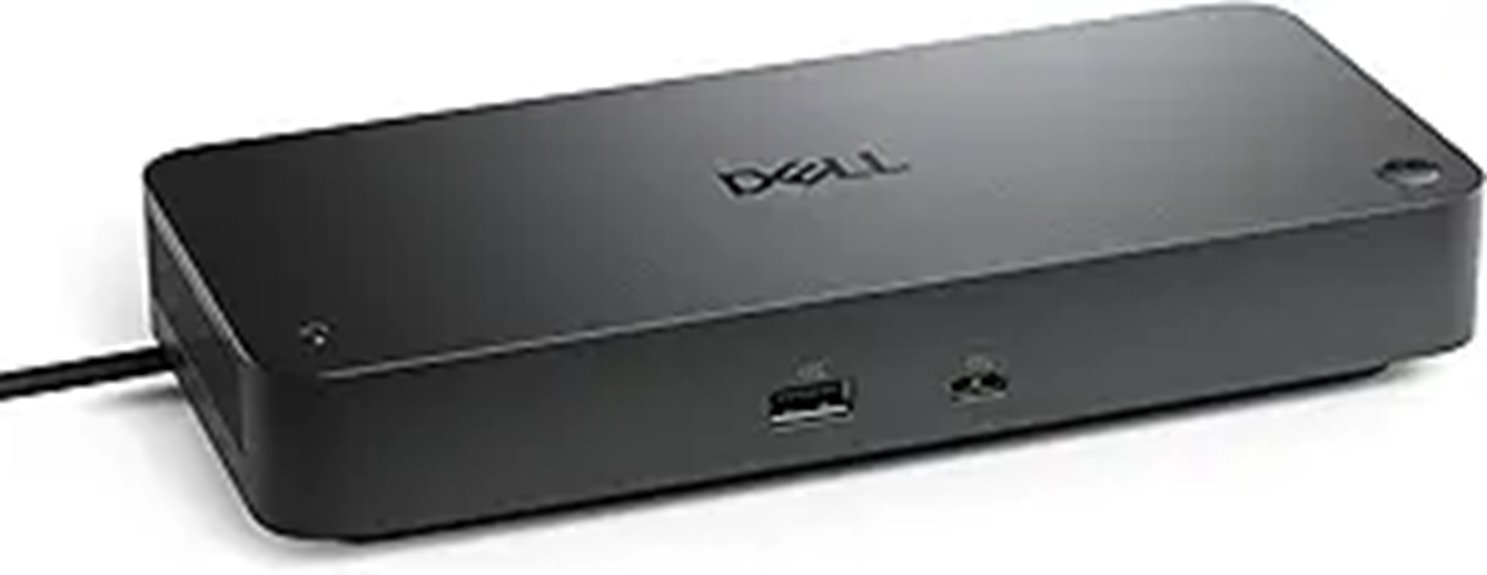
The Dell Pro Thunderbolt 4 Smart Dock SD25TB4 stands out as an ideal choice for professionals who need powerful multi-display support and fast data transfer. It can connect up to four 4K monitors through HDMI 2.1, DisplayPort 1.4, USB-C, and Thunderbolt 4, making it perfect for creative, data, or AI work. With dual Thunderbolt 4 ports, it enables high-speed data transfer and device chaining up to six devices. It also offers up to 130W charging for Dell devices and 96W for others, reducing cable clutter. Plus, its advanced network options, security features, and eco-friendly design make it a reliable, future-proof addition to any workspace.
Best For: professionals needing extensive multi-display setups, rapid data transfer, and secure connectivity in a sustainable, enterprise-grade dock.
Pros:
- Supports up to four 4K monitors via HDMI 2.1, DisplayPort 1.4, USB-C, and Thunderbolt 4 for versatile visual productivity
- Dual Thunderbolt 4 ports enable high-speed data transfer and device chaining for efficient workflows
- Provides up to 130W charging for Dell devices and 96W for others, reducing cable clutter and streamlining workspace management
Cons:
- May be overkill for users with simpler multi-monitor or connectivity needs
- Requires compatible Thunderbolt 4 or USB-C ports on the host device for full functionality
- Premium build and features may come with a higher price point compared to basic docks
MOKiN Thunderbolt 4 Dock with 16 Ports and Dual Monitors
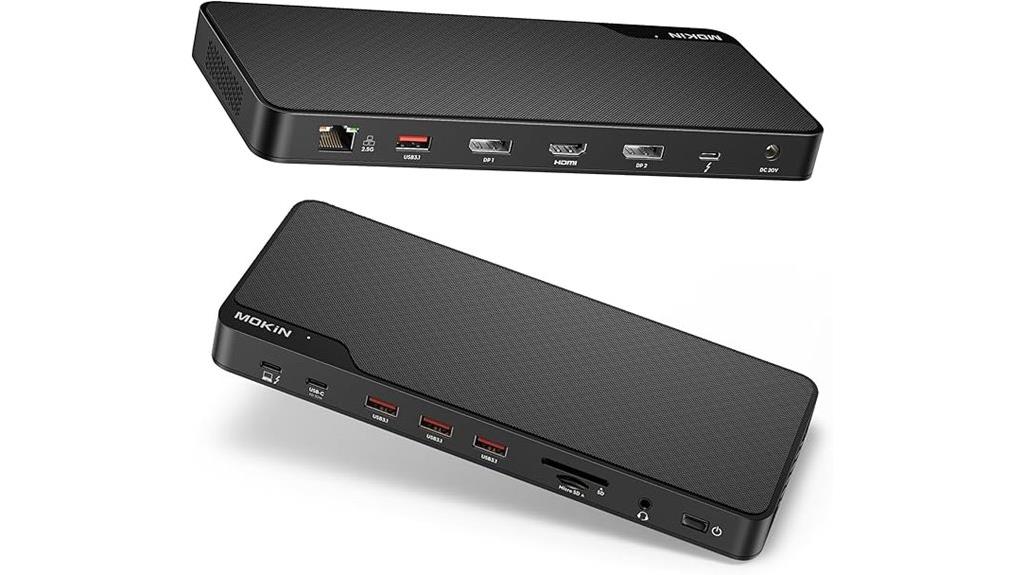
For professionals and power users who need maximum connectivity, the MOKiN Thunderbolt 4 Dock with 16 ports and dual monitor support stands out as an ideal choice. It’s compatible with Thunderbolt 4, Thunderbolt 3, USB4, and DP Alt mode devices, supporting triple 4K displays or an 8K resolution. With 40Gbps data transfer speeds and a 150W power supply, it handles high-speed data, device charging, and multiple peripherals seamlessly. The dock includes a Thunderbolt 4 cable and Ethernet, making it perfect for demanding setups. Its robust design and support for dual monitors make it a top pick for anyone needing extensive connectivity in 2025.
Best For: professionals and power users who require maximum connectivity, high-resolution displays, and fast data transfer in their setups.
Pros:
- Supports dual 4K 60Hz displays on macOS and triple 4K displays via multiple ports, ideal for multitasking.
- Offers 40Gbps data transfer speeds and 150W charging power, suitable for demanding professional workflows.
- Includes essential accessories such as Thunderbolt 4 cable and Ethernet, enhancing user convenience and connectivity.
Cons:
- On macOS, triple monitors only mirror, not extend, limiting display flexibility for some users.
- M1/M2 chips only support mirror mode for dual displays, which may restrict productivity.
- Larger size and weight (11.65 x 7.72 x 2.01 inches, 2.07 pounds) may be less portable for on-the-go use.
Lenovo Thinkpad Docking Station USB C (40B00135US)

If you’re seeking a reliable Thunderbolt 4 dock that seamlessly supports multiple high-resolution displays, the Lenovo ThinkPad Docking Station USB C (40B00135US) is a standout choice. It supports 4K and 8K displays and offers extensive connectivity with HDMI, DisplayPort, and Thunderbolt ports. Designed for Lenovo laptops, MacBooks, and other USB-C or Thunderbolt-compatible notebooks, it provides up to 230W Power Delivery with a 135W AC adapter. Customers praise its easy setup, stable power, and multi-monitor support, though some mention firmware updates and compatibility checks are necessary. Overall, it’s a versatile, high-performance docking station ideal for demanding workflows.
Best For: professionals and creatives who require high-resolution multi-monitor setups and reliable power delivery for demanding workflows using Lenovo or compatible laptops.
Pros:
- Supports multiple high-resolution displays, including 4K and 8K outputs
- Offers extensive connectivity options with HDMI, DisplayPort, and Thunderbolt ports
- Delivers up to 230W Power Delivery for stable device charging and operation
Cons:
- May require firmware updates for optimal compatibility and performance
- Some users have experienced hardware failures or compatibility issues with certain Lenovo models
- Initial setup can be challenging without proper firmware or driver updates
Ugreen Thunderbolt 4 Dock Revodok Max (13-in-1, 40Gbps)
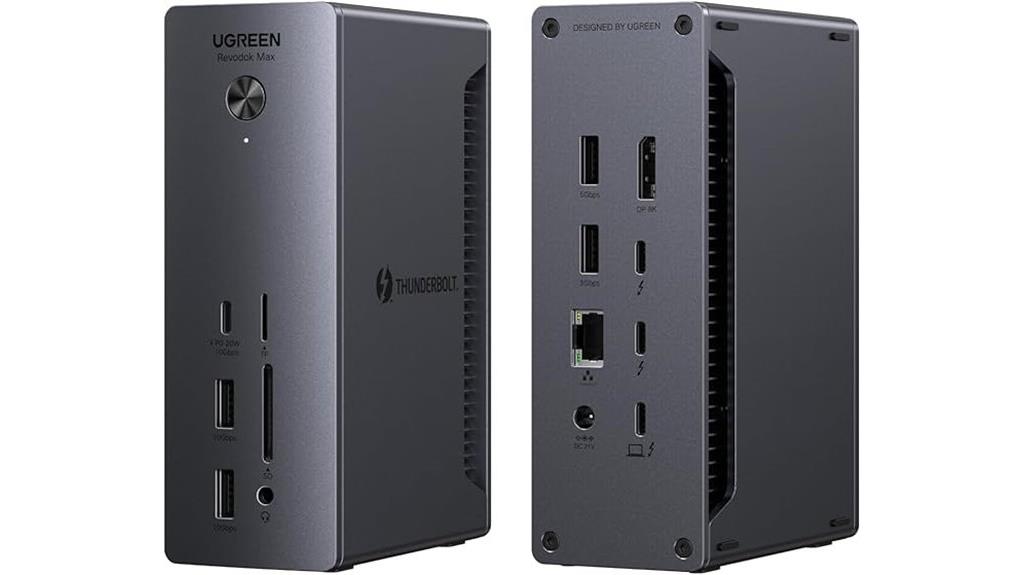
Creative professionals and power users who need fast data transfer and versatile connectivity will find the Ugreen Thunderbolt 4 Dock Revodok Max an excellent choice. It offers 13 ports, including two Thunderbolt 4 ports supporting 40Gbps, dual 4K@60Hz displays, and 90W charging via its powerful 180W GaN adapter. Compatible with MacBooks, Surface Pros, and Windows laptops, it handles multiple high-resolution monitors, fast data transfers, and device charging simultaneously. Its compact size and robust build make it ideal for multitasking and demanding workflows. Overall, this dock seamlessly combines performance and connectivity, making it a top-tier option for creative professionals and tech enthusiasts alike.
Best For: creative professionals, gamers, and power users who require high-speed data transfer, multiple high-resolution displays, and versatile connectivity in a compact, reliable dock.
Pros:
- Supports dual 4K@60Hz or single 8K@30Hz display output for stunning visuals
- Ultra-fast 40Gbps data transfer via Thunderbolt 4 ports for seamless multitasking
- Provides up to 90W charging with a robust 180W GaN power adapter, ensuring devices stay powered
Cons:
- Not compatible with Intel Mac mini 2018 models
- Full-function USB-C devices are limited to a single display output
- Requires connection to power to enable charging and maximum data transfer capabilities
UGREEN Revodok Max 208 Thunderbolt 4 Dock (8-in-1, 40Gbps, 85W Charging)
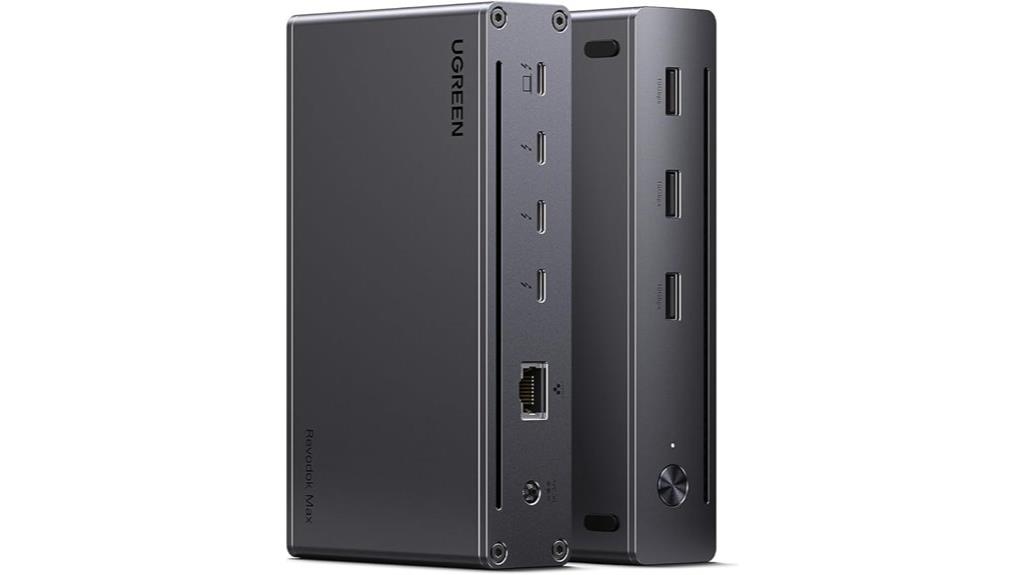
The UGREEN Revodok Max 208 Thunderbolt 4 Dock stands out as an excellent choice for professionals seeking high-speed data transfer and versatile connectivity in a compact design. It offers three Thunderbolt 4 ports supporting data transfer up to 40Gbps and 8K display output, making it ideal for demanding tasks. With three USB-A 3.2 ports, gigabit Ethernet, and an 85W charging capacity powered by a 140W GaN charger, it handles multiple peripherals effortlessly. While compatible with Mac M1/M2/M3/M4 Pro/Max laptops, it’s important to note display limitations depending on the device. Overall, this dock combines speed, power, and expandability in a sleek package.
Best For: professionals and power users who need high-speed data transfer, multiple display support, and versatile connectivity for their Mac or USB-C laptops.
Pros:
- Supports ultra-fast 40Gbps data transfer and 8K display output via Thunderbolt 4 ports.
- Offers multiple connectivity options including three USB-A 3.2 ports and gigabit Ethernet for expandability.
- Provides powerful 85W charging with a 140W GaN charger, reducing the need for multiple power adapters.
Cons:
- Limited to a single monitor connection on basic Mac M-chip laptops; dual displays are restricted depending on device.
- Not compatible with Mac mini 2018 (Intel models).
- Requires connection to the included 140W charger to operate, which may add bulk and limit portability.
Plugable 16-in-1 Thunderbolt 4 Dock for MacBook Air/Pro

Designed for users who need powerful dual 4K display support along with extensive connectivity, the Plugable 16-in-1 Thunderbolt 4 Dock is a top choice for MacBook Air and Pro owners. It offers seamless dual 4K 60Hz displays via HDMI or DisplayPort, plus 7 USB ports, 2 Ethernet, SD/microSD card readers, audio, and 100W Power Delivery. Compatible with macOS 11+ and Windows 10+, it’s a plug-and-play device that automatically adjusts for lower power systems. Users praise its reliable performance, sturdy build, and support for multiple peripherals, making it ideal for multitasking, content creation, and professional workflows.
Best For: professionals and power users seeking reliable dual 4K display support and extensive connectivity for MacBook Air, Pro, Windows, and Linux systems.
Pros:
- Supports dual 4K 60Hz displays via HDMI and DisplayPort with no drivers needed
- Offers a comprehensive array of ports including 7 USB, 2 Ethernet, SD/microSD cards, audio, and 100W Power Delivery
- Plug-and-play setup with stable performance, high build quality, and excellent customer support
Cons:
- Some users experience issues with dual monitor configurations when mixing connection types (e.g., HDMI and DisplayPort)
- Power delivery of 100W may be insufficient for high-power laptops requiring 130W+
- Limited official Linux support, though many users report successful unofficial operation
Lenovo ThinkPad Thunderbolt 4 Workstation Dock
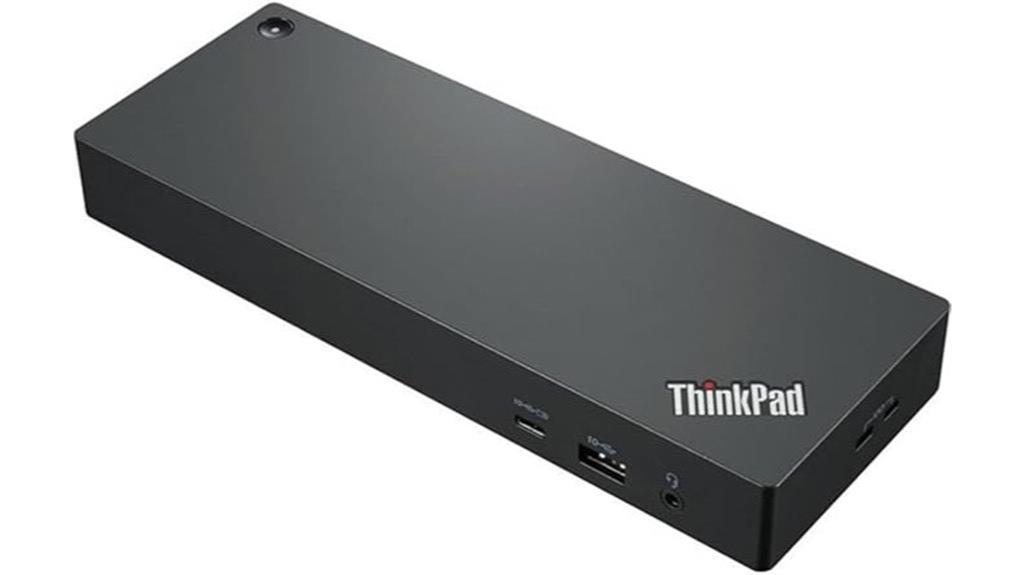
If you’re using a Lenovo laptop and need a powerful, versatile docking station, the Lenovo ThinkPad Thunderbolt 4 Workstation Dock is an excellent choice. It supports up to 230W Power Delivery, so it can charge compatible laptops efficiently while expanding your workspace with up to four 4K monitors or a single 8K display. With data transfer speeds up to 40 Gbps, it handles high-performance peripherals easily. Designed for seamless compatibility with Lenovo devices, it offers straightforward plug-and-play setup. However, some users report issues like monitor flickering or firmware update challenges, so keeping firmware up to date is vital for peak performance.
Best For: professionals and power users who need a high-performance, versatile docking station compatible with Lenovo laptops to support multiple monitors, high-speed data transfer, and efficient charging.
Pros:
- Supports up to 230W Power Delivery for fast and efficient charging of compatible laptops
- Capable of connecting up to four 4K monitors or a single 8K display for expanded visual workspace
- Offers high data transfer speeds up to 40 Gbps, ideal for high-performance peripherals
Cons:
- Users may experience monitor flickering, blinking, or peripheral stuttering, especially with incompatible cables
- Firmware update process can be challenging, sometimes leading to bugs or device instability
- Physical power connector can be large and difficult to seat properly, and some compatibility issues with specific Lenovo models may arise
Dell ThunderBolt 4 Dock (WD22TB4)
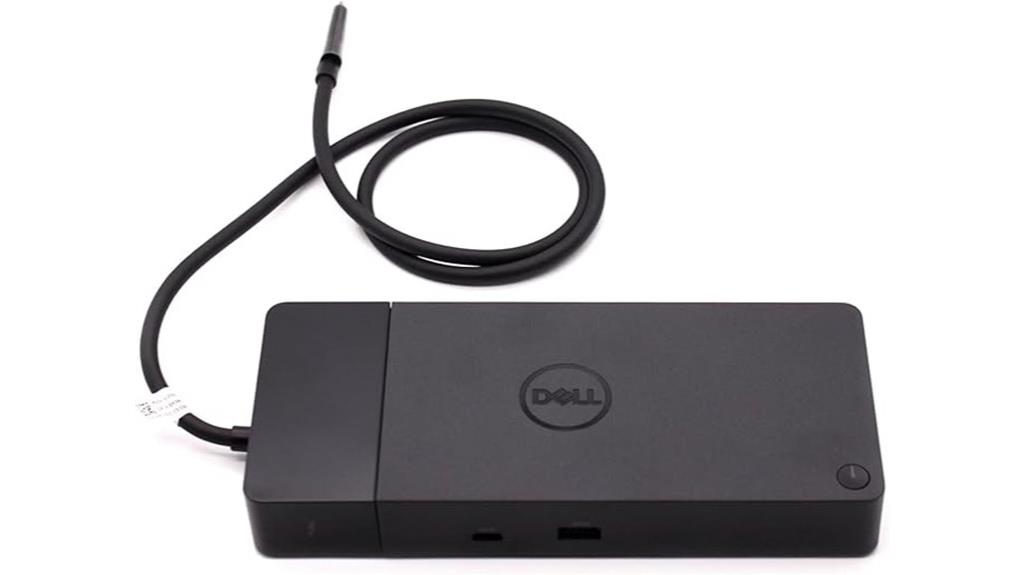
For professionals who need a powerful, versatile docking station, the Dell Thunderbolt 4 Dock (WD22TB4) stands out with its modular design and SuperBoost technology, which delivers rapid charging. It supports multiple high-resolution displays and a wide array of peripherals, making it ideal for productivity. With two Thunderbolt 4 ports, USB-C, USB-A, DisplayPort, HDMI, and Ethernet, it offers extensive connectivity options. Data transfer speeds reach up to 40 GB/s, ensuring fast peripheral communication. Its compact, space-efficient design weighs just 1.43 pounds and is compatible with Windows 10 and 11. Overall, it’s a reliable, upgradeable dock for demanding professional environments.
Best For: professionals seeking a high-performance, versatile docking station with fast charging and extensive connectivity options for enhanced productivity.
Pros:
- Supports multiple high-resolution displays and a wide range of peripherals for a comprehensive workstation setup
- Features SuperBoost technology for rapid charging, reducing downtime
- Modular design allows for easy upgrades and customization to suit evolving needs
Cons:
- Relatively high price point compared to basic docking stations
- Limited availability in some regions or stores, which may affect procurement
- Slightly heavier and larger than some compact docking options, requiring adequate desk space
Plugable Thunderbolt 4 Dock for Quad Monitors

The Plugable Thunderbolt 4 Dock stands out as an excellent choice for professionals who need to run multiple high-resolution monitors simultaneously. It supports connecting up to four 4K displays or an 8K display, thanks to its combination of Thunderbolt and DisplayLink technology. With a 100W host charging capability, it can power laptops while in use. The dock offers high-speed ports, including four Thunderbolt 4/USB-C, HDMI, Ethernet, SD card slot, and USB ports, ensuring versatile connectivity. Compatible with Windows, Mac, and ChromeOS devices, it provides a reliable, all-in-one solution for boosting productivity and expanding your workspace seamlessly.
Best For: professionals and power users who need to connect multiple high-resolution monitors and peripherals to their laptops or desktops for enhanced productivity.
Pros:
- Supports up to four 4K monitors or an 8K display for extensive multitasking.
- Provides 100W host charging, ensuring your laptop stays powered during use.
- Versatile connectivity with four Thunderbolt 4/USB-C ports, HDMI, Ethernet, SD card slot, and USB ports.
Cons:
- Compatibility with four extended displays may vary depending on the host system, especially on Macs with M3 chips.
- Requires DisplayLink software installation on Windows and Mac for HDMI outputs.
- Mac M1 and M2 models may support only three extended displays, limiting multi-monitor setups.
Factors to Consider When Choosing Thunderbolt 4 Docks

When selecting a Thunderbolt 4 dock, I look closely at port options and display support to guarantee it matches my setup needs. Power delivery is also key, so I check how much energy it can provide to my devices. Finally, I consider build quality and compatibility to make sure it’s reliable and works seamlessly with my gear.
Port Selection and Variety
Choosing a Thunderbolt 4 dock with the right port selection is essential for maximizing compatibility and productivity. A diverse array of ports—such as Thunderbolt 4, USB-C, HDMI, DisplayPort, Ethernet, and SD card readers—ensures I can connect a wide range of peripherals and displays. The number and types of ports directly impact my ability to support multiple monitors, transfer data quickly, and charge devices simultaneously. Ports with higher data transfer speeds, like Thunderbolt 4 and USB 3.2 Gen 2, make workflows more efficient, especially for data-heavy tasks like video editing. Including dedicated audio ports and multiple USB-A connections adds versatility for peripherals like microphones and external drives. Multiple video output options help me set up multi-monitor configurations with different resolutions and refresh rates.
Display Support Capabilities
Display support capabilities are a key factor to contemplate when selecting a Thunderbolt 4 dock, as they determine how many monitors I can connect and at what resolutions. Thunderbolt 4 docks typically support dual 4K displays at 60Hz or a single 8K display, but this depends on the dock’s video output ports like HDMI, DisplayPort, or Thunderbolt, and their bandwidth limits. Compatibility with multi-monitor setups varies; some docks support up to four screens, while others are limited to fewer or lower resolutions. The ability to extend or mirror displays depends on both the dock’s hardware and my computer’s graphics and firmware. OS limitations, driver updates, and MST support also influence the overall display performance and configuration options.
Power Delivery Options
Power delivery (PD) is a crucial factor because it determines how effectively a Thunderbolt 4 dock can charge your devices, especially laptops with high power demands. Most docks support PD ranging from 85W to 100W, allowing fast charging for compatible laptops and devices. If you have a power-hungry laptop like a MacBook Pro or Dell XPS, opting for a dock with higher wattage PD—around 96W or 100W—ensures you can charge during extended use without a separate charger. Some docks feature adjustable or multiple PD ports, letting you charge a laptop and smartphone simultaneously at ideal levels. Remember, the actual charging capacity depends on both the dock’s hardware and your laptop’s compatibility. Overloading the PD can cause slower charging, disconnections, or insufficient power for larger laptops.
Compatibility With Devices
When selecting a Thunderbolt 4 dock, verifying its compatibility with your device is key to guaranteeing smooth performance. First, check that your operating system, like Windows 10+ or macOS 11+, is supported. Make sure your device has a Thunderbolt 4 or USB4 port, as these are essential for full functionality, including dual 4K or 8K display support. Also, confirm that your laptop’s power delivery capacity matches the dock’s charging output to avoid disconnection or insufficient charging. Hardware compatibility matters too; ensure your device can handle multi-monitor setups or high-speed data transfer. Finally, be aware that some docks may need firmware updates or limited support for certain models to deliver best performance across your device ecosystem.
Build Quality and Design
Choosing a Thunderbolt 4 dock with solid build quality is essential for ensuring long-term reliability and smooth performance. A well-made dock often uses premium materials like aluminum or high-quality plastic, which not only boost durability but also help with heat dissipation. An ergonomic, thoughtfully arranged port layout makes connections easier and reduces cable clutter, enhancing workspace organization. Compact yet sturdy designs protect internal components from damage while maintaining portability for users on the go. Good build quality minimizes hardware failures, connection issues, and port wear, ensuring consistent performance over time. Additionally, a sleek, modern look complements high-end laptops and professional setups, adding to the visual appeal. Overall, a durable and stylish design is key to a seamless, reliable experience with your Thunderbolt 4 dock.
Data Transfer Speeds
The build quality of a Thunderbolt 4 dock impacts its durability, but understanding data transfer speeds is key to guaranteeing it meets your performance needs. Thunderbolt 4 supports speeds of up to 40Gbps, allowing quick transfer of large files and seamless operation of high-bandwidth peripherals. Its maximum bandwidth enables simultaneous use of multiple high-resolution displays and storage devices without bottlenecks, boosting productivity. Keep in mind, actual speeds depend on cable quality; certified Thunderbolt 4 cables ensure peak performance. Compatibility with Thunderbolt 3 and USB4 offers flexibility across devices. However, your device’s hardware and storage media also influence transfer speeds. So, when selecting a dock, consider both its supported speeds and your system’s capabilities for smooth, efficient data movement.
Price and Value
Price and value are essential factors when selecting a Thunderbolt 4 dock, as they directly impact your overall satisfaction and long-term investment. Prices typically range from about $150 to over $300, with higher-end models offering more ports, better build quality, and advanced features like multi-monitor support and increased power delivery. While premium docks may cost more upfront, they often provide greater long-term worth through durability and enhanced performance. Conversely, budget-friendly options might save you money initially but could sacrifice features or quality, leading to potential compatibility or reliability issues. When evaluating value, I recommend balancing cost against key factors like port variety, device compatibility, build quality, and performance needs. This approach ensures you choose a dock that offers the best overall value for your specific setup.
Frequently Asked Questions
How Do Thunderbolt 4 Docks Affect Laptop Battery Life?
Thunderbolt 4 docks can impact my laptop’s battery life, especially if I keep them connected for long periods or use power-hungry devices. They draw power from my laptop, which can drain the battery faster if I don’t have it plugged in. However, most docks are designed to optimize power management, so I notice minimal impact when I use them efficiently and keep my laptop charged.
Are Thunderbolt 4 Docks Compatible With Non-Windows Devices?
Yes, Thunderbolt 4 docks are compatible with many non-Windows devices, including Macs and some Linux systems. I’ve used a Thunderbolt 4 dock with my MacBook and found it seamless, thanks to its universal USB-C and Thunderbolt standards. Just verify your device supports Thunderbolt 4 or at least USB-C with DisplayPort Alt Mode. Compatibility can vary, so I recommend double-checking your specific device’s specifications before purchasing.
Can Thunderbolt 4 Docks Support Daisy Chaining Multiple Devices?
Yes, Thunderbolt 4 docks can support daisy chaining multiple devices. I’ve used mine to connect several peripherals like external monitors, drives, and audio interfaces seamlessly. The Thunderbolt 4 standard allows for daisy chaining up to six devices, which simplifies my workspace. Just make sure your devices and cables are compatible, and you’ll enjoy a tidy, efficient setup without sacrificing performance.
What Security Features Are Available With Thunderbolt 4 Docks?
Thunderbolt 4 docks include robust security features like Intel’s VT-d virtualization technology, which helps protect data from malicious attacks. They also support hardware-based security protocols such as DMA protection, preventing direct memory access attacks. Additionally, Thunderbolt 4 supports secure connection handshake protocols, ensuring that only authorized devices can connect. These features give me peace of mind, knowing my data stays safe during seamless, high-speed connectivity.
How Do Thunderbolt 4 Docks Perform in High-Temperature Environments?
When it comes to high temperatures, I find Thunderbolt 4 docks generally hold up well, but they’re not invincible. Like a sturdy bridge, they can handle some heat, but prolonged exposure to extreme heat can cause performance dips or hardware issues. I recommend keeping your dock in a well-ventilated space and avoiding direct sunlight. Proper cooling guarantees your dock performs reliably, no matter how hot it gets outside.
Conclusion
Choosing the right Thunderbolt 4 dock really depends on your needs. For example, I once upgraded my setup with the CalDigit TS4, and suddenly I could connect all my peripherals and four monitors effortlessly. It made my workflow smoother and more enjoyable. So, whether you’re a creative professional or a busy multitasker, investing in the right dock can transform your productivity—making your workspace more efficient and enjoyable every day.
Grilling season Picks
grills
As an affiliate, we earn on qualifying purchases.