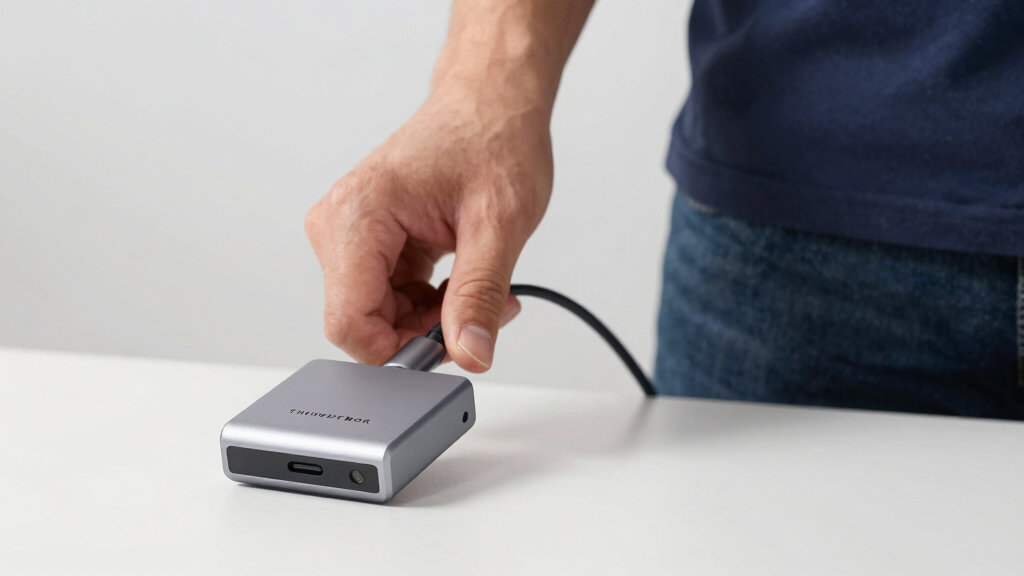

Finding the best thunderbolt dock involves balancing performance, compatibility, and price. The Plugable 16-in-1 Thunderbolt 4 Dock stands out as the overall best for its versatile port selection and reliable charging. If you need cutting-edge speed and higher power delivery, the Anker Prime TB5 Docking Station with Thunderbolt 5 support is a top contender. Meanwhile, the Dell Pro Thunderbolt 4 Smart Dock offers a sustainable design with robust features for professional setups. Read on to see how these and other options compare, and discover which dock suits your specific needs.
Listen free for 30 days with Audible
Thousands of audiobooks and originals — cancel anytime.
Start your free trialAs an affiliate, we earn on qualifying purchases.
Key Takeaways
- Top-tier docks offer dual 4K or even 8K display support, but often at a higher cost.
- Power delivery varies significantly; choosing a dock with enough wattage is critical for laptop charging.
- USB port variety and data transfer speeds differ, influencing compatibility with peripherals.
- Build quality and design influence durability, especially for portable or frequently moved setups.
- More expensive docks tend to include advanced features like Thunderbolt 5 support and faster Ethernet options.


More Details on Our Top Picks
Plugable 16-in-1 Thunderbolt 4 Dock – Dual 4K Monitors, 100W Charging, USB & Ethernet
This dock stands out for its comprehensive connectivity and straightforward dual 4K monitor support, making it ideal for users who need a reliable all-in-one solution. Compared with the Ugreen Thunderbolt 4 Dock, it offers more USB ports and a more substantial power delivery, but at the cost of larger size and portability. The Plugable’s support for dual 4K 60Hz monitors without requiring drivers simplifies setup, especially for Windows users. However, its size and limited resolution support beyond dual 4K might restrict those with higher-resolution or more complex multi-monitor needs. It’s perfect for professionals who prioritize versatility and broad compatibility without juggling multiple hubs.
Pros:- Supports dual 4K 60Hz monitors without drivers
- High-speed 2.5Gbps Ethernet and multiple USB ports
- Powerful 100W charging for laptops
Cons:- Relatively large size limits portability
- Requires Thunderbolt 4 or USB4 compatible laptops
- Limited to dual 4K monitors, not higher resolutions
Best for: Professionals who require dual 4K display support, high-speed data, and reliable laptop charging in a stationary workspace.
Not ideal for: Frequent travelers or users with space constraints, since the dock’s size makes it less portable.
- Hardware Interface:Thunderbolt
- Total USB Ports:7
- HDMI Ports:2
- DisplayPort:2
- Ethernet:2.5G
- Wattage:100W
- Dimensions:5.8″L x 3.1″W x 11.6″H
Bottom line: A versatile choice for stationary setups needing dual 4K displays and broad compatibility, with tradeoffs in size and resolution ceiling.
Anker Prime TB5 Docking Station, 14-in-1 Thunderbolt 5 Dock with 8K Support and 140W Charging
This model excels in high-end display support, notably its ability to output 8K video, making it ideal for creative professionals or users with demanding visual needs. Unlike the Plugable Thunderbolt 4 Dock, which maxes out at dual 4K, the Anker Prime TB5 provides a single-display option up to 8K@60Hz, or dual 8K for compatible laptops. Its 140W charging capacity ensures ample power for multiple devices, and the active cooling system maintains performance during extended use. The complexity of its port array and advanced features might be overwhelming for less experienced users, and some older laptops lacking Thunderbolt 5 or DisplayPort Alt Mode may not fully support its capabilities. This pick makes the most sense for users needing cutting-edge video output and maximum power delivery.
Pros:- Supports up to 8K@60Hz or dual 8K displays
- Powerful 140W charging for multiple devices
- Active cooling prevents overheating during intensive use
- Multiple ports including Thunderbolt 5, HDMI 2.1, and SD card reader
Cons:- Complex setup with advanced features may be intimidating
- Limited compatibility with older laptops lacking Thunderbolt 5
- Higher price point compared to other docks
Best for: Creative professionals or power users who need 8K display support and robust device charging in a high-performance setup.
Not ideal for: Casual or budget-conscious users who don’t require 8K output or extensive port options, as the advanced features come with a higher price and complexity.
- Product Type:Docking Station
- Hardware Interface:Thunderbolt
- Total USB Ports:8
- Display Support:Up to 8K@60Hz
- Wattage:140W
- Dimensions:4.56 x 4.56 x 2.95 inches
Bottom line: A top-tier choice for users demanding maximum resolution and power, with some complexity and cost to match.
Anker Prime Docking Station, 14-Port with 160W Max Output, Dual 4K Display, 10Gbps Data Transfer, USB-C, USB-A, Ethernet, Audio for Dell, HP, Lenovo, MacBook, and More
This dock balances powerful charging with multiple port options, including dual 4K display support, making it suitable for users who need a comprehensive workspace hub. Compared to the Plugable and Anker Prime TB5 models, it offers a higher 160W maximum output, supporting more demanding charging needs, but it limits display resolution to dual 4K rather than 8K. Its fast data transfer at 10Gbps and versatile port selection, including Ethernet and audio, cater well to professional environments. The plastic enclosure and slightly lower resolution support might disappoint users with very high-resolution demands or seeking a premium finish. This makes it ideal for users who prioritize high wattage and connectivity over ultra-high display resolutions.
Pros:- Supports dual 4K displays at 60Hz
- High 160W charging capacity for multiple devices
- Fast 10Gbps data transfer
Cons:- Limited to dual 4K, not supporting higher resolutions like 8K
- Plastic enclosure may feel less premium
- Displays on macOS are identical, limiting multi-monitor flexibility
Best for: Power users and professionals who need high wattage charging and multiple ports for everyday multitasking across devices.
Not ideal for: Creative professionals needing 8K or higher resolution displays or those preferring a premium build quality, as it favors power and versatility over aesthetics.
- Product Type:Multiport Hub
- Hardware Interface:USB Type C
- Total USB Ports:9
- Display Support:Dual 4K
- Wattage:160W
- Operating System Compatibility:Windows, macOS
Bottom line: A solid, high-power dock for users who need reliable dual 4K display support and extensive device charging, with some resolution limitations.
UGREEN Thunderbolt 4 Dock 8-in-1 40Gbps TB4 Hub with Dual 4K/8K Display, 85W Charging, Gigabit Ethernet, 3 USB A 3.2 Ports
This dock offers a compact yet capable solution for users needing dual 4K or 8K display support, with high data transfer speeds and 85W charging. While the Plugable and Anker Prime models provide more ports or higher power, the UGREEN’s smaller footprint makes it preferable for those with limited space or who prefer a minimal setup. Its support for dual 4K or a single 8K display makes it flexible, but the need to connect to the 140W charger for full charging capability can add complexity. Compatibility issues with some older Macs or certain configurations could be a concern. This pick is ideal for users seeking a powerful, space-efficient dock without sacrificing high-resolution display options.
Pros:- Supports dual 4K@60Hz or single 8K display
- Fast 40Gbps data transfer speeds
- Compact size for space-constrained setups
Cons:- Full laptop charging requires connection to the 140W charger
- Limited USB-A ports (only 3)
- Compatibility may vary with older Mac models
Best for: Users with limited desk space who need dual 4K or 8K display support and fast data transfer in a compact form factor.
Not ideal for: Power users who require more than three USB-A ports or higher wattage charging, or those needing multiple display outputs beyond dual 4K or single 8K.
- Number of Ports:8-in-1
- Thunderbolt 4 Ports:3
- USB A 3.2 Ports:3
- Display Support:Dual 4K@60Hz or single 8K
- Charging Power:85W
- Power Adapter:140W GaN charger
Bottom line: A space-efficient dock that balances high-resolution support with portability, suitable for users with space constraints and high display needs.
Plugable Thunderbolt 4 Dock with 100W Charging, Dual 4K/8K HDMI, 13 Ports, Ethernet, Mac & Windows Compatible
This dock makes a compelling case for users who need a large number of ports and broad device compatibility, supporting dual 4K displays or a single 8K, along with multiple USB connections. Unlike the Anker Prime, which emphasizes high wattage, this model balances multiple ports and high-resolution display support, making it suitable for complex professional setups. The 13-port array offers extensive peripheral options, but its complexity could overwhelm less experienced users. Compatibility with both Mac and Windows systems broadens its appeal, though dual monitor support on macOS can sometimes be limited in resolution or configuration. It’s an excellent choice for those who need maximum connectivity with reliable high-resolution display options.
Pros:- Supports dual 4K or single 8K display output
- High-speed 40Gbps Thunderbolt 4 transfer
- Numerous ports including Ethernet, SD, and audio
Cons:- Dual display support may be limited on some macOS systems
- Setup can be complex for optimal dual monitor use
- Requires Thunderbolt 4 or compatible USB-C port
Best for: Professionals managing multiple peripherals and demanding display configurations across Mac and Windows environments.
Not ideal for: Casual users or those with limited space, as the large port array and setup complexity may be overkill.
- Ports:13
- HDMI:2× 4K/8K support
- Thunderbolt 4:Yes, downstream port
- Power Delivery:100W
- Ethernet:Gigabit Ethernet
- Maximum Data Transfer Speed:40Gbps
Bottom line: A feature-rich dock ideal for users with demanding peripheral needs and high-resolution display setups across multiple systems.
Dell Pro Thunderbolt 4 Smart Dock SD25TB4 – USB-C Station with 130W Power, 4K Displays, Dual Thunderbolt 4, HDMI 2.1, Ethernet, Wi-Fi, Sustainable Design
The Dell Pro Thunderbolt 4 Smart Dock SD25TB4 stands out for its ability to support up to 4 4K monitors, making it an excellent choice for creative professionals who need extensive multitasking. Its 130W charging ensures powerful device support without needing multiple chargers, a key advantage over more limited docks like the UGREEN 13-in-1, which offers less power. The inclusion of advanced security features and remote management caters well to enterprise environments. However, its compatibility is somewhat restricted to specific devices, and its premium features come with a higher price tag. The dock’s compact, eco-friendly design adds to its appeal, but users must account for the need for multiple ports for full functionality. Compared to the UGREEN dock, it offers superior display and security support but at a potentially higher cost, making it ideal for those prioritizing performance and security.
Pros:- Supports up to 4 4K monitors for extensive multitasking
- Fast 130W charging for compatible devices
- Includes advanced security features and remote management
- Eco-friendly design with recycled materials
Cons:- Limited to specific device compatibility
- Potentially high cost for premium features
- Requires multiple ports for full functionality
Best for: Professionals and creatives needing multi-monitor setups with high power and security features
Not ideal for: Home users with simpler needs or those on a tighter budget, due to its higher cost and compatibility restrictions
- Power Output:130W USB-C charging
- Display Support:Up to 4 4K monitors
- Video Ports:2x DisplayPort 1.4, HDMI 2.1, Thunderbolt 4
- Ethernet:2.5GbE
- Connectivity:Wi-Fi, Thunderbolt 4, USB-C
- Design:Sustainable, compact, ambidextrous
Bottom line: This dock is best suited for professionals requiring robust multi-display support, high power delivery, and enterprise security features.
UGREEN Thunderbolt 4 Dock 13-in-1 40Gbps Docking Station with Dual 4K@60Hz and 8K Display, 90W Charging for Laptop
The UGREEN Thunderbolt 4 Dock offers a comprehensive 13-port setup that excels in delivering high-resolution output, supporting dual 4K@60Hz or 8K@30Hz displays. Its 40Gbps data transfer speed makes it ideal for transferring large files quickly, surpassing docks like the Plugable 16-in-1 which offers fewer ports and slightly lower data rates. With up to 90W charging, it can power most laptops comfortably, though it requires connection to power to operate, which may be a drawback for portable use. Compatibility with Thunderbolt 4/3, USB4, and USB-C devices broadens its appeal, but it may exclude some older models. The dock’s multiple ports—including SD/TF card readers and various USB types—are a boon for creative workflows, but its larger size and reliance on external power make it less portable than more compact options. This dock is perfect for users needing high-speed data, multiple high-res displays, and versatile connectivity in a single package.
Pros:- Supports dual 4K@60Hz or 8K@30Hz displays for high-res workflows
- Super fast 40Gbps data transfer speeds
- Provides up to 90W charging for laptops
- Multiple versatile ports including SD/TF card readers
Cons:- Requires connection to power to function
- Full multi-display support limited to Thunderbolt 4/3 and USB4 devices
- Larger footprint and less portable for on-the-go use
Best for: Creative professionals and power users needing high-resolution displays and fast data transfer
Not ideal for: Travelers or those with limited desk space, due to its size and dependency on external power
- Ports:2 Thunderbolt 4, 1 DisplayPort 1.4, 1 2.5Gb Ethernet, SD/TF 4.0 card readers, 1 USB-C 3.2, 2 USB-A 3.2, 2 USB-A 3.0, 3.5mm audio, 180W DC power
- Data transfer speed:40Gbps
- Display support:Dual 4K@60Hz or 8K@30Hz
- Power delivery:Up to 90W
- Compatibility:Thunderbolt 4/3, USB4, USB-C laptops and tablets
- Dimensions:Larger size, external 180W power supply
Bottom line: This dock is best for creators and professionals who need high-resolution displays, fast data, and extensive connectivity in a stationary setup.

How We Picked
These docks were selected based on a combination of performance, compatibility, port variety, build quality, and user reviews. Priority was given to models that provide reliable Thunderbolt 4 or 5 support, sufficient power delivery, and high-resolution display options. We also considered value for money, ensuring that each pick offers a meaningful feature set relative to its price. The ranking reflects a balance of versatility, future-proofing, and overall user satisfaction in professional and everyday scenarios.Factors to Consider When Choosing Best Thunderbolt Dock
Choosing the best thunderbolt dock requires understanding your specific needs. Key factors include performance capabilities, compatibility with your devices, port options, and power delivery. Keeping these in mind helps prevent common mistakes like underestimating power needs or selecting docks with insufficient display support. A thoughtful approach ensures you get a setup that is both reliable and future-ready.Performance and Display Support
Consider whether your workflow demands dual 4K or 8K display support. Thunderbolt 4 and 5 docks can handle high-resolution outputs, but not all docks support the same refresh rates or multiple displays simultaneously. Choosing a dock with the appropriate display support ensures your visuals stay sharp without lag or compatibility issues. Keep in mind that higher resolutions and multiple monitors can impact overall system performance, so match your dock’s capabilities accordingly.
Power Delivery and Charging
Power delivery (PD) is a crucial feature because it allows your dock to charge your laptop while connected. Docks with higher wattage support, like 130W or 140W, are better suited for powerful laptops that require more energy. However, some docks compromise on PD to keep costs down or reduce size. Always verify your device’s power needs and choose a dock that can meet or exceed those requirements to avoid the inconvenience of slow charging or disconnection issues.
Port Variety and Compatibility
Assess what peripherals you plan to connect—USB-A, Ethernet, audio, or external drives—and ensure the dock provides enough and the right types of ports. More ports add versatility but can increase cost and complexity. Compatibility extends beyond ports; verify if the dock works seamlessly with your operating system and device brand. A dock with a broad port selection simplifies setup and reduces the need for additional hubs or adapters.
Build Quality and Design
Durability matters if you plan to move your dock frequently or keep it in a busy workspace. Metal enclosures typically last longer and dissipate heat better than plastic ones. Additionally, consider the dock’s size and aesthetics—compact designs save space, while a sturdy build enhances longevity. A poorly constructed dock may introduce connection issues or fail prematurely, so investing in quality pays off over time.
Future-Proofing and Additional Features
Opt for docks that support Thunderbolt 5 or offer high data transfer speeds if you anticipate needing the latest technology. Features like 10Gbps or 40Gbps data ports, and advanced Ethernet options can extend the dock’s relevance. Think about your long-term needs—buying a slightly more expensive model with extra features can be more economical than upgrading frequently. Also, look for docks with firmware updates and good manufacturer support to maintain compatibility over time.
Frequently Asked Questions
Can I use a Thunderbolt dock with a non-Thunderbolt USB-C laptop?
While some Thunderbolt docks can work with USB-C laptops, full functionality is often limited. Thunderbolt docks typically require Thunderbolt support for features like high-speed data transfer and multiple display outputs. If your laptop only supports USB-C without Thunderbolt, you may lose some capabilities, such as 4K or 8K display support or fast data speeds. Always check the dock’s compatibility specifications before purchasing to ensure it meets your device’s requirements.
Will a Thunderbolt dock charge my laptop effectively?
Most Thunderbolt docks with high wattage support—such as 100W or more—are designed to charge laptops while in use. However, some models might not deliver enough power for very high-performance or gaming laptops that require 130W or more. It’s important to match the dock’s power delivery rating with your device’s charging needs to avoid slow charging or disconnection during intensive tasks. Always verify your laptop’s power requirements before selecting a dock.
Is it worth investing in Thunderbolt 5 over Thunderbolt 4?
Thunderbolt 5 offers improved bandwidth, higher data transfer speeds, and better future-proofing compared to Thunderbolt 4. If your workflow involves large file transfers, 8K video editing, or multiple high-resolution displays, Thunderbolt 5 can provide noticeable benefits. However, for most everyday tasks and standard professional use, Thunderbolt 4 remains highly capable and more affordable. Consider your specific needs and budget before opting for the latest generation.
How many external displays can a Thunderbolt dock support?
The number of supported displays varies by dock and resolution. Many Thunderbolt 4 and 5 docks support dual 4K displays, with some capable of handling an 8K output. Higher-end models with advanced graphics support can even connect three or more monitors but often at reduced resolutions or refresh rates. Always check the specifications carefully, especially if you need multiple high-resolution screens for work or entertainment.
Are more ports always better when choosing a Thunderbolt dock?
While having a variety of ports increases flexibility, more isn’t always better if the ports are unnecessary for your setup. Overly complex docks can also be larger and more expensive. Focus on the ports that match your typical peripherals—USB-A, Ethernet, audio, SD card readers—and ensure the dock provides enough of each. Quality and compatibility matter more than quantity, so choose a model that aligns with your actual needs.
Conclusion
For most users seeking a reliable, all-around solution, the Plugable 16-in-1 Thunderbolt 4 Dock offers excellent value and versatility. Professionals or power users who demand cutting-edge speed and displays will find the Anker Prime TB5 Docking Station worth the investment. Those new to docking stations or with basic needs should consider more straightforward, budget-friendly options, while tech enthusiasts aiming for future readiness should prioritize docks supporting Thunderbolt 5. Ultimately, your choice depends on your device compatibility, display requirements, and budget.
Grilling season Picks
grills
As an affiliate, we earn on qualifying purchases.