Imagine trying to catch a fleeting moment with a camera that’s too bulky to carry around—that’s what using a traditional scanner feels like in today’s fast-paced world. The right portable document scanner can turn this challenge into a seamless process, whether you’re traveling, working remotely, or just need quick digitization on the go. With so many options out there, finding the one that fits your needs can feel overwhelming. Keep going, and you’ll discover the top choices that make mobile scanning effortless and reliable.
Listen free for 30 days with Audible
Thousands of audiobooks and originals — cancel anytime.
As an affiliate, we earn on qualifying purchases.
Key Takeaways
- Highlights compact, lightweight scanners with easy portability and durable design for on-the-go use.
- Emphasizes high scanning speeds, batch processing, and versatile media handling for efficient digitization.
- Details various connectivity options like USB, Wi-Fi, and cloud integration for seamless device compatibility.
- Focuses on user-friendly software with OCR, image adjustments, and direct cloud uploads for streamlined workflows.
- Notes reliable performance, high-resolution options, and features suited for professionals and mobile users.
Canon Portable Document Scanner (R10)

The Canon imageFORMULA R10 is an ideal choice for anyone who needs a portable, easy-to-use scanner for on-the-go tasks or small office setups. Its compact size and lightweight design make it perfect for mobile users, measuring just 3.75 x 11.2 x 1.57 inches and weighing only 2.2 pounds. Connecting via USB, it requires no extra software, and its automatic updates keep it running smoothly. With duplex scanning at speeds of up to 12 pages per minute and a 20-sheet feeder, it handles documents, receipts, and cards efficiently. Its compatibility with Windows and Mac makes it versatile, ensuring quick, high-quality scans anytime you need them.
Best For: mobile professionals, small office users, and remote workers seeking a compact, easy-to-use scanner for on-the-go document digitization.
Pros:
- Portable and lightweight design for easy mobility
- Supports duplex scanning at speeds up to 12 pages per minute
- No software installation required, with automatic software updates
Cons:
- Occasional connectivity issues reported with some operating systems
- Limited to 20-sheet automatic feeder, which may require frequent reloading during large scans
- Software glitches or compatibility problems can occur, needing firmware updates
Epson WorkForce ES-50 Portable Sheet-Fed Document Scanner for PC and Mac

If you need a portable scanner that’s perfect for on-the-go document digitization, the Epson WorkForce ES-50 stands out as an excellent choice. Weighing only 9.4 ounces and measuring just 1.8 x 10.7 x 1.3 inches, it’s incredibly compact and lightweight. It scans up to 5.5 seconds per sheet, handling documents, ID cards, and receipts easily. Compatible with Windows and Mac, it connects via USB-C with no batteries needed. The included Epson ScanSmart software simplifies scanning, reviewing, and saving files, while Nuance OCR makes searchable PDFs. Its portability, speed, and user-friendly features make it ideal for travelers, students, and professionals alike.
Best For: professionals, students, and travelers who need a compact, portable scanner for quick and easy document digitization on the go.
Pros:
- Ultra-lightweight and compact design, weighing only 9.4 ounces and measuring 1.8 x 10.7 x 1.3 inches.
- Fast scanning speed of up to 5.5 seconds per sheet, capable of handling various document types including IDs and receipts.
- Easy plug-and-play setup with USB-C connection and user-friendly Epson ScanSmart software.
Cons:
- Requires careful page loading due to minimal guides, which may lead to misfeeds.
- Occasional app crashes with large files or high-volume scanning.
- Minor cropping issues with dark or high gloss images if not properly aligned during scanning.
Brother DS-640 Compact Mobile Document Scanner, (Model: DS640) 1.5x2x11.9

Designed for mobile professionals, the Brother DS-640 Compact Mobile Document Scanner stands out with its lightweight, portable build that easily fits into a bag or briefcase. Measuring just 11.9 x 2.2 x 1.4 inches and weighing around 1.03 pounds, it’s perfect for on-the-go scanning. It handles various documents, including receipts, invoices, long pages up to 72 inches, and even plastic IDs or business cards. With fast speeds of up to 16 ppm and features like automatic color detection and background removal, it delivers high-quality scans anywhere. Powered via micro USB, it’s a reliable, compact solution for remote work, students, and busy professionals.
Best For: mobile professionals, students, and remote workers who need a compact, portable scanner for quick, on-the-go document digitization.
Pros:
- Lightweight and compact, easy to carry in a bag or briefcase
- Fast scanning speed of up to 16 pages per minute with high-quality image output
- Supports a variety of document types, including long pages, IDs, and business cards
Cons:
- Can experience driver instability and system crashes, especially on Windows 11
- Power button sensitivity may cause accidental shutdowns during use
- Requires manual paper size selection before each scan, which can slow workflow
AOZBZ Portable Document Scanner (900DPI, Handheld, Includes 16G SD Card)

For anyone who needs to digitize documents on the go, the AOZBZ Portable Document Scanner offers an excellent balance of portability and high-quality scanning. Weighing just 6 ounces and measuring about 10 inches long, it’s easy to carry anywhere. The scanner supports resolutions up to 900 DPI and can handle various document sizes, including maps and large papers. It comes with a 16GB SD card, compatible with up to 32GB, and connects via high-speed USB 2.0 for quick data transfer. No software is needed—simply turn it on, select your mode, and scan. It’s perfect for travel, business, or personal use, offering fast, high-quality results.
Best For: individuals who need a portable, easy-to-use scanner for digitizing documents, maps, or personal papers while traveling or working remotely.
Pros:
- Lightweight and compact design makes it highly portable for travel and on-the-go use.
- Supports high-resolution scanning up to 900 DPI, yielding clear and detailed digital copies.
- No software installation required—plug-and-play operation simplifies setup and use.
Cons:
- Occasional image quality issues such as over contrast, vertical lines, or dark scans reported by some users.
- Compatibility issues with certain USB-C connections and limited software features may pose challenges.
- Automatic cropping and calibration features may require manual adjustments for optimal results.
Brother DS-740D Duplex Compact Mobile Document Scanner

The Brother DS-740D Duplex Compact Mobile Document Scanner stands out as an ideal choice for professionals who need to scan on the go without sacrificing speed or quality. It offers fast duplex scanning at up to 16 pages per minute in color or black and white, with a compact, lightweight design perfect for mobile use. Its Desk Saving Design reduces desk space by 11 inches, and the unique roller system allows documents to glide smoothly without extra space behind. Powered via micro USB, it’s simple to set up and use anywhere, making it a reliable tool for digitizing receipts, IDs, and two-sided documents effortlessly.
Best For: mobile professionals and small offices needing quick, high-quality duplex scanning on the go without sacrificing space or performance.
Pros:
- Compact and lightweight design for easy portability
- Fast duplex scanning up to 16 pages per minute in color or black and white
- Powered via micro USB, enabling use without external outlets
Cons:
- Limited to a maximum of 16 pages per minute, which may be slower than larger office scanners
- Requires internet connection for driver and software downloads
- Designed primarily for basic document types; may not handle heavy-duty or large-volume scanning needs
ScanSnap iX1300 Compact Wireless/USB Document Scanner

If you’re looking for a compact scanner that combines speed and convenience, the ScanSnap iX1300 is an excellent choice. Its small footprint (4.5 x 11.7 x 3.3 inches) fits easily into tight spaces while offering powerful, fast scanning—up to 30 pages per minute double-sided. It handles documents, photos, cards, and even thick items with ease, thanks to automatic de-skew and color optimization. Setup is simple with single-touch operation, no driver needed. Plus, it connects via USB or Wi-Fi, allowing me to scan directly to my devices or cloud services. It’s perfect for on-the-go digitization and organizing various document types effortlessly.
Best For: individuals and small offices seeking a compact, fast, and versatile scanner for digitizing documents, photos, and cards with ease and wireless convenience.
Pros:
- Ultra-compact design fits small spaces and is highly portable
- Fast double-sided scanning at up to 30 pages per minute
- Easy single-touch operation with no driver setup required
Cons:
- Limited to 30 pages per minute, which may be slow for high-volume scanning needs
- May require a Wi-Fi connection for full wireless functionality, which depends on network stability
- Some advanced features or software integrations might require additional setup or updates
Epson Workforce ES-60W Wireless Portable Document Scanner

The Epson Workforce ES-60W Wireless Portable Document Scanner stands out as an ideal choice for busy professionals and travelers who need fast, reliable digitization on the go. Its compact, lightweight design—measuring just 10.7 x 1.9 x 1.4 inches—makes it easy to carry anywhere. It scans a single page in as little as four seconds and automatically switches between USB and wireless connections. The LCD display shows battery and connectivity status, while it seamlessly works with PC, Mac, iOS, and Android devices. With Epson’s ScanSmart Software and Nuance OCR, you can easily organize, convert, and upload documents directly to cloud services.
Best For: busy professionals and travelers seeking a portable, quick, and reliable solution for digitizing documents on the go.
Pros:
- Extremely compact and lightweight, ideal for portability
- Fast scanning speed of just 4 seconds per page
- Easily switches between USB and wireless connections without user intervention
Cons:
- Limited to single-sheet scanning, not suitable for multi-page documents
- Operating temperature range may restrict usage in extreme environments
- May require compatible devices and software for full functionality
Epson Workforce ES-400 II Document Scanner with Auto Document Feeder

For professionals and busy offices seeking fast, high-quality scanning, the Epson Workforce ES-400 II with Auto Document Feeder stands out as an excellent choice. It features a 50-sheet ADF that scans both sides simultaneously, reaching speeds of up to 35 pages per minute at 300 dpi. The scanner supports various document sizes and offers image adjustments like auto crop, background removal, and skew correction, ensuring crisp results. With user-friendly software, you can easily preview, email, and upload files to cloud services, plus create searchable PDFs with OCR. Overall, it’s a reliable, efficient scanner perfect for streamlining document digitization in demanding environments.
Best For: Professionals and busy offices seeking fast, high-quality, and efficient document scanning with duplex capabilities.
Pros:
- Fast scanning speed of up to 35 pages per minute with duplex functionality
- High-quality color and black-and-white scans with advanced image adjustment tools
- User-friendly software that simplifies preview, editing, and cloud uploading
Cons:
- Higher price point may be a concern for budget-conscious buyers
- Some users prefer to use their own software over included Epson ScanSmart software
- Occasional delivery or setup issues reported by a few customers
HP Small USB Document & Photo Scanner (HPPS100)

Looking for a portable scanner that makes digitizing quick and effortless? The HP Small USB Document & Photo Scanner (HPPS100) is perfect for on-the-go use. It’s lightweight, measuring just 2 x 11.6 x 1.4 inches and weighing only 3 ounces, so I can easily carry it in my bag. It scans single-sided pages at 15 ppm with up to 1200 dpi resolution, ideal for small batches of documents, photos, or receipts. The plug-and-play USB 2.0 connection works with Windows and Mac, and the included HP WorkScan software simplifies editing, cropping, and optimizing scans. It’s a reliable choice for quick, portable digitization.
Best For: casual users, small business owners, or individuals who need a portable, straightforward scanner for quick digitization of documents, photos, and receipts.
Pros:
- Compact and lightweight design for easy portability
- Simple plug-and-play setup with USB 2.0 and easy-to-use software
- Fast scanning speed of 15 ppm with high resolution up to 1200 dpi
Cons:
- Struggles with long receipts, crinkled pages, or non-standard document sizes
- Potential software compatibility issues and high CPU usage on some systems
- Limited support for high-resolution scans above 300 dpi and occasional alignment challenges
Portable Scanner for Documents and Photos (Up to 900 DPI, 16G SD Card)
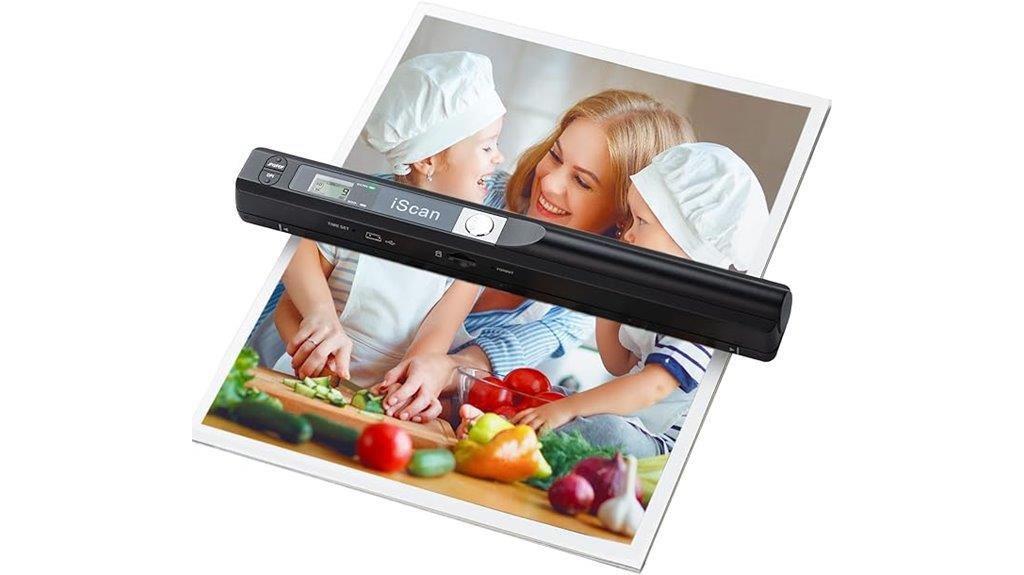
If you need a reliable scanner that’s easy to carry everywhere, this portable device is perfect for quickly digitizing documents and photos on the spot. It’s a handheld scanner designed for A4 pages, receipts, books, and images, with no software needed—just plug and play with Windows or Mac. It supports up to 900 DPI resolution and comes with a 16GB SD card, expandable to 32GB, for plenty of storage. Powered by two AA batteries, it’s ideal for travel, business, or daily use. Simply press and hold to scan, and files are automatically saved as JPEG or PDF. Its compact design makes it a versatile, on-the-go digitization tool.
Best For: professionals, students, and travelers who need a portable, high-resolution scanner for quick digitization of documents and photos on the go.
Pros:
- Supports up to 900 DPI resolution for clear, detailed scans.
- No software installation required; plug-and-play with Windows and Mac.
- Compact, lightweight design powered by 2 AA batteries, ideal for travel and outdoor use.
Cons:
- Requires 2 AA batteries (not included), which may need frequent replacement with heavy use.
- Limited to A4-sized documents and photos, not suitable for larger formats.
- Manual operation may be less efficient for high-volume scanning compared to larger, professional scanners.
Plustek Mobile Scanner S410 Plus Portable Document Scanner
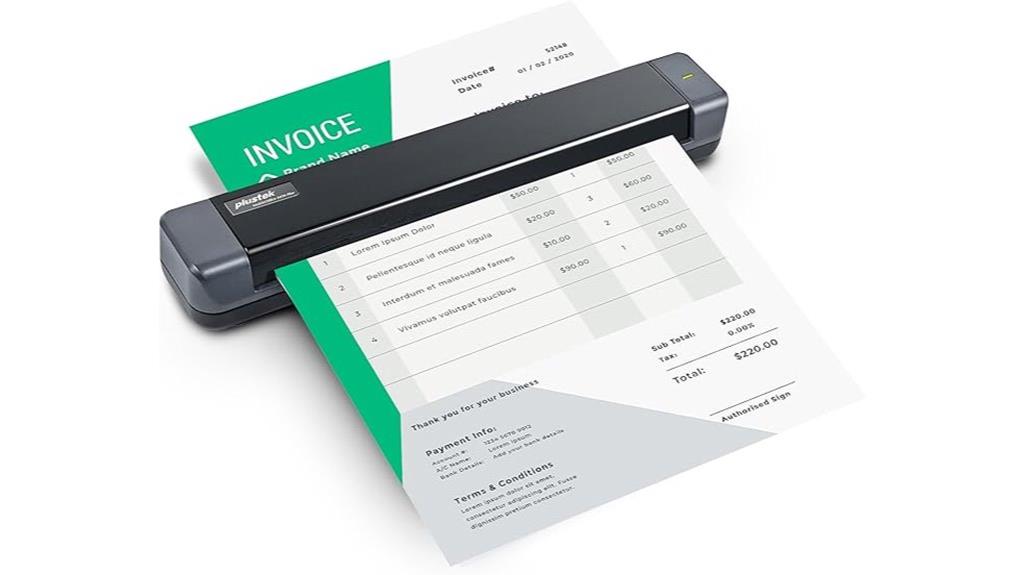
The Plustek Mobile Scanner S410 Plus stands out as an ideal choice for professionals and travelers who need quick, reliable document digitization on the go. Its ultra-compact, lightweight design (under 1 pound) makes it easy to carry anywhere, and it connects via bus-powered interface, so no batteries or external power are needed. With automatic, button-free scanning and built-in OCR software, capturing and converting various documents—like receipts, business cards, or ID cards—is effortless. It seamlessly saves files to folders or uploads to FTP, supporting Windows 7 through 11. Overall, the S410 Plus combines convenience, versatility, and efficiency for mobile document management.
Best For: professionals and travelers who need a portable, reliable, and easy-to-use scanner for digitizing documents on the go.
Pros:
- Ultra-compact and lightweight design, weighing less than 1 pound for easy portability
- Connects via bus-powered interface, eliminating the need for batteries or external power sources
- Automatic, button-free operation with built-in OCR software for efficient digitization and file management
Cons:
- Limited to scanning smaller quantities of documents at a time due to its portable size
- May have limited advanced features compared to larger, desktop scanners
- Compatibility and software updates could be restricted to Windows operating systems only
Canon Canoscan Lide 300 Scanner (PDF, AUTOSCAN, COPY, SEND)

For anyone seeking a compact, easy-to-use scanner that handles PDFs, auto-scan, copy, and send functions effortlessly, the Canon Canoscan Lide 300 is an ideal choice. This flatbed scanner offers rapid 10-second scans with a high 2400 x 2400 dpi resolution, perfect for digitizing documents and photos. It features four EZ Buttons for straightforward operation and connects via USB, requiring no software downloads. Weighing just 3.6 pounds and measuring 14.5 x 9.9 x 1.7 inches, it’s suitable for both home and office use. Its excellent image quality, quick performance, and compatibility with Windows, Mac, and Linux make it a versatile, budget-friendly option.
Best For: individuals or small offices seeking a compact, easy-to-use scanner for quick document and photo digitization without the need for wireless connectivity.
Pros:
- Fast 10-second scan times with high-quality 2400 x 2400 dpi resolution.
- User-friendly with four EZ Buttons for easy operation and straightforward setup.
- Compatible with Windows, Mac, and Linux, requiring no software downloads for basic functions.
Cons:
- Limited to USB connectivity, lacking wireless options.
- High-resolution scans at 4800 dpi can be time-consuming and resource-intensive.
- Some advanced functions may require additional software or driver setup, especially on Mac and Linux systems.
CZUR Shine Ultra Portable Document Scanner with OCR, USB A3 Scanner for Windows & Mac

As someone who needs a quick, reliable way to digitize books, photos, and documents, I appreciate how the CZUR Shine Ultra Portable Document Scanner offers high-resolution scans and AI-powered features that make the process seamless. Its lightweight, foldable design and adjustable neck make it easy to carry and set up anywhere. The CMOS 13MP camera captures sharp images, while automatic features like cropping, flattening, and side merging speed up my workflow. With OCR supporting over 180 languages, I can convert scans into editable text effortlessly. Overall, it’s a versatile, efficient device perfect for scanning everything from fragile books to everyday documents on the go.
Best For: individuals needing a portable, high-resolution scanner with AI-powered features for digitizing books, photos, and documents on the go.
Pros:
- High-resolution CMOS 13MP camera with sharp image quality and fast scanning speeds
- AI-powered features like auto cropping, flattening, and smart paging enhance workflow efficiency
- Lightweight, foldable design with adjustable height makes it highly portable and easy to set up anywhere
Cons:
- Limited compatibility with Android and iOS devices, only supporting Windows and Mac
- Some users report software limitations and occasional hardware issues with build quality
- Glossy pages may reflect light, affecting scan quality slightly
Epson Workforce ES-C320W Wireless Desktop Document Scanner
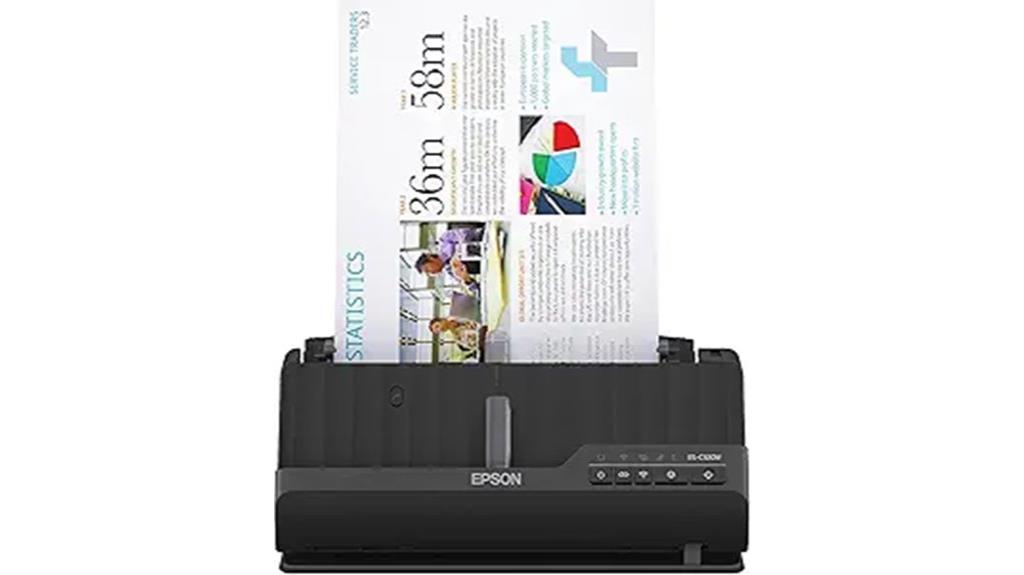
Looking for a compact scanner that fits seamlessly into small spaces and offers wireless convenience? The Epson Workforce ES-C320W is perfect for that. It’s ultra-compact, saving 60% desk space compared to larger models, and easily connects to smartphones, tablets, and cloud services via the Epson Smart Panel app. With speeds up to 30 pages per minute and 2-sided scanning, it handles batches efficiently. Its adjustable upright design makes it versatile for tight spots, and the 20-page Auto Document Feeder simplifies multi-page scans. Overall, it’s a solid choice for those who need quick, quality scans without sacrificing space or mobility.
Best For: users who need a space-saving, portable scanner with wireless connectivity for home or small office use.
Pros:
- Compact and lightweight design saves significant desk space and enhances portability.
- Fast dual-sided scanning at up to 30 pages per minute with reliable batch processing.
- Wireless connectivity to smartphones, tablets, and cloud services via Epson Smart Panel app for convenient scanning.
Cons:
- Occasional paper feed issues and limited handling of thicker documents.
- Software limitations, including challenges with file naming and connectivity, especially on Apple devices.
- Lack of an output tray may cause ejected pages to slide onto surfaces.
Epson Workforce ES-580W Wireless Document Scanner
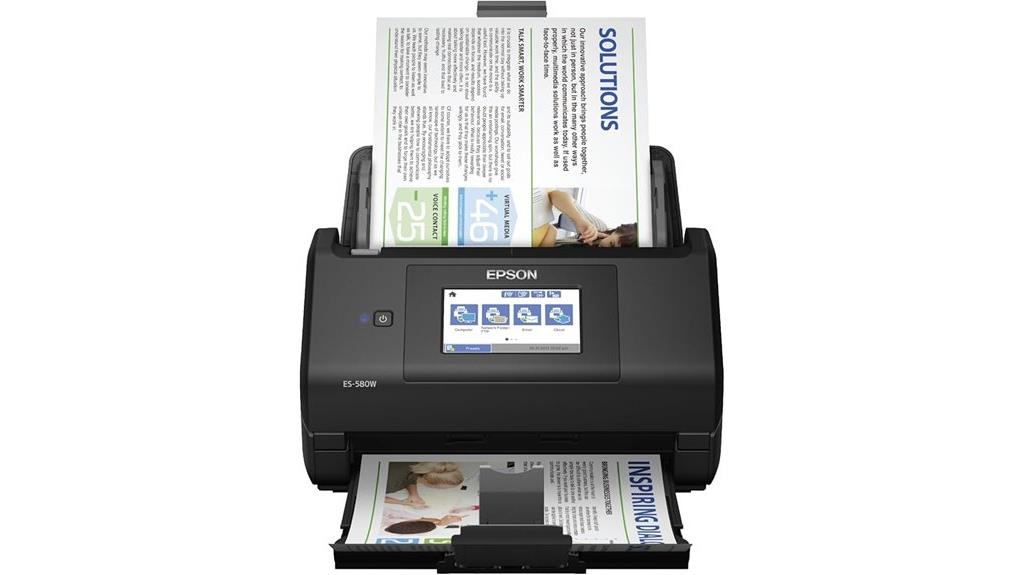
If you’re seeking a fast and reliable scanner that can handle large batches and fragile documents with ease, the Epson Workforce ES-580W Wireless Document Scanner is an excellent choice. It scans up to 35 pages per minute at 300 dpi and features a 100-sheet Auto Document Feed, making bulk processing simple. Its wireless connectivity allows scanning directly to cloud services like Dropbox and Google Drive or to your device via the Epson Smart Panel App. The 4.3-inch touchscreen simplifies operation, and the scanner handles various paper types, including photos and fragile materials. With high-quality color output and versatile file options, it’s perfect for busy professionals needing efficient, on-the-go digitization.
Best For: busy professionals and small offices needing fast, reliable, and versatile document scanning with wireless connectivity and high-volume capacity.
Pros:
- High-speed scanning of up to 35 pages per minute with a large 100-sheet ADF for efficient batch processing
- Wireless connectivity and compatibility with cloud services for flexible scanning options
- User-friendly 4.3-inch touchscreen and easy maintenance with accessible parts
Cons:
- Maximum resolution of 600 dpi may be limiting for detailed image needs, despite 1200 dpi support being available
- No timer feature for scan confirmation, which could enhance workflow efficiency
- Some users have reported driver visibility issues on certain browsers and occasional quality control concerns like lines across pages
Factors to Consider When Choosing Portable Document Scanners
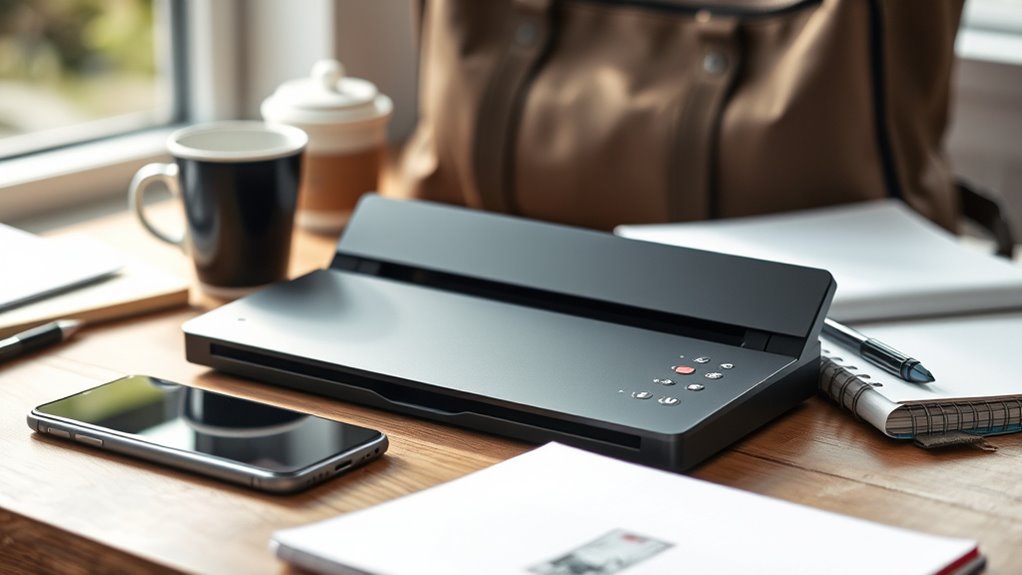
When selecting a portable document scanner, I consider factors like size and portability to guarantee it fits my needs on the go. I also look at scanning speed and quality to keep my workflow efficient, along with compatibility and connectivity options for seamless use. Finally, media handling capabilities and user-friendly software help me choose a device that’s both versatile and easy to operate.
Size and Portability
The size and portability of a portable document scanner are essential factors that determine how easily I can carry and store it. Most models measure less than 12 inches in length, making them simple to pack in small bags, backpacks, or briefcases. Lightweight scanners, weighing under 3 pounds, reduce fatigue during extended use and are perfect for travel. Compact dimensions allow for quick access during mobile work, while foldable or collapsible components enhance portability without sacrificing functionality. A smaller form factor also means fewer accessories are needed, streamlining setup and minimizing bulk. When choosing a portable scanner, I look for a device that balances a small, lightweight design with enough features to meet my scanning needs on the go.
Scanning Speed and Quality
Choosing a portable document scanner involves balancing speed and image quality to meet your workflow needs. Higher scanning speeds, like 12-16 pages per minute, let me quickly digitize large volumes, boosting productivity. Resolution levels between 300 and 900 DPI determine how clear and detailed my scans are, which is essential for professional or archival use. Duplex scanning allows me to scan both sides of a page simultaneously, saving time and ensuring I don’t miss any data. Image processing features such as auto-crop, color correction, and noise reduction improve scan clarity, especially when documents aren’t perfectly aligned or well-lit. To achieve consistent quality, I need to handle documents carefully and select a scanner capable of managing various media types without distortion or artifacts.
Compatibility and Connectivity
Selecting a portable document scanner that fits seamlessly into my workflow starts with guaranteeing it’s compatible with my devices and software. I check if it works with my operating system, whether Windows, Mac, Linux, or mobile platforms like iOS and Android. I also look at connection options—USB, Wi-Fi, Bluetooth, or Ethernet—to match how I typically work. Plug-and-play capability is a must, so I can set it up quickly without hassle. I also verify if it supports direct connection to cloud services or mobile devices, which makes saving and sharing documents effortless. Ultimately, I guarantee it’s compatible with my preferred software and supports common file formats and OCR features, streamlining my document management and increasing efficiency on the go.
Media Handling Capabilities
When evaluating media handling capabilities, I focus on whether the scanner can efficiently process different types of media, such as paper documents, receipts, business cards, or even thicker materials like plastic cards. I check the maximum media size supported, ensuring it can handle legal, A3, or oversized documents if needed. Duplex scanning and automatic feeding are important for continuous, hands-free operation. I also consider how well the scanner manages various paper weights and textures, especially fragile or embossed surfaces, to prevent damage. Additionally, I look at whether it can convert media into useful digital formats like searchable PDFs, JPEGs, or editable files, which helps with organization and sharing. Overall, media handling capabilities are vital for versatile, hassle-free digitization on the go.
Software and Ease of Use
A portable document scanner’s software and user interface play a crucial role in how smoothly you can operate it. I look for intuitive controls that make scanning quick and straightforward, with automatic updates to keep features current. Compatibility across Windows, Mac, and Linux ensures I can integrate the scanner seamlessly into my workflow without hassle. Features like automatic document detection, cropping, and orientation correction save me time by reducing manual adjustments. OCR support and file management tools are essential for converting scans into editable, searchable documents efficiently. Easy connectivity options such as USB, Wi-Fi, or cloud integration simplify setup and daily use. Overall, user-friendly software enhances productivity and makes on-the-go scanning a hassle-free experience.
Frequently Asked Questions
How Do Portable Scanners Handle Thick or Textured Documents?
Portable scanners handle thick or textured documents fairly well, especially models with adjustable settings and high-quality sensors. I’ve found that they often struggle with very rough or heavily textured surfaces, but for most standard thick papers, they produce clear images. I usually guarantee the document is flat and well-aligned before scanning. Upgrading to a scanner with a higher DPI and adaptive imaging technology really helps improve the quality of scans from textured or thick documents.
Can Portable Scanners Automatically Organize Scanned Files?
Think of portable scanners as tiny librarians checking in your documents. Many models now come with smart features that automatically organize files into folders by date, type, or keywords. I’ve found these features incredibly helpful—they save me time and keep my digital workspace tidy. While not all scanners have this capability, choosing one with built-in OCR and auto-sorting makes digitizing on the go much smoother and more efficient.
What Is the Battery Life of Typical Portable Scanners?
Typically, portable scanners have a battery life that lasts between 200 to 400 scans on a single charge. I’ve found that some models can last an entire day of heavy use, especially if they have larger batteries. It’s always smart to carry a spare power bank or charger, especially if you’re traveling or working remotely for extended periods. This way, you won’t have to worry about running out of juice when you need it most.
Are Portable Scanners Compatible With Cloud Storage Services?
Absolutely, most portable scanners are compatible with cloud storage services. I’ve found that many models seamlessly connect to platforms like Dropbox, Google Drive, and OneDrive, making it easy to store and access documents anywhere. This compatibility is often a key feature, so I always check before buying. It’s a huge convenience, allowing me to digitize on the go and have my files securely stored in the cloud without extra steps.
How Secure Are the Scans Stored on Portable Devices?
The security of scans stored on portable devices varies, but I always take precautions. I use encryption and password protection where possible, and avoid storing sensitive info on untrusted devices or networks. Regularly updating my device’s software helps patch vulnerabilities, and I make sure to back up important files securely. Being cautious and proactive keeps my scans safer, giving me peace of mind wherever I go.
Conclusion
After exploring these top portable scanners, I truly believe that the right device depends on your specific needs—whether it’s speed, connectivity, or OCR features. Just like a good theory, the best scanner syncs seamlessly with your workflow, making digitization effortless wherever you go. When you find that perfect fit, it’s like discovering a hidden truth: convenience and efficiency become second nature, turning on-the-go scanning into a smooth, almost instinctive process.
College move-in / dorm season Picks
dorm essentials
As an affiliate, we earn on qualifying purchases.