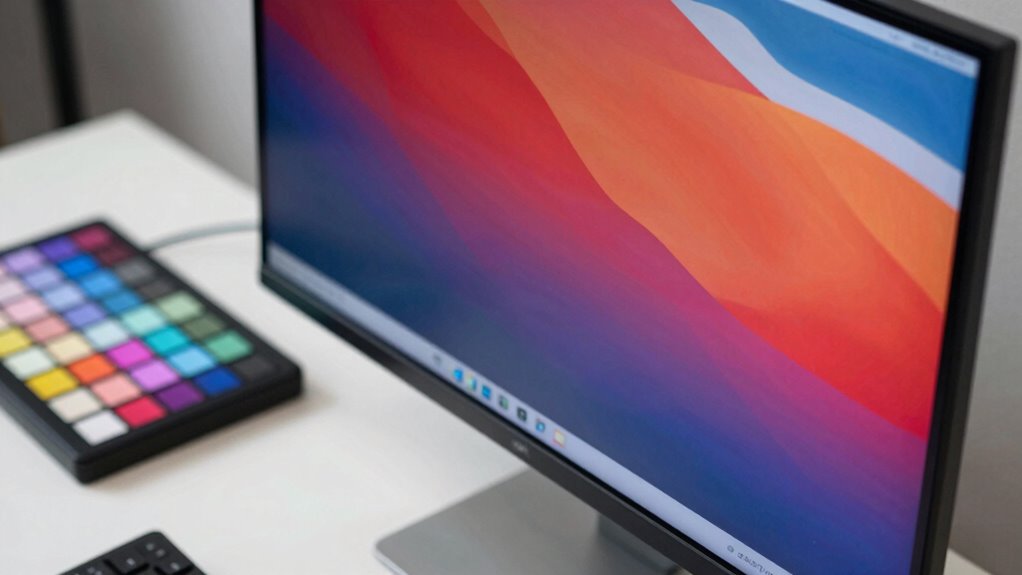

When searching for a color accurate monitor, the key factors are precision, consistency, and build quality. The ViewSonic VP2766-2K stands out as the overall best thanks to its 2K QHD resolution and professional-grade color calibration. The ASUS ProArt PA278QV offers excellent value with factory-calibrated colors for less demanding workflows, while the Dell S2725QC provides 4K clarity at a competitive price for those prioritizing ultra-high resolution. Buyers often face a tradeoff between color accuracy, resolution, and price, making it essential to choose a monitor aligned with specific creative needs. Continue reading for a detailed breakdown of these options and more to find the best fit for your workspace.

Get travel and outdoor gear delivered free with Prime
- Fast, free delivery on millions of items
- Prime Video, Amazon Music and more included
- Member-only deals all year
Complete the kit



Key Takeaways
- Top-tier color calibration is often found in professional-grade monitors like the ASUS ProArt series and ViewSonic VP2766-2K.
- Higher resolution, such as 4K, generally enhances detail but can come with a price premium and higher system requirements.
- USB-C connectivity is increasingly common in premium models, streamlining cable management for creators using laptops.
- Price ranges vary widely, with professional monitors costing significantly more but offering greater accuracy and features.
- Calibration and factory settings matter; monitors with pre-calibrated displays save time and effort for color-critical work.
| ViewSonic VP2766-2K 27 Inch ColorPro 2K QHD IPS Monitor with USB-C and 120Hz |  | Best Overall for Professional Color Accuracy | Screen Size: 27 inches | Resolution: 2560 x 1440 (QHD) | Panel Type: IPS | VIEW ON AMAZON | See Our Full Breakdown |
| ASUS ProArt PA278QGV 27-Inch QHD Professional Monitor |  | Best for Color-Accurate Content Creation with Extensive Calibration | Display Size: 27 inches | Resolution: 2560 x 1440 (QHD) | Color Gamut: 95% DCI-P3, 100% sRGB | VIEW ON AMAZON | See Our Full Breakdown |
| ASUS ProArt PA278QV 27-Inch 1440p QHD Professional Monitor |  | Best for Budget-Conscious Professionals Needing Accurate Color | Display Size: 27 inches | Resolution: 2560 x 1440 (QHD) | Color Coverage: 100% sRGB, Rec. 709 | VIEW ON AMAZON | See Our Full Breakdown |
| ViewSonic VP2756A 27 Inch 1440p Monitor with USB-C and Ergonomic Stand |  | Best for Ergonomic Professionals Needing Color Precision | Size: 27 inches | Resolution: 2560 x 1440 (2K) | Color Coverage: 100% sRGB, Rec.709 | VIEW ON AMAZON | See Our Full Breakdown |
| ASUS ProArt PA248QV 24-Inch WUXGA Professional Monitor |  | Best Compact Choice for Accurate Color in a Smaller Form Factor | Display Size: 24 inches | Resolution: 1920 x 1200 WUXGA | Color Coverage: 100% sRGB, Rec. 709 | VIEW ON AMAZON | See Our Full Breakdown |
| ASUS ProArt PA247CV 24 Inch 1080p USB-C Professional Monitor |  | Best Overall for Color Accuracy in a Compact Format | Display Size: 24 inches | Resolution: 1920 x 1080 | Panel Type: IPS | VIEW ON AMAZON | See Our Full Breakdown |
| Dell 27 Monitor SE2726H – 27-inch FHD (1920×1080) with 144Hz, 1ms, IPS, AMD FreeSync, Tilt |  | Best for Fast-Paced Visuals and Everyday Use | Size: 27 inches | Resolution: 1920 x 1080 | Refresh Rate: 144Hz | VIEW ON AMAZON | See Our Full Breakdown |
| ASUS ProArt PA279CRV 27-Inch 4K UHD HDR Professional Monitor for Mac |  | Best for Creative Professionals Needing 4K Precision | Display Size: 27 inches | Resolution: 3840 x 2160 (4K UHD) | Color Coverage: 99% DCI-P3, 99% Adobe RGB | VIEW ON AMAZON | See Our Full Breakdown |
| Dell 27 Monitor S2725QC 4K UHD IPS with 120Hz Refresh Rate |  | Best for Versatile Visuals with Smooth Performance | Display Size: 27 inches | Resolution: 4K UHD | Panel Type: IPS | VIEW ON AMAZON | See Our Full Breakdown |
| BenQ PD2706U 27″ 4K UHD Mac-Ready Monitor with USB-C, HDR, IPS, Factory Calibration |  | Best for Extensive Connectivity and Precise Color for Professionals | Size: 27 inches | Resolution: 4K UHD | Color Coverage: 95% P3, 99% sRGB | VIEW ON AMAZON | See Our Full Breakdown |
| color accurate monitor | Resolution | Color Coverage | Calibration | Display Size |
|---|---|---|---|---|
| ViewSonic VP2766-2K 27 Inch Co | 2560 x 1440 (QHD) | 100% sRGB | Factory calibrated, Pantone Validated | — |
| ASUS ProArt PA278QGV 27-Inch Q | 2560 x 1440 (QHD) | — | Calman Verified, Delta E < 2 | 27 inches |
| ASUS ProArt PA278QV 27-Inch 14 | 2560 x 1440 (QHD) | 100% sRGB, Rec. 709 | Calman Verified, Delta E < 2 | 27 inches |
| ViewSonic VP2756A 27 Inch 1440 | 2560 x 1440 (2K) | 100% sRGB, Rec.709 | Delta E<2, Pantone validated | — |
| ASUS ProArt PA248QV 24-Inch WU | 1920 x 1200 WUXGA | 100% sRGB, Rec. 709 | Calman Verified | 24 inches |
| ASUS ProArt PA247CV 24 Inch 10 | 1920 x 1080 | — | Calman Verified, Delta E < 2 | 24 inches |
| Dell 27 Monitor SE2726H | 1920 x 1080 | — | — | — |
| ASUS ProArt PA279CRV 27-Inch 4 | 3840 x 2160 (4K UHD) | 99% DCI-P3, 99% Adobe RGB | — | 27 inches |
| Dell 27 Monitor S2725QC 4K UHD | 4K UHD | — | — | 27 inches |
| BenQ PD2706U 27" 4K UHD Mac-Re | 4K UHD | 95% P3, 99% sRGB | — | — |
More Details on Our Top Picks
ViewSonic VP2766-2K 27 Inch ColorPro 2K QHD IPS Monitor with USB-C and 120Hz
The ViewSonic VP2766-2K stands out for its factory calibration, Pantone validation, and high-resolution 2K QHD IPS panel, making it a reliable choice for creatives demanding precise color reproduction. Compared with the ASUS ProArt PA278QGV, it offers a higher refresh rate, which benefits video editing workflows, but its premium price might be a barrier for casual users. Its versatile connectivity—including USB-C with 90W power delivery—supports modern setups, while the ergonomic stand ensures comfortable long hours of work. The main tradeoff is that this monitor’s price is relatively high, limiting its appeal to dedicated professionals. Best for those who need top-tier color accuracy combined with smooth performance in a professional setting.Pros:- Factory calibrated with Pantone validation ensures high color accuracy
- 2K QHD resolution provides sharp, detailed images
- USB-C with 90W power delivery simplifies connectivity
Cons:- Premium price may be prohibitive for casual users
- Limited to professional and creative workflows, not ideal for general use
Best for: Creative professionals and video editors who require high refresh rates and color precision
Not ideal for: Budget-conscious users or casual users who do not need advanced color accuracy or high refresh rates
- Screen Size:27 inches
- Resolution:2560 x 1440 (QHD)
- Panel Type:IPS
- Refresh Rate:120Hz
- Color Coverage:100% sRGB
- Calibration:Factory calibrated, Pantone Validated
Our verdict“This monitor is best suited for professionals who prioritize color fidelity and performance, despite its higher cost.”
ASUS ProArt PA278QGV 27-Inch QHD Professional Monitor
The ASUS ProArt PA278QGV offers a wide color gamut with 95% DCI-P3 and 100% sRGB, making it ideal for professionals working on vibrant visual content. It surpasses many competitors like the ViewSonic VP2766-2K in color coverage, but its slightly lower refresh rate of 120Hz may be less appealing for fast-paced editing. Its Calman verification and Delta E < 2 calibration guarantee precise color reproduction, and the extensive ergonomic features support long working sessions. However, its higher cost and HDR support limitations mean it’s best for serious content creators rather than casual users. This pick makes the most sense for those prioritizing wide color gamuts and professional calibration standards.Pros:- Wide color coverage with 95% DCI-P3 and 100% sRGB
- Calman verified with Delta E < 2 for precise calibration
- Extensive ergonomic adjustments for comfortable use
Cons:- Premium price may be high for casual or budget users
- HDR support requires compatible hardware for full benefits
Best for: Photographers, videographers, and designers needing accurate, vibrant colors
Not ideal for: Gamers or users seeking high refresh rates for fast-paced activities, as the refresh rate is capped at 120Hz
- Display Size:27 inches
- Resolution:2560 x 1440 (QHD)
- Color Gamut:95% DCI-P3, 100% sRGB
- Refresh Rate:120Hz
- Calibration:Calman Verified, Delta E < 2
- Warranty:5 years
Our verdict“This monitor is an excellent choice for professionals demanding wide color accuracy and extensive calibration, at a higher price point.”
ASUS ProArt PA278QV 27-Inch 1440p QHD Professional Monitor
The ASUS ProArt PA278QV delivers excellent color accuracy with 100% sRGB and Rec. 709 coverage, making it suitable for photo editing and content creation on a budget. Its Calman verification and Delta E < 2 calibration ensure reliable color, similar to more expensive models like the ViewSonic VP2766-2K. The IPS panel offers wide viewing angles, and its ergonomic stand promotes comfort during long editing sessions. Still, the absence of USB-C or HDR limits its versatility in modern workflows. Its price makes it accessible, but users needing higher resolutions or wider gamuts should look elsewhere. This makes a solid, budget-friendly choice for professionals who prioritize color accuracy over advanced features.Pros:- Highly accurate color calibration with Delta E < 2
- Wide viewing angles with IPS technology
- Affordable compared to high-end professional monitors
Cons:- No USB-C or HDR support
- Higher price than typical consumer monitors
Best for: Creative professionals seeking accurate color reproduction without the higher price of premium models
Not ideal for: Users needing 4K resolution or HDR support for advanced workflows
- Display Size:27 inches
- Resolution:2560 x 1440 (QHD)
- Color Coverage:100% sRGB, Rec. 709
- Calibration:Calman Verified, Delta E < 2
- Warranty:5 years
Our verdict“This monitor balances professional-grade color accuracy with a lower price, making it ideal for budget-minded creatives.”
ViewSonic VP2756A 27 Inch 1440p Monitor with USB-C and Ergonomic Stand
The ViewSonic VP2756A excels in combining color accuracy with ergonomic versatility, featuring factory calibration and Pantone validation that suit professional workflows. Its 120Hz refresh rate benefits video editing, similar to the ViewSonic VP2766-2K, but with a more affordable price point. The inclusion of a 90W USB-C port makes it convenient for modern laptops, while the fully adjustable stand promotes long-term comfort. Its primary limitation lies in its slightly lower overall color coverage compared to wider-gamut options, and it’s best suited for those prioritizing ergonomic flexibility and decent color fidelity. This monitor fits well for designers and video editors who value comfort along with color accuracy.Pros:- Factory calibrated with Pantone validation ensures color accuracy
- USB-C with 90W charging reduces cable clutter
- Fully ergonomic stand with height, tilt, swivel, and rotate adjustments
Cons:- Slightly narrower color gamut compared to premium models
- Higher price than basic monitors with similar specs
Best for: Designers and video editors who need a highly adjustable monitor with reliable color calibration
Not ideal for: Gamers or users seeking the widest color gamuts or HDR support
- Size:27 inches
- Resolution:2560 x 1440 (2K)
- Color Coverage:100% sRGB, Rec.709
- Calibration:Delta E<2, Pantone validated
- USB-C Power Delivery:90W
Our verdict“This monitor combines reliable color accuracy with ergonomic features, ideal for professionals prioritizing comfort and calibration.”
ASUS ProArt PA248QV 24-Inch WUXGA Professional Monitor
The ASUS ProArt PA248QV offers professional-grade color accuracy in a compact 24-inch size, with 100% sRGB and Rec. 709 coverage, making it suitable for detailed editing tasks. Its IPS panel ensures consistent color and wide viewing angles, comparable to larger models like the ViewSonic VP2766-2K, but with a smaller display footprint. The inclusion of extensive ergonomic adjustments and a 5-year warranty enhances its appeal for long-term professional use. However, its lower resolution and smaller size may not satisfy those who need large screens or 4K details for high-end work. It’s an excellent option for space-constrained environments or users who prefer smaller monitors without sacrificing color fidelity. This is ideal for professionals requiring precise color in a compact form, without the need for ultra-high resolution.Pros:- Excellent color accuracy with 100% sRGB and Rec. 709
- IPS panel with wide viewing angles
- Ergonomic stand with tilt, pivot, swivel, and height adjustments
Cons:- Smaller screen size may be limiting for some workflows
- No USB-C or HDR support
Best for: Photographers and designers working in limited space who need accurate color reproduction
Not ideal for: Video editors or 3D artists needing 4K resolution or larger screens
- Display Size:24 inches
- Resolution:1920 x 1200 WUXGA
- Color Coverage:100% sRGB, Rec. 709
- Calibration:Calman Verified
- Warranty:5 years
Our verdict“This monitor offers reliable color fidelity in a smaller package, perfect for space-limited professional setups.”
ASUS ProArt PA247CV 24 Inch 1080p USB-C Professional Monitor
This model stands out for delivering dependable color accuracy straight out of the box, thanks to factory calibration and a wide 100% sRGB coverage. While its 1080p resolution might seem limiting compared to 4K options like the ASUS ProArt PA279CRV, it still provides precise color reproduction suitable for professional tasks that don’t require ultra-high resolution. The inclusion of USB-C with 65W Power Delivery offers versatile connectivity, but the lack of built-in speakers and its lower resolution can be drawbacks for multimedia workflows. Compared to larger, higher-res monitors, this is a more compact, budget-conscious choice that emphasizes color fidelity over resolution.
Pros:- Excellent factory-calibrated color accuracy with Delta E < 2
- Wide 100% sRGB and Rec. 709 coverage for professional color work
- Versatile connectivity including USB-C with 65W Power Delivery
- Extended 5-year warranty for peace of mind
Cons:- Limited to 1080p resolution, which may be insufficient for detailed image editing
- No mention of built-in speakers, limiting multimedia use
Best for: Creative professionals who need accurate colors but prefer a smaller, more affordable workspace.
Not ideal for: Videographers or 3D artists needing high 4K resolution or larger screen real estate for detailed work.
- Display Size:24 inches
- Resolution:1920 x 1080
- Panel Type:IPS
- Color Gamut:100% sRGB, 100% Rec. 709
- Calibration:Calman Verified, Delta E < 2
- Connectivity:DisplayPort over USB-C, HDMI, USB 3.1
Our verdict“This monitor is ideal for professionals who prioritize color precision in a compact, budget-friendly package.”
Dell 27 Monitor SE2726H – 27-inch FHD (1920×1080) with 144Hz, 1ms, IPS, AMD FreeSync, Tilt
Compared with the ASUS ProArt PA247CV, the Dell SE2726H focuses on smooth motion with a 144Hz refresh rate and 1ms response time, making it well-suited for gaming and dynamic content. Its IPS panel ensures accurate colors at wide angles, but its 1080p resolution limits detail clarity for high-end creative work. Eye comfort features like TÜV Rheinland certification add to its appeal for extended use, although the absence of built-in speakers or higher resolution might be a downside for multimedia enthusiasts. This monitor makes a strong case for users who need fast responsiveness and color accuracy without the extra expense of 4K resolution.
Pros:- Fast 144Hz refresh rate and 1ms response time for smooth visuals
- IPS technology provides accurate colors at wide viewing angles
- Eye comfort certification reduces blue light for extended sessions
- Ultra-thin bezels for multi-monitor setups
Cons:- Limited to 1080p resolution, unsuitable for detailed editing
- No built-in speakers or higher resolution options
Best for: Gamers and general users needing a balance of color accuracy and fast refresh rates.
Not ideal for: Professional photo editors or video editors requiring high-resolution, detailed displays for precise editing.
- Size:27 inches
- Resolution:1920 x 1080
- Refresh Rate:144Hz
- Response Time:1ms
- Panel Technology:IPS
- Connectivity:2x HDMI
Our verdict“Perfect for users who want accurate colors combined with high refresh rates for gaming or fast-moving content.”
ASUS ProArt PA279CRV 27-Inch 4K UHD HDR Professional Monitor for Mac
This monitor stands out for its high-resolution 4K UHD display, offering detailed images and extensive color coverage with 99% DCI-P3 and Adobe RGB, making it ideal for detailed creative work. Compared to the ASUS ProArt PA247CV, it provides significantly more workspace for editing high-resolution images, but its higher price tag makes it less accessible for casual users. The factory calibration and Calman verification ensure color accuracy right out of the box, and its ergonomic stand supports long work sessions. However, its premium cost and target market limit its appeal to professionals who need true 4K resolution and wide color gamut coverage.
Pros:- High-resolution 4K UHD display for detailed editing
- Extensive color coverage with 99% DCI-P3 and Adobe RGB
- Factory calibrated and Calman Verified for precise color accuracy
- Ergonomic adjustments and daisy-chain support for extended workflows
Cons:- Premium price which may be prohibitive for some users
- Limited to professional and creative applications, not everyday use
Best for: Creative professionals, photographers, and video editors requiring detailed 4K color fidelity.
Not ideal for: Casual users or gamers who don’t need ultra-high resolution or professional-grade color accuracy.
- Display Size:27 inches
- Resolution:3840 x 2160 (4K UHD)
- Color Coverage:99% DCI-P3, 99% Adobe RGB
- Color Accuracy:Delta E < 2
- Connectivity:DisplayPort, USB-C with 96W Power
- Features:HDR, Factory Calibrated, Daisy-chain
Our verdict“A top choice for professionals who demand accurate, high-resolution color reproduction for detailed editing tasks.”
Dell 27 Monitor S2725QC 4K UHD IPS with 120Hz Refresh Rate
Compared with the ASUS ProArt PA279CRV, the Dell S2725QC offers a more balanced mix of 4K resolution and a high 120Hz refresh rate, making it suitable for both detailed work and smooth multimedia experiences. Its 99% sRGB coverage ensures good color accuracy for most professional tasks, but it lacks the wider color gamuts like Adobe RGB or DCI-P3 found in more specialized monitors. The HDR compatibility and low blue light features add to its versatility for prolonged use. However, its 27-inch size and unspecified price might limit its appeal for those needing larger screens or specific professional calibration features.
Pros:- Vivid 4K visuals with accurate sRGB colors
- 120Hz refresh rate for smooth motion
- Low blue light technology for extended viewing comfort
- USB-C with up to 65W Power Delivery for simplified connectivity
Cons:- Limited to 27 inches, less workspace for detailed editing
- Lacks wider color gamuts like Adobe RGB or DCI-P3
Best for: Content creators and professionals seeking a 4K display with fast refresh rates and good color accuracy.
Not ideal for: High-end photographers or video editors needing wider color gamuts or HDR accuracy.
- Display Size:27 inches
- Resolution:4K UHD
- Panel Type:IPS
- Refresh Rate:120Hz
- Contrast Ratio:1500:1
- HDR:HDR ready
Our verdict“A versatile 4K monitor that balances color accuracy with fast performance for general professional use.”
BenQ PD2706U 27″ 4K UHD Mac-Ready Monitor with USB-C, HDR, IPS, Factory Calibration
The BenQ PD2706U excels in providing a wide color spectrum, with 95% P3 and 99% sRGB coverage, along with factory calibration, making it highly suitable for creative workflows. Compared to the ASUS ProArt PA279CRV, it offers seamless KVM switch integration and a slightly more ergonomic design. Its 90W USB-C Power Delivery simplifies setup, but its higher price may deter casual users. The DisplayHDR 400 support ensures good HDR performance, though it’s not a top-tier HDR display. This monitor is a dedicated tool for those who need professional-grade color accuracy combined with versatile connectivity.
Pros:- High color accuracy with factory calibration and wide coverage
- Seamless connectivity including USB-C with 90W Power and KVM switch
- Ergonomic design supports long working hours
- DisplayHDR 400 enhances HDR content
Cons:- Premium pricing may be prohibitive for non-professionals
- Limited to professional workflows, not ideal for general entertainment
Best for: Creative professionals and Mac users needing extensive connectivity and calibrated color accuracy.
Not ideal for: Casual users or gamers who don’t require professional color coverage or ergonomic features.
- Size:27 inches
- Resolution:4K UHD
- Color Coverage:95% P3, 99% sRGB
- Color Accuracy:Delta E ≤ 3
- HDR:DisplayHDR 400
- Features:KVM switch, ergonomic stand
Our verdict“An excellent choice for professionals who need precise color reproduction and flexible connectivity in a 27-inch format.”

How We Picked
Our evaluation focused on key aspects such as color accuracy, resolution, connectivity options, ergonomic adjustments, and build quality. We prioritized monitors that are suitable for professional workflows, including photo editing, video production, and graphic design. Cost-benefit analysis was also central; we aimed to identify options that deliver high performance without unnecessary premium features. Monitors with proven factory calibration, reliable color reproduction, and user-friendly interfaces ranked higher, ensuring that buyers can trust their investment for precision work. The final ranking reflects a balance between professional-grade features and value for different budgets.| color accurate monitor | Calibration |
|---|---|
| ViewSonic VP2766-2K 27 Inch Co | Factory calibrated, Pantone Validated |
| ASUS ProArt PA278QGV 27-Inch Q | Calman Verified, Delta E < 2 |
| ASUS ProArt PA278QV 27-Inch 14 | Calman Verified, Delta E < 2 |
| ViewSonic VP2756A 27 Inch 1440 | Delta E<2, Pantone validated |
| ASUS ProArt PA248QV 24-Inch WU | Calman Verified |
| ASUS ProArt PA247CV 24 Inch 10 | Calman Verified, Delta E < 2 |
| Dell 27 Monitor SE2726H | — |
| ASUS ProArt PA279CRV 27-Inch 4 | — |
| Dell 27 Monitor S2725QC 4K UHD | — |
| BenQ PD2706U 27" 4K UHD Mac-Re | — |
Factors to Consider When Choosing Color Accurate Monitor
Choosing a color accurate monitor requires understanding several critical factors beyond just specs. Your workflow, workspace setup, and budget influence which features matter most. A well-calibrated display can drastically improve your productivity and output quality, but paying for unnecessary extras can lead to wasted money. The following sections highlight the most important considerations to help you make an informed decision and avoid common pitfalls.Color Accuracy and Calibration
Color accuracy is the foundation of a quality color accurate monitor. Look for monitors with factory calibration reports or calibration options that ensure consistent color reproduction. Monitors with high Delta E ratings (below 2) provide more precise color matching, which is essential for professional work. Keep in mind that even the best out-of-the-box calibration may need periodic adjustment, so consider models with easy calibration tools or hardware calibration support.
Resolution and Screen Size
Resolution impacts how much detail you can see and work with. 4K monitors deliver sharper images, which benefits detail-oriented tasks like photo editing. However, higher resolution demands more from your graphics card and can make scaling necessary, especially on smaller screens. Screen size should complement resolution; larger displays at 27 inches or more are ideal for high-resolution workflows, while smaller or budget options might settle for 1080p or QHD to balance clarity and affordability.
Connectivity and Ergonomics
USB-C ports are becoming standard in premium monitors, allowing for single-cable connections that carry power, video, and data—ideal for simplifying setups. Ergonomic features like height adjustment, tilt, swivel, and pivot are critical for long work sessions, reducing strain and improving accuracy. Assess your workspace to determine which features are most necessary, and avoid monitors lacking essential ergonomic flexibility if you prioritize comfort.
Price and Long-Term Value
While high-end monitors offer unparalleled accuracy and features, they come with a hefty price tag. Balance your budget against your needs—if you’re a professional creator, investing more can pay off in improved workflow and fewer frustrations. Conversely, for casual or hobbyist use, mid-range monitors with good calibration and decent resolution can suffice. Remember, a cheap monitor with poor color reproduction hampers your work more than it saves money.
Color Gamut and HDR Support
Wider color gamuts, like AdobeRGB or DCI-P3, enable displays to reproduce a broader range of colors, vital for professional editing. HDR support enhances contrast and color depth, especially useful for video production. However, not all HDR implementations are equal—look for monitors with genuine HDR certification rather than marketing claims. Consider your workflow requirements to decide if these features justify the additional cost.
Frequently Asked Questions
How do I verify a monitor’s color accuracy before buying?
Start by checking if the monitor has factory calibration reports or calibration software. Look for specifications like a Delta E score below 2, which indicates high color precision. Reading user reviews and professional reviews can also reveal real-world calibration performance. If possible, view the monitor in person or buy from a retailer with a good return policy to test its accuracy in your working environment.
Is 4K resolution necessary for color accuracy work?
While 4K resolution provides sharper images and more workspace, it is not strictly necessary for color accuracy. Many professional monitors with 2K or QHD resolution deliver excellent color reproduction for most tasks. The key is calibration and color gamut coverage rather than resolution alone. However, if your workflow benefits from detailed editing or higher pixel density, investing in 4K can be worthwhile.
Can I rely on a monitor’s factory calibration for professional work?
Factory calibration provides a solid starting point, but for critical color work, it’s advisable to fine-tune the display with hardware calibration tools. Monitors with hardware calibration support maintain color accuracy over time better than settings-only adjustments. Regular calibration ensures consistent, precise results, especially if you rely heavily on color fidelity for your projects.
What is the most important feature for long-term comfort and productivity?
Ergonomic adjustability is vital for long-term comfort. Monitors that support height adjustment, tilt, swivel, and pivot help reduce strain during extended work sessions. Additionally, flicker-free screens and low blue light modes can decrease eye fatigue. Prioritizing ergonomic features ensures you maintain accuracy and comfort over time while working with color-sensitive tasks.
How much should I expect to spend on a truly professional color accurate monitor?
Professional-grade monitors with high color accuracy, wide gamuts, hardware calibration, and 4K resolution typically start around $1,000 and can go well beyond $2,000. More affordable options may lack some of these features or have less accurate factory calibration. Consider your specific needs and budget carefully—sometimes, investing in a higher-end model pays off in reduced frustration and better results.
Conclusion
For creators and professionals demanding the highest color fidelity, the ViewSonic VP2766-2K offers a combination of calibration, resolution, and build quality that justifies its premium. The ASUS ProArt PA278QV provides reliable accuracy at a more accessible price point, making it ideal for those starting in professional editing. If budget is a concern but you still need decent calibration, mid-range options like the Dell S2725QC deliver excellent value. Beginners should focus on monitors with factory calibration and ergonomic features, while high-end professionals should prioritize models with wider color gamuts and hardware calibration support. Your choice depends on your workflow, budget, and the level of accuracy you require.
Halloween Picks
halloween
As an affiliate, we earn on qualifying purchases.